


What happened?
During Filament loading, either to the MMU unit or to the Nozzle, if the filament does not reach the SuperFINDA or is not detected, the printer will show an error.
How to fix it?
FINDA
Follow this guide to make sure that your superFINDA is working and has been properly calibrated: FINDA setup and troubleshooting.
Assembly
- Check if the filament has been grabbed by the idler/pulley. In case it has not, the filament is too far back.
- Make sure that the two spring screws on the sides of the MMU unit are properly tightened.
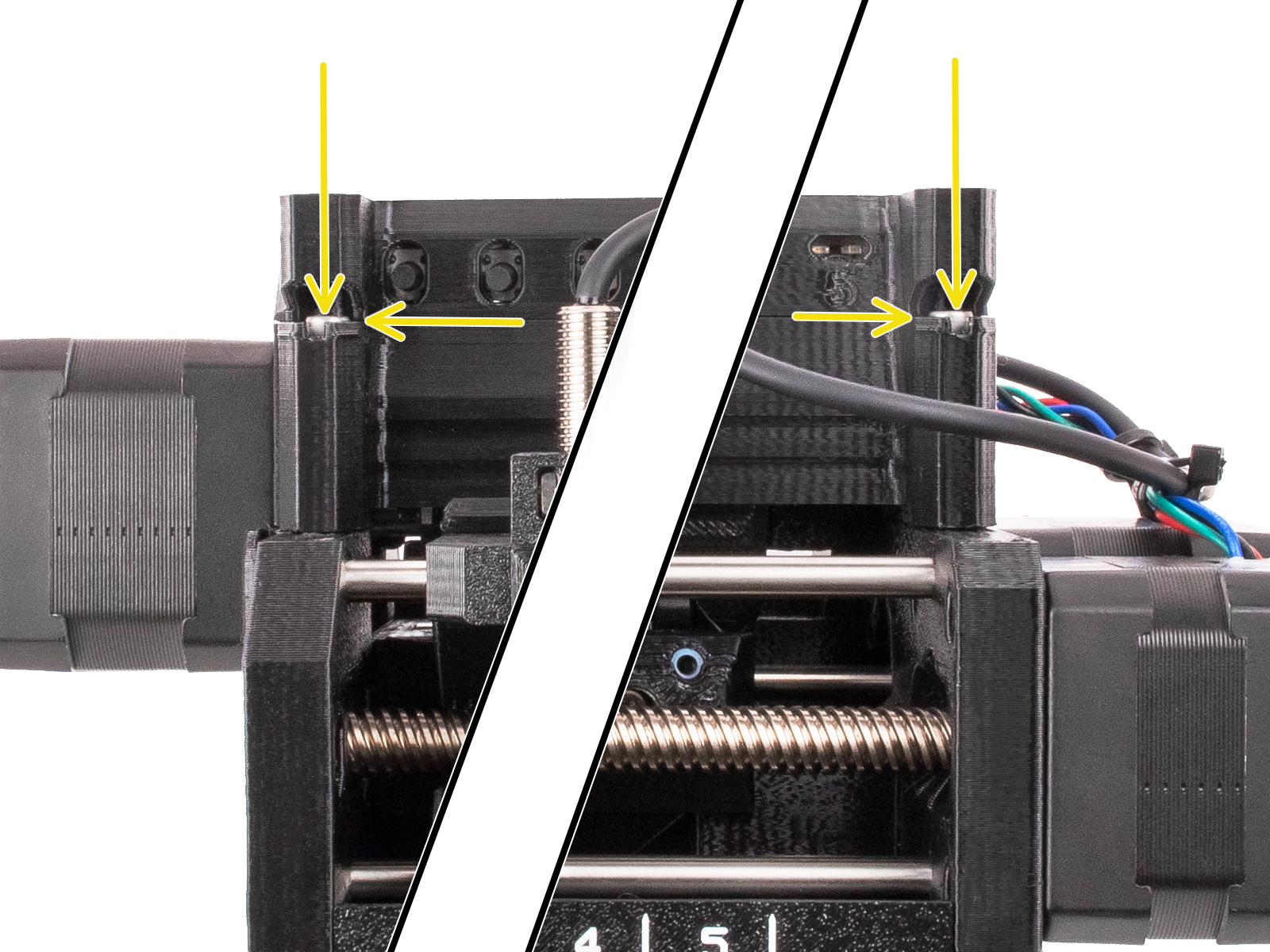
- Inspect the filament spool and the buffer for excessive friction or filament jam. Make sure the filament can move freely.
- Go over the assembly manual and verify if the barrel is in the correct orientation.
- Check the pulley gears for any filament remains, and check if the teeth are clean.
- Check that the corresponding pulley inside the MMU unit is properly aligned with the filament and is clean.
Selector
- Verify if the selector is in the correct position for the given filament number. After several unsuccessful retries, the selector will re-home.
- Check the selector for any filament remains and filament strings accumulated.
- On the MK3.5/S, MK3.9/S, MK4/S, and CORE One, go in the printer menu to Info - Sensor Info, and check if by passing a filament through the FINDA, the status will change.
- On the MK3/S/+, go to the printer menu to Support - Sensor Info, and check if by passing a filament through the FINDA the status will change.
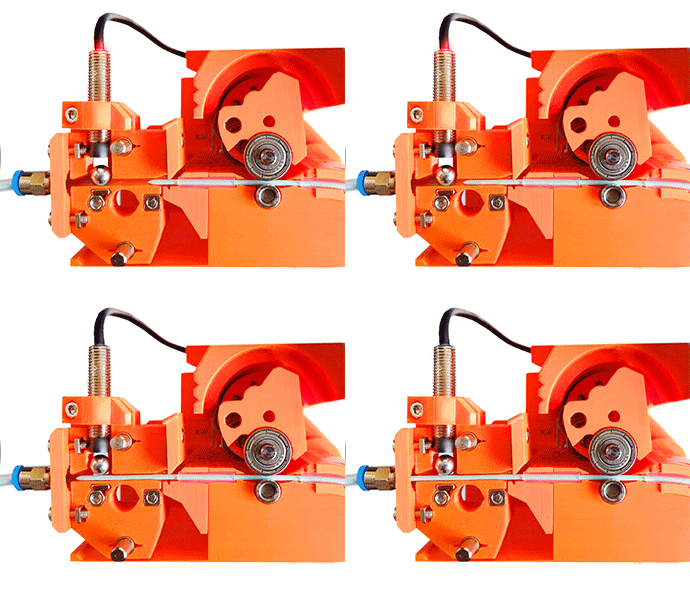
Filament
- Make sure that the PrusaSlicer settings chosen match the filament you are using.
- Check if the filament needs to be dried: Drying filament.
- The filaments must have a sharp tip in order to load properly into the printer. If the tip is deformed, bent, or larger in diameter, cut it off.
- Inspect the last 40cm (15") of each filament. Make sure there are no dents in it.
- If the filament is still not being pulled, check the assembly.
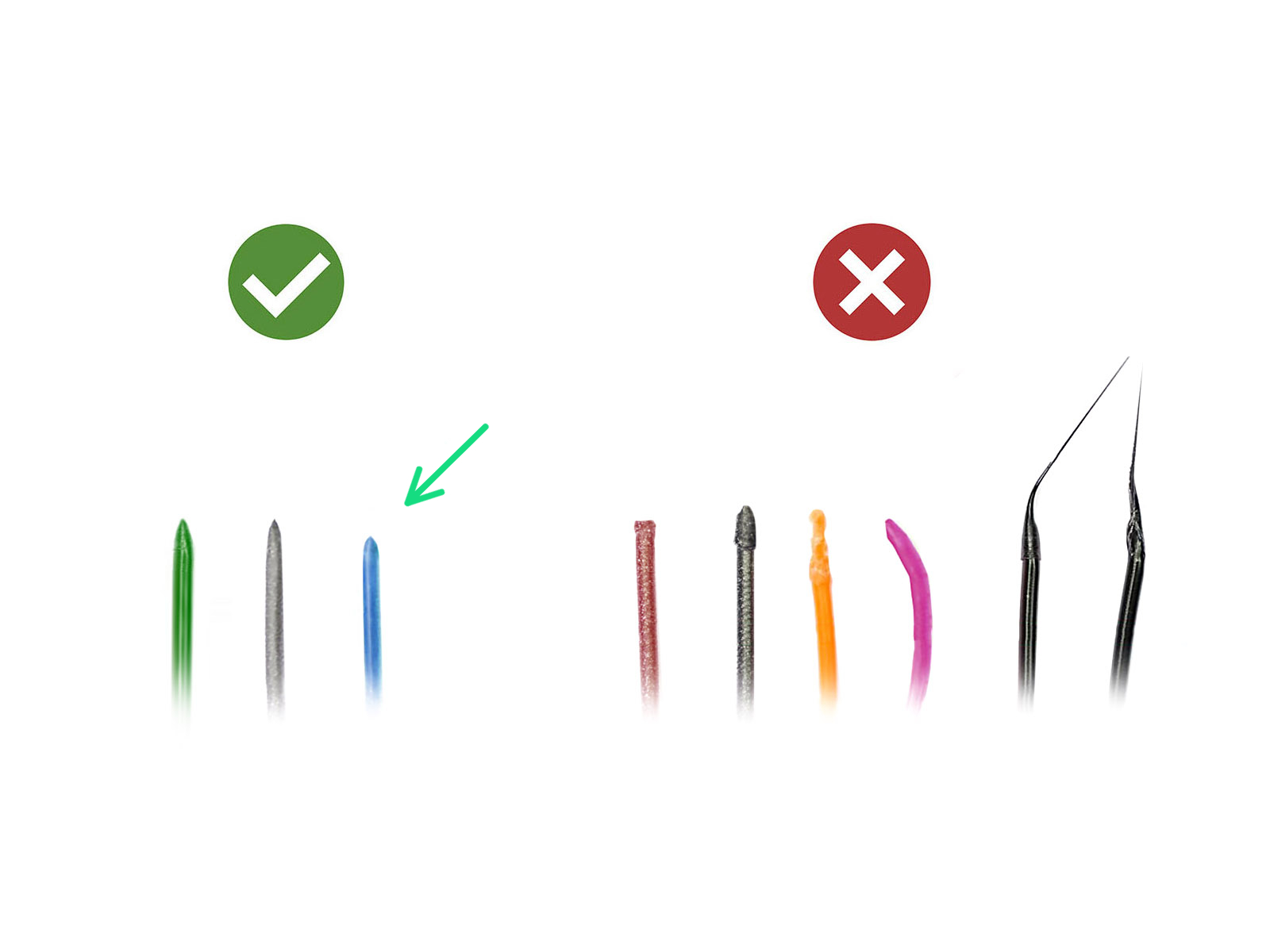 | 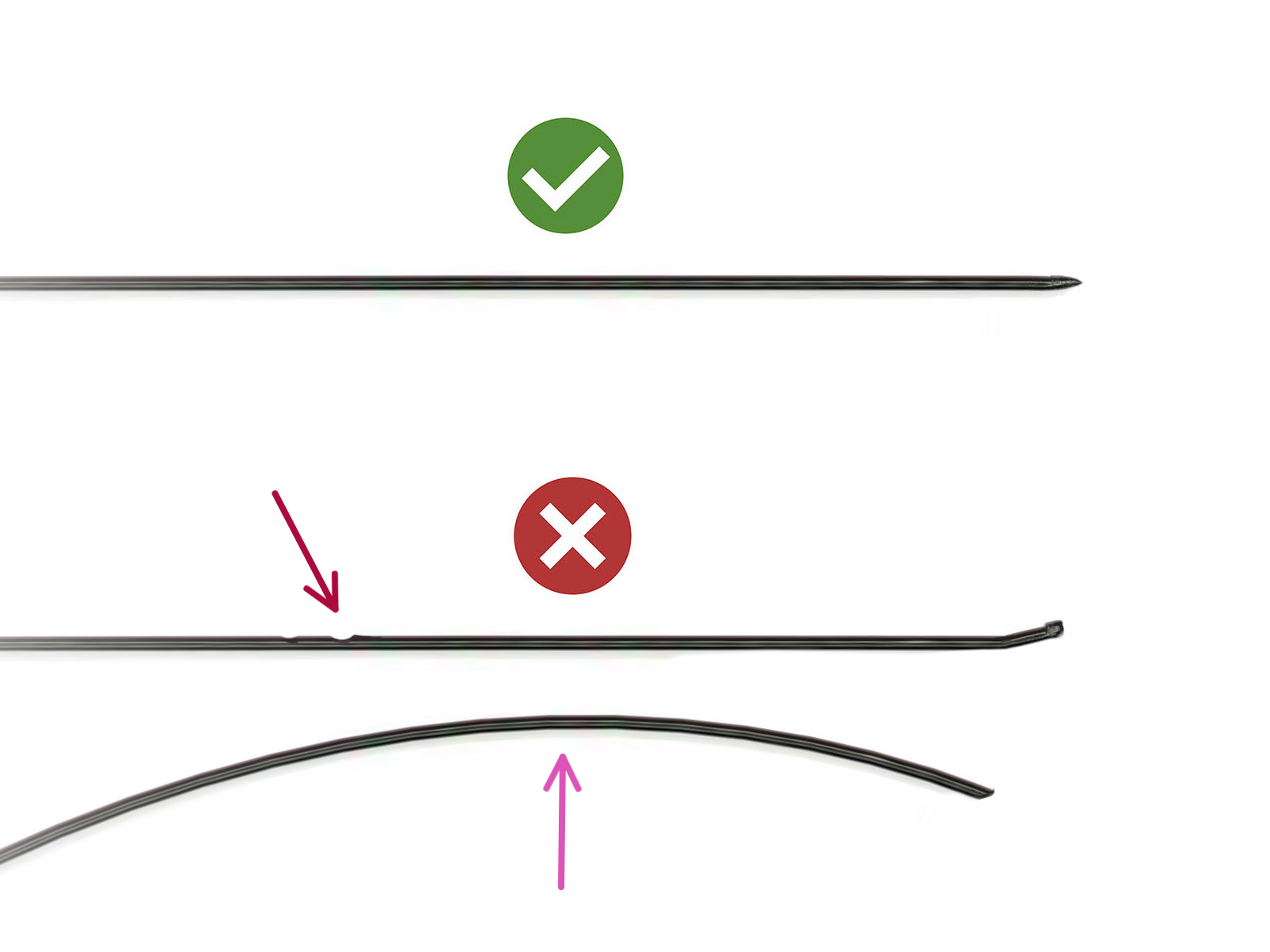 |
Was this article helpful?
This action is available only to registered users. Please log-in.
9 comments
First and foremost. Know the steps it takes to get the filament into the extruder. This will help you identify what issues you are having, and what steps you need to take to fix it.
1. If you are getting stuck when it feeds to the extruder and you don't get all the white blocks. 9 out of 10 its the tip. First remove the clear tube and hit retry. It is going to push out about 12 inches, feel for a flat spot as it comes out to eliminate the second issue also look at the tip. Once it starts to retract back in cut it at a 45 degree angle 4 inches back. Then put the clear tube back on it will try to feed a second time.
1 out 10 (not all white blocks) there is something in the extruder near the gears blocking the sensor. On a mk3, I take the top off and loose the screw with the spring on the left side. I opened the side door and clean the idler assembly out. Hit retry.
One time the finda sensor was not sensing. The filament had pulled out too far. I took the cartridge out and had to hand feed it back in. I also had to use a thin allen key to guide the tip back into the tube. I hit retry and gave a little pressure pushing the filament back in. Do not push hard. Make sure it is moving to the extruder. ****** If its completely out save yourself the trouble and cut the tip and look for a worn spot on the filament.
Lastly, I have seen filament be different sizes. You have to adjust the idler gear on the extruder to accommodate all your filaments.
If the filament has a stringy tip you will have to adjust the temp this could be for 5 different filaments. Honestly there is alot going on an takes patience.
Nothing is perfect but I have never lost a print to these failures. I am glad there is a "Retry"
If I could move the 1.idler the side, 2. unload the filament, 3 cut it... And 4. reload it.. I could save the print.
At a minimum move the idler put of the way... Please.