


What happened?
When the MMU unit unloads a filament from the extruder, the filament sensor inside the extruder should stop detecting the filament. In case it does not, this error appears.
How to fix it?
Check the PTFE tube that leads from the MMU unit to the extruder, and see if the filament has been unloaded or not.
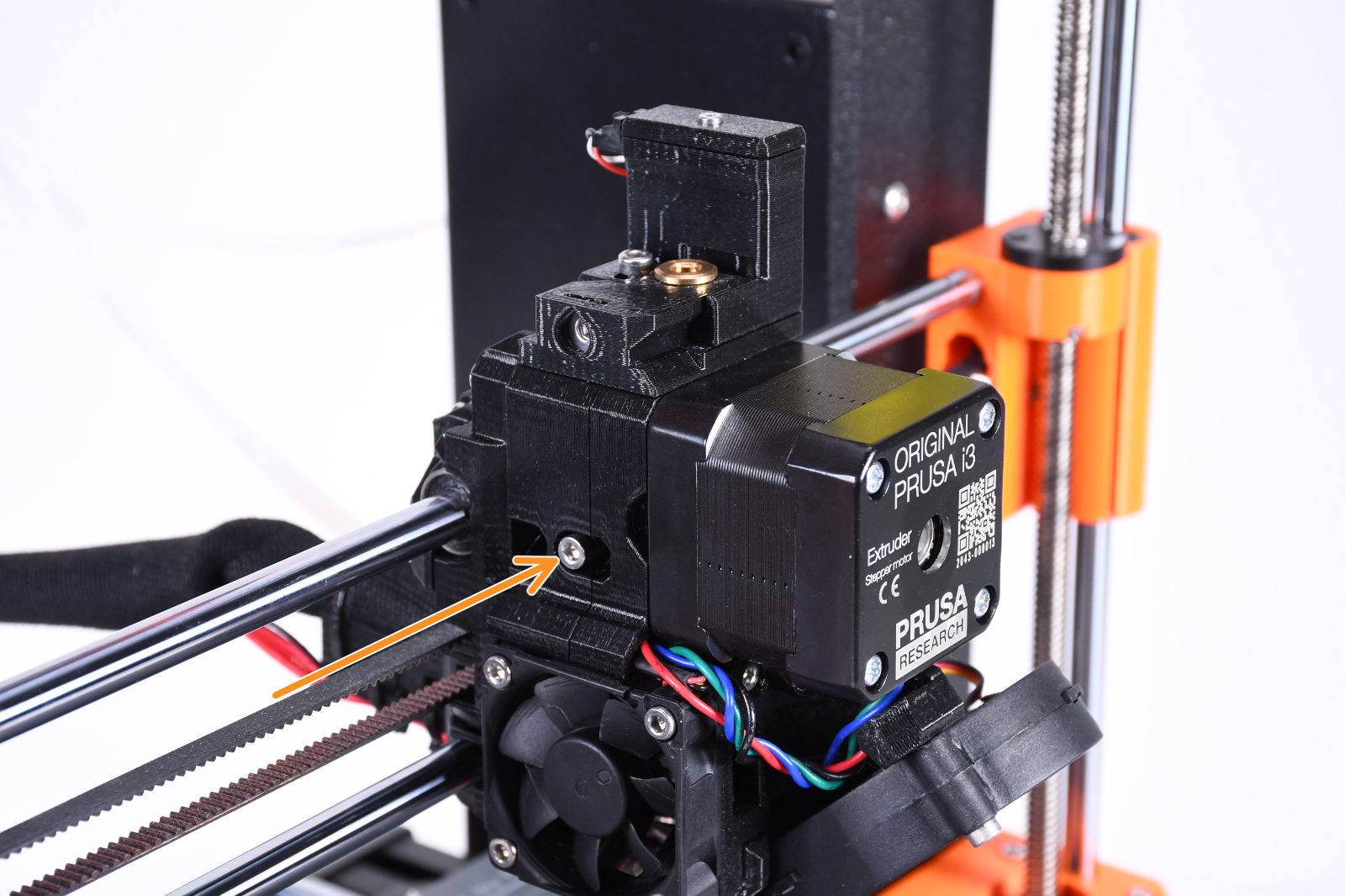
In case the filament has not been unloaded, make sure that the nozzle is heated for the filament you are using. Then, open the Extruder idler screw and the Festo fitting on the top of the extruder, and manually pull the filament. Note that some force might be necessary.
MK3S/+, MK3.5/S
In case the filament has been unloaded, but the printer shows this error, remake the filament sensor calibration.
Check the alignment of the idler door and the Bondtech gears. On the idler door, check if the gear is moving freely and that the shaft is connected to both sides of the plastic part.
Make sure that there is no debris or pieces of filament in the idler door or extruder gears, causing the filament sensor to falsely trigger.
Remove the PTFE from the top of the extruder and make sure that there is no leftover filament stuck.
Nextruder (MK3.9/S, MK4/S, CORE One)
In case the filament has been unloaded, but the printer shows this error, open the PTFE tube that leads to the Nextruder and check if there is any filament stuck on the top of the heatsink.
Also make sure to clean the filament sensor.
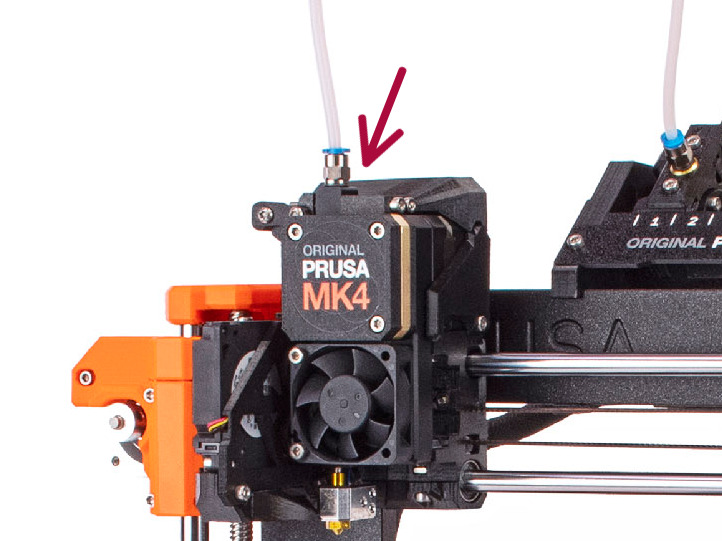 | 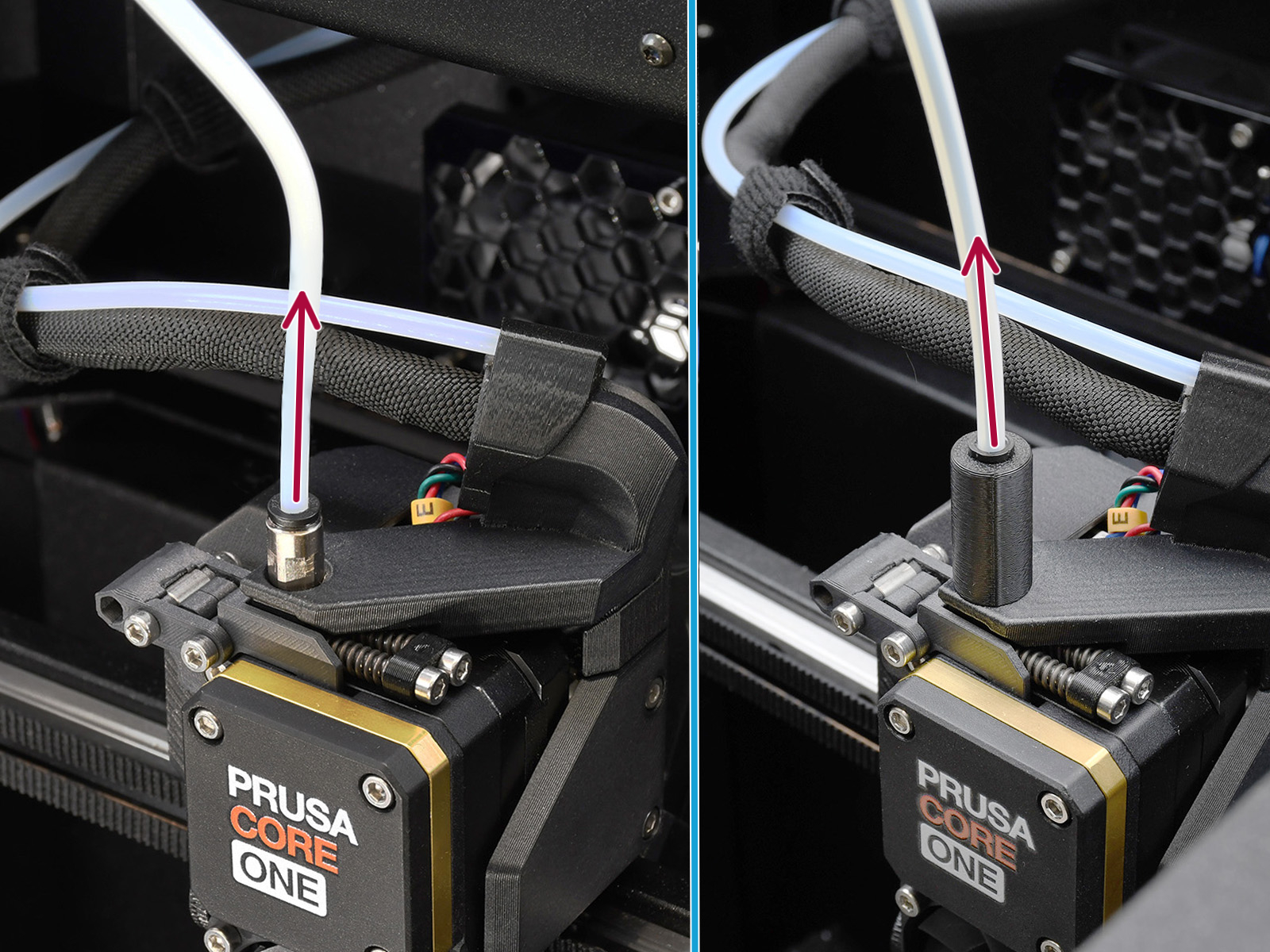 |
| MK3.9/S, MK4/S | CORE One with MMU Lite/CORE One with MMU enclosed |
Filament
Check that you are using the correct settings for your filament with the manufacturer. Filaments with stringing may cause jamming.
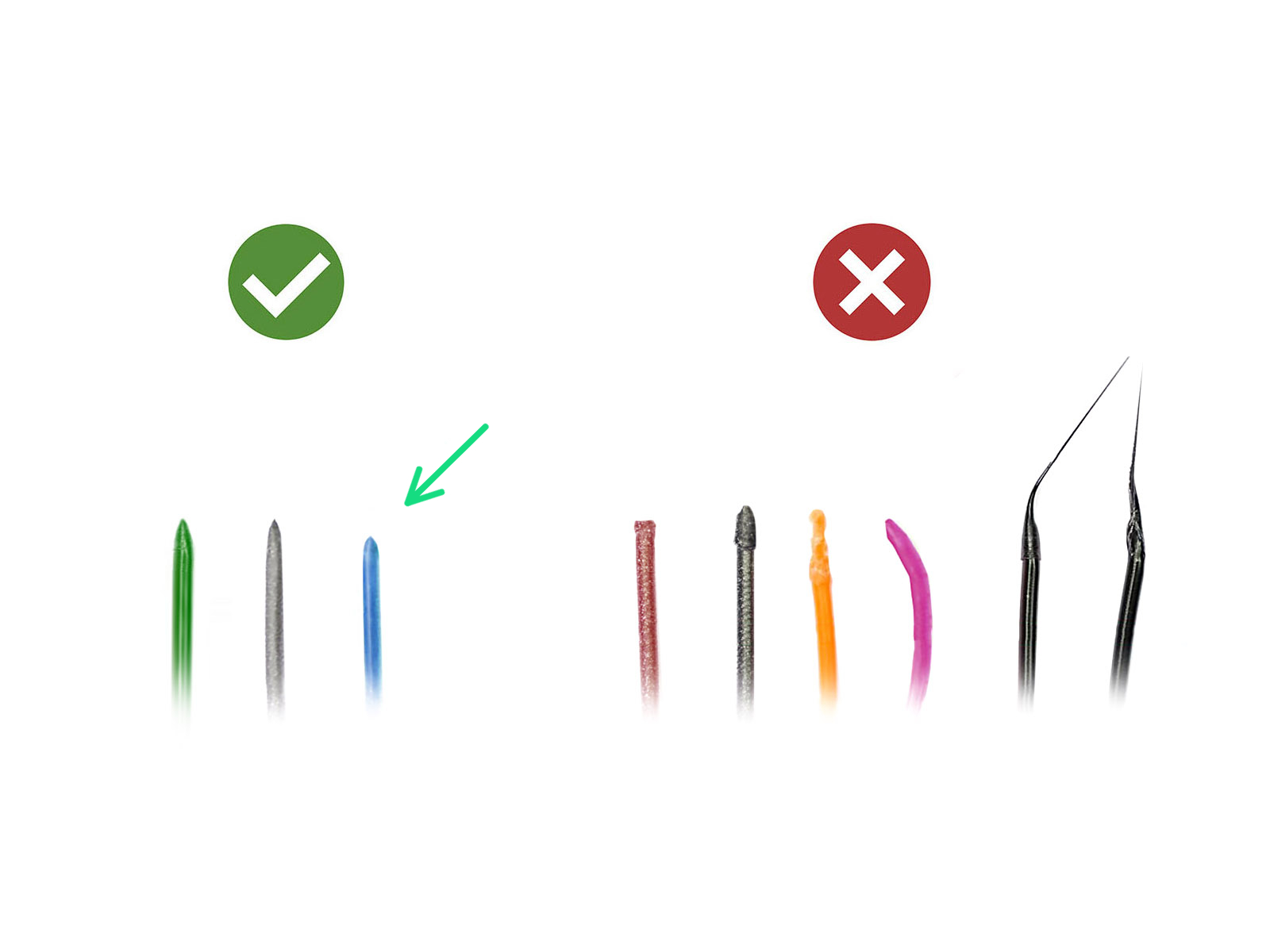
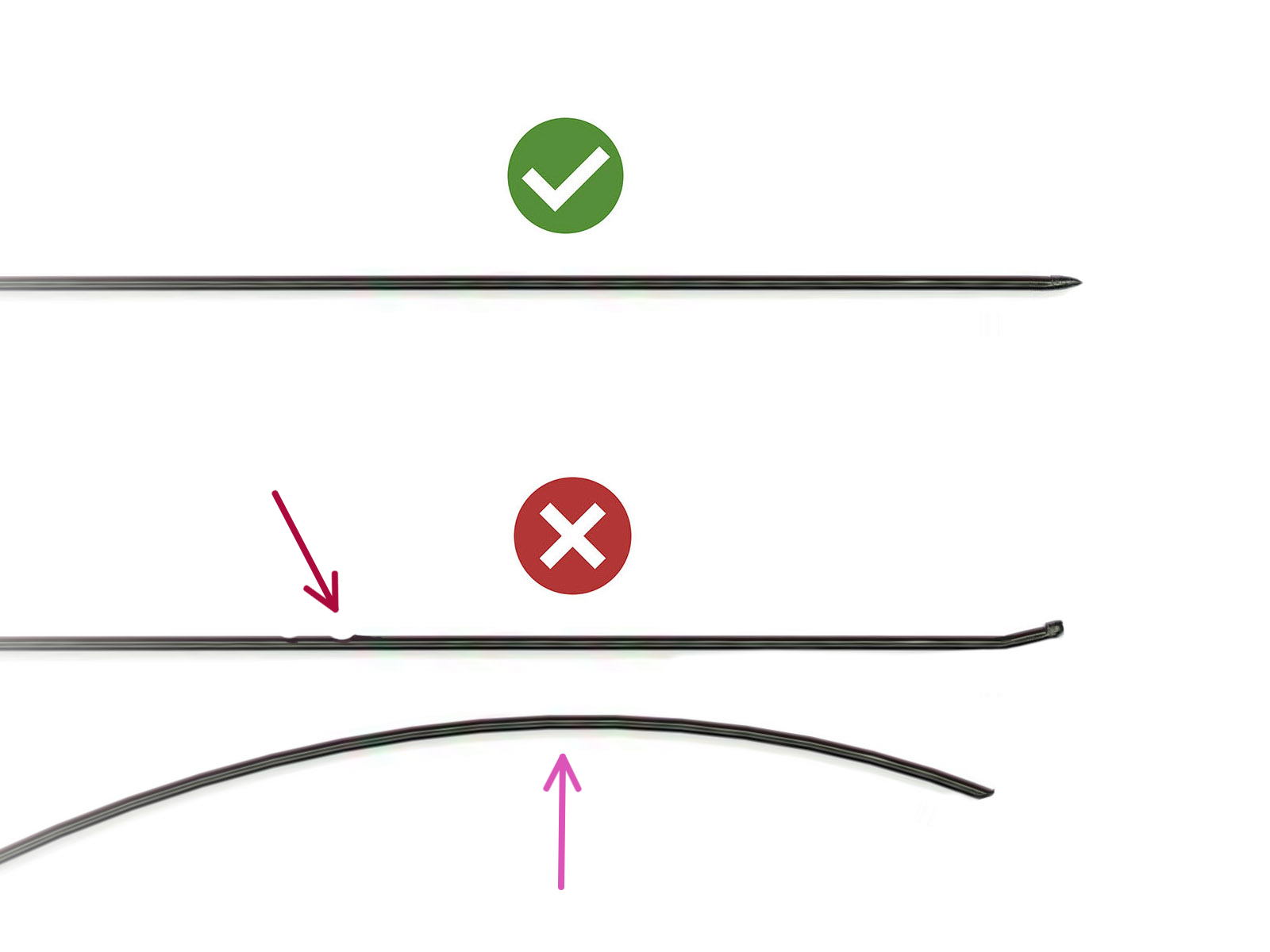
Before restarting the printer, make sure the filament is straight, cut to a sharp tip, and free of damage over the first 40 cm.
If the issue persists across multiple unloads, check the extruder for clogging.
On the MK3/S/+ and MK3.5/S, in case the issue persists due to deformed filament tips, try changing the PTFE tube.
 |  |