


In this guide, we'll cover how to import profiles in PrusaSlicer that are not included with the software, and how to export your custom PrusaSlicer profiles. Some 3rd party vendor profiles are already included with PrusaSlicer (e.g. Lulzbot or Creality printers).
A profile is a combination of print settings, filament settings, and printer settings. A profile, or a bundle, is saved in .ini format.
How to import custom profiles
Navigate to File -> Import. There are three possible options for importing custom profiles.
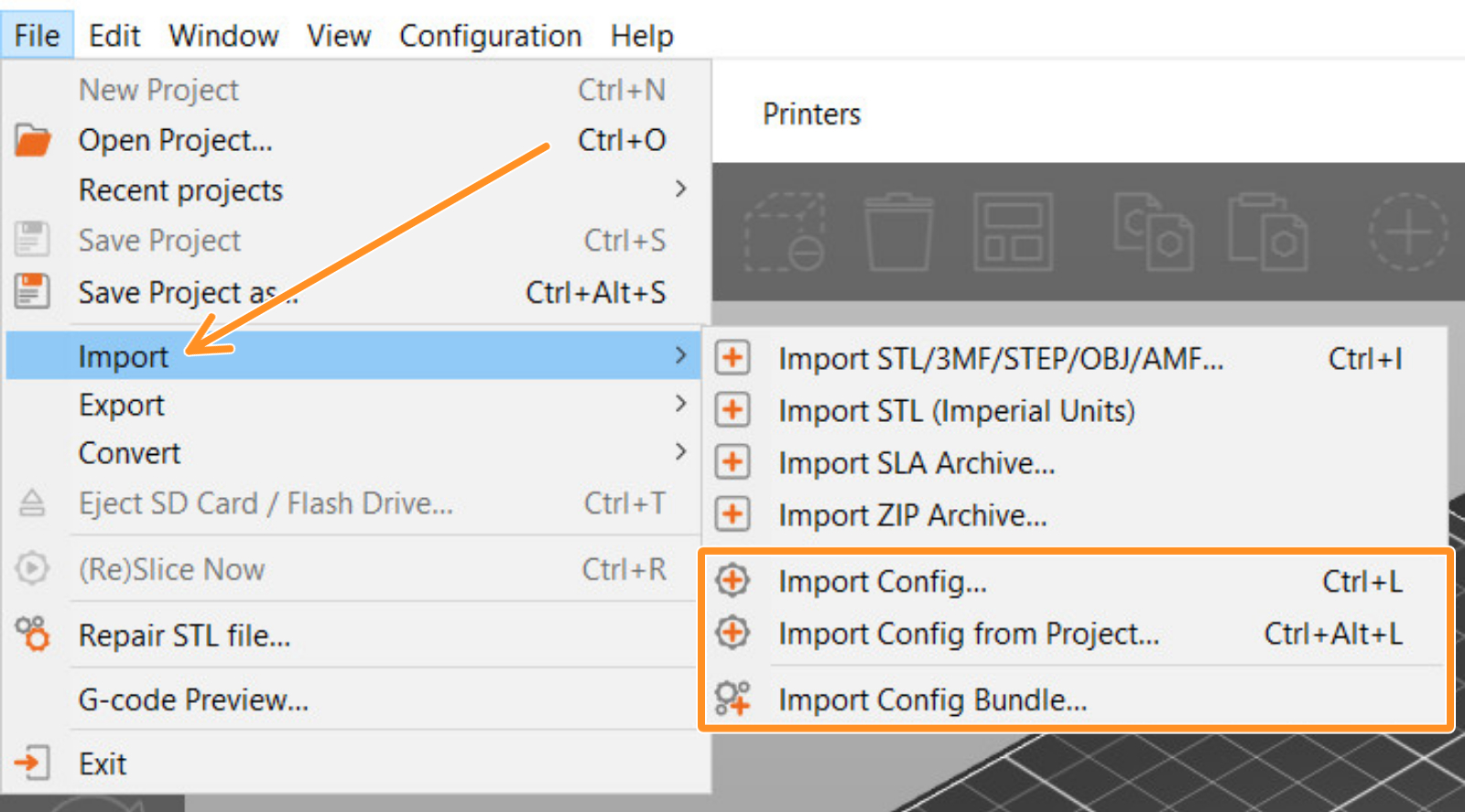
- Import Config: import a single profile. This function accepts .ini, but also .gcode files. When importing a profile through a G-code, this has to be sliced using PrusaSlicer.
- Import Config from Project: import a single profile from a project file. This function accepts only projects saved with PrusaSlicer, with .3mf and .amf format.
- Import Config Bundle: imports all the configuration settings for multiple profiles. This function accepts .ini files.
How to export custom profiles
Navigate to File -> Export. There are three possible options for exporting custom profiles.
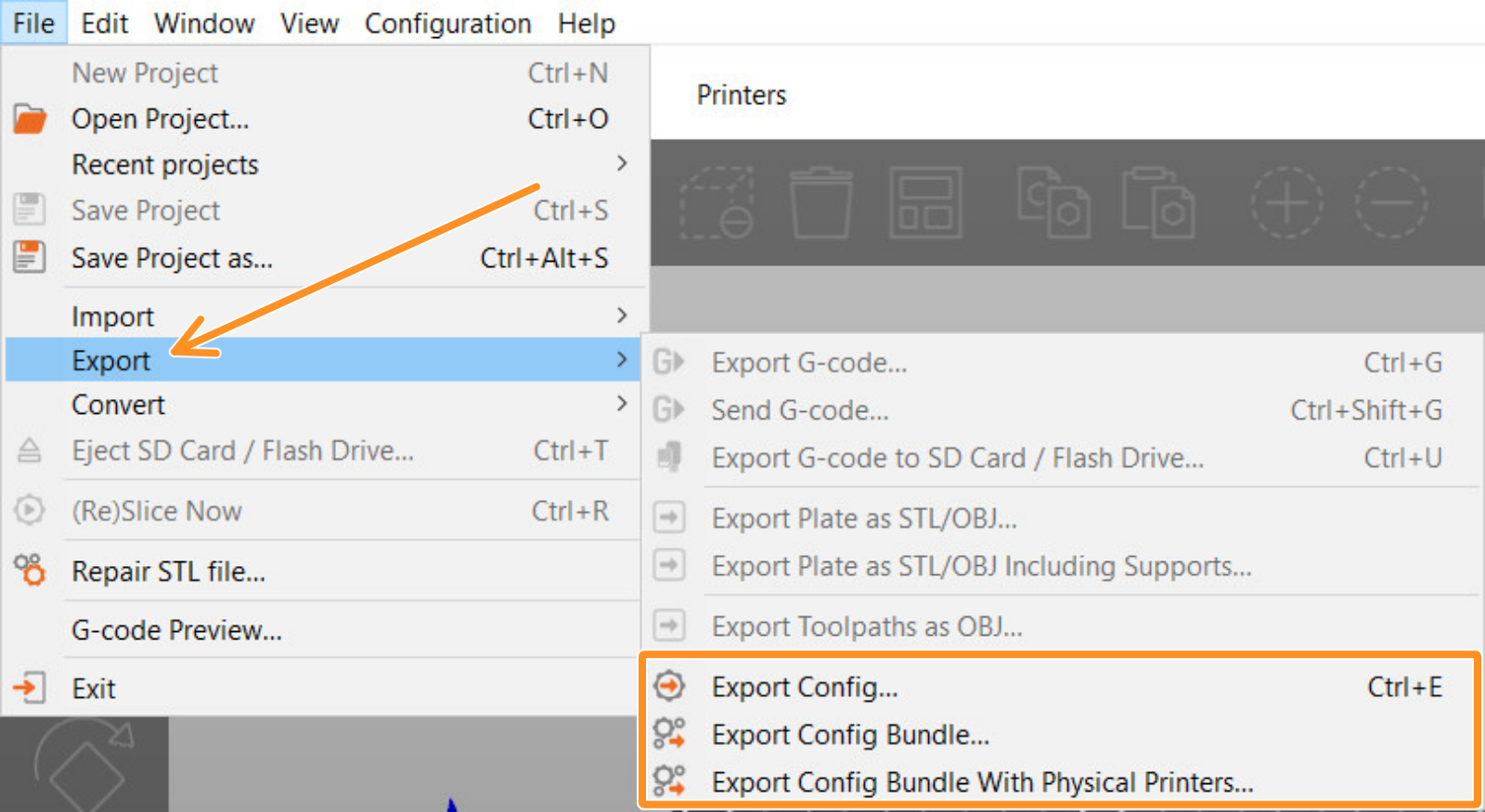
- Export Config: export current profile.
- Export Config Bundle: export all custom settings saved in your current PrusaSlicer version.
- Export Config Bundle with Physical Printers: export a Config Bundle, plus the API key and IP address.
Was this article helpful?
This action is available only to registered users. Please log-in.
17 comments
I also think tutorials like this are especially useful for beginners who are learning how PrusaSlicer profiles work across different printers and filament types. Good documentation saves a lot of time when moving settings between systems or backing up important profiles.
For quick VAT and percentage calculations during freelance or technical work, I’ve also been using VAT Calculator. Very simple and useful browser-based tool for fast calculations. Great article overall!
Tutorials like this are especially useful for beginners who are learning how slicer profiles work for different printers and materials. Good profile management saves a lot of time when switching between projects or moving settings to another computer.
I’ve also been using TI84 calculator for quick browser-based calculations and graphing practice while working on technical projects. Very useful tool for students and learners. Great article overall!
Interestingly, simple utility tools can also improve workflow efficiency in daily tasks. For example, Kopf Oder Zahl is a handy coin flip tool that helps make quick and unbiased decisions when testing settings, choosing print options, or resolving small team debates.