


Starting from version 2.6.0, the built-in PrusaSlicer downloader provides a seamless one-click method to send 3D models from supported model websites directly to the build plate. This bypasses the need for manual downloads and file imports.
The currently supported websites are:



Enabling the Built-in Downloader in PrusaSlicer
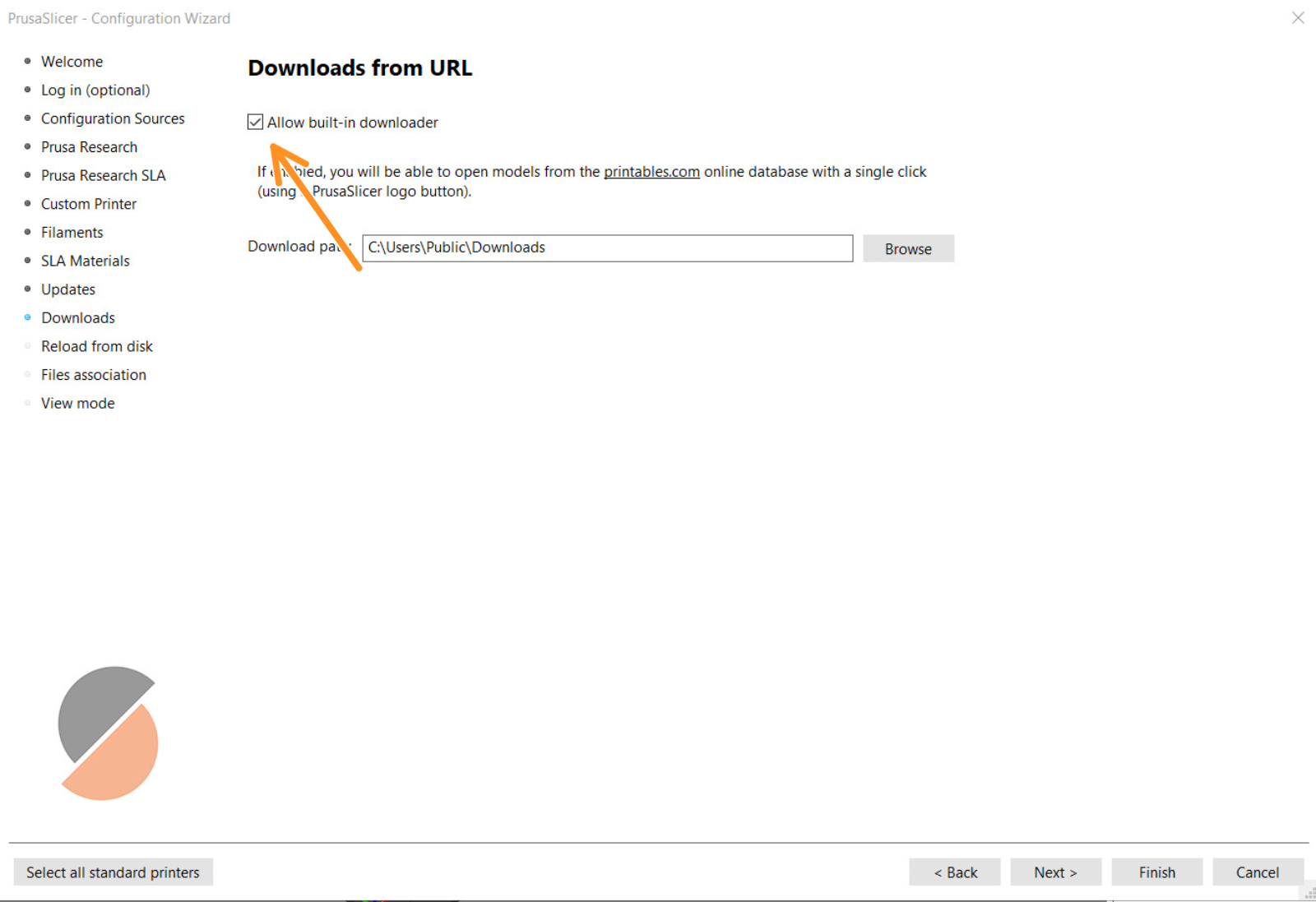
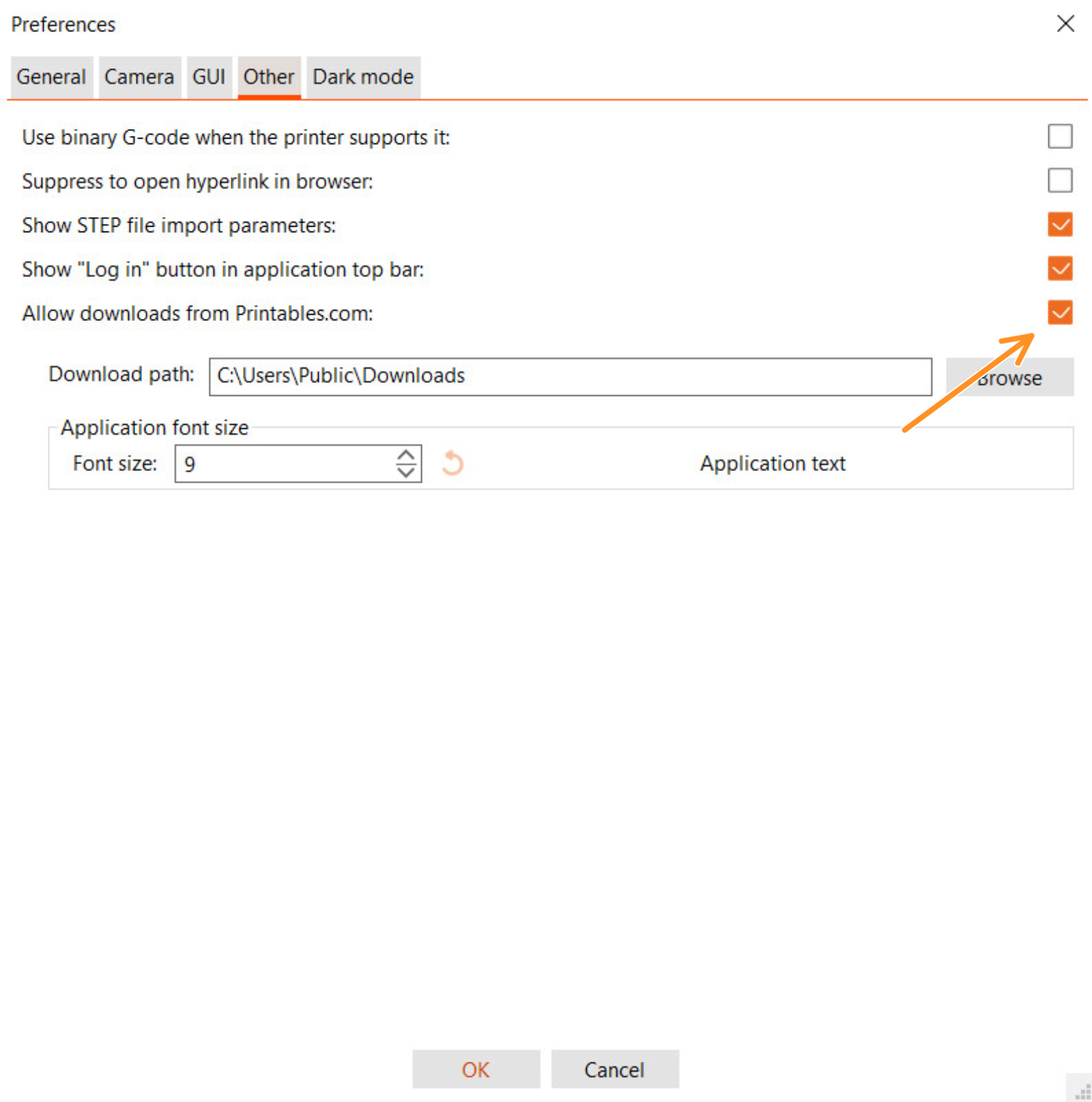
This option is enabled by default in recent PrusaSlicer versions. If, for any reason, you need to check or re-enable it, you can find the setting in two places:
- Configuration Wizard: Configuration -> Configuration wizard -> Downloads -> Allow built-in downloader.
- Preferences: Configuration -> Preferences -> Allow downloads from supported websites.
Opening Models from Printables to PrusaSlicer
On the Printables website, you will find an "Open in PrusaSlicer" button in the "Model Files" section. This allows you to send models directly to the slicer. You can open single models or a whole collection of models in a project.

Information for Other model website providers
We welcome other model providers to integrate the "Open in PrusaSlicer" feature. Our policy is to whitelist new domains following a brief security review. This approach keeps the ecosystem both open for users and secure. If you are a website provider interested in this integration, please contact us:
- Email: [email protected]
- Our Github: PrusaSlicer GitHub
9 comments
Hi, I'm sorry for the trouble. If the issue persists, please contact my colleagues from the support using the livechat. Thanks :)
Do you wish to register downloads from Printables.com
for this PrusaSlicer 2.6.0+win64 executable?
Downloads can be registered for only 1 executable at time.
"