


The Prusa CORE One, CORE One L, and the Original Prusa XL, MK4/S, MK3.9/S are equipped with a loadcell. Thanks to this component, starting from firmware 6.0.0, the printer can detect whether the filament is stuck and not moving, for example when the nozzle is clogged.
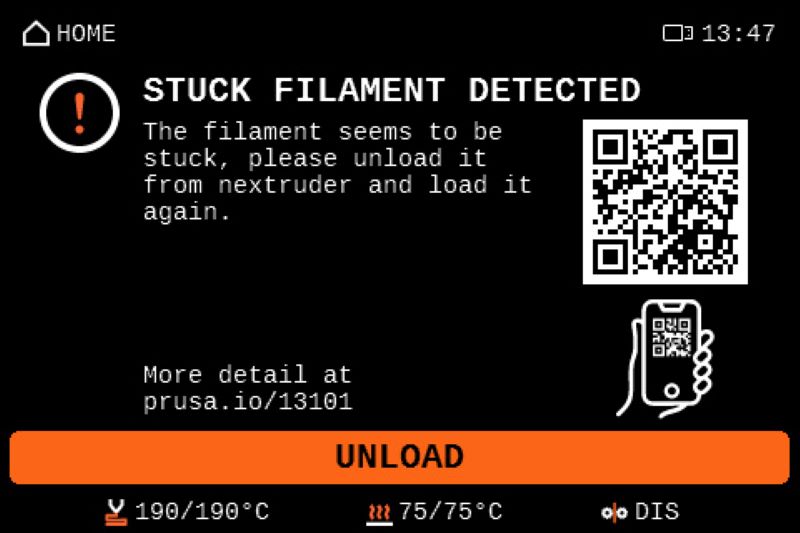
If this is detected, the print pauses and the printer shows the message: "Stuck filament detected. The filament seems to be stuck. Please unload it from the extruder and load it again."
Once the unload button is pressed, the printer unloads the filament. After this, it prompts filament loading and resumes the print.
Repeated detections
Loadcell troubleshooting
In case of multiple, repeated stuck filament detections in rapid succession, troubleshoot the loadcell and the components around it, using the steps in the dedicated loadcell troubleshooting article.
Temperature and speed settings
If loadcell troubleshooting does not improve the multiple and repeated detection, consider slight changes to temperature and slight reductions in the movements and extrusion movements. Those can be set individually through PrusaSlicer, or in a single print speed setting, mid-print, using the Tune menu.
Deactivating the detection
It is possible to deactivate the stuck filament detection in LCD Menu -> Settings. Deactivating the detection comes with an increased risk of nozzle clogging.
40 comments
The filament gets stuck every other print. But when it gets stuck, the printer keeps going with a rattling sound. I use original parts, original filament which came with the printer.
Few days old now, quite irritating. I am lost at the moment
The filament is fine and perfectly fluid. In my case, the filament stuck error occurs when the printer is printing small blobs of filament as gap filler, with retraction occuring after each blob. The z-axis lead screw and trapezoidal nut have a bit of play, and as the default settings on z-axis acceleration are very high, the build plate "bounces" each time there is a retraction and a de-retraction. Sometimes, the bounce coincides with the de-retraction and the printed part bounces up and touches the nozzle. This triggers the error.
Reducing the z-axis accelerations might help with this. I hope someone can benefit from my findings.
It's a pity that the lead screw and trapezoidal nut clearances on my XL are so poorly designed. The left one also has a lot more play than the right one. Poor quality control?
On some Prusa models, the trapezoidal nuts are made of nylon, so you can print your own and adjust if necessary. On my XL, the nut is brass, which means you have to order one from Prusa if it fails, and you can't print your own. Maybe this is because the build plate is too heavy to reliably use a nylon part due to potential creep under load.
There seems to be something wrong with this aspect of the firmware and I think Prusa should investigate these irritating errors.
I agree with others who have said that Prusa's advice to "consider slight changes to temperature and slight reductions in the movements and extrusion movements" is utterly useless. I did try increasing the nozzle temp slightly, just in case the PETG was too viscous, but this did not have any effect on the frequency of the error. In any case, the error shouldn't trigger if the print is going perfectly well, which mine is, every time this error is flagged up.
I guess we just turn this error detection off and print as normal. However, it definitely does need a fix from Prusa.
After three months of flawless printing I am getting bored by the same issue. It started in the middle of the printing of a bigger model.
I am using a MMU3 and was so proud on getting it running, now all prints are getting stuck, and with MMU3 the print does not restart after reload….
So I shut down the MMU3 and load the material manually which seems to be a trouble shoot. At least a stopped print is now to be continued again. I am not sure if the deactivation of the stuck filament sensor would help. May be that is the next I try.