


What happened?
The printer is showing the message "Check the print head thermistor wiring for possible damage."
Error name: Hotend Mintemp error
Error code: #36208 (INDX)
The error is shown when a damaged wire is on the hotend heater or any of its connections.
How to fix it?
Make sure that the ambient temperature where the printer is is stable, and above 18 ºC.
Try parking the current nozzle, and pick up another nozzle. See if the issue follows the print head to another nozzle, or if the error is only on one nozzle.
If the issue follows the print head, contact our Servizio clienti.
If the issue is only in one nozzle, check the measuring pad to make sure it is clean and has no debris covering it.
How to access the xBuddy board - CORE One
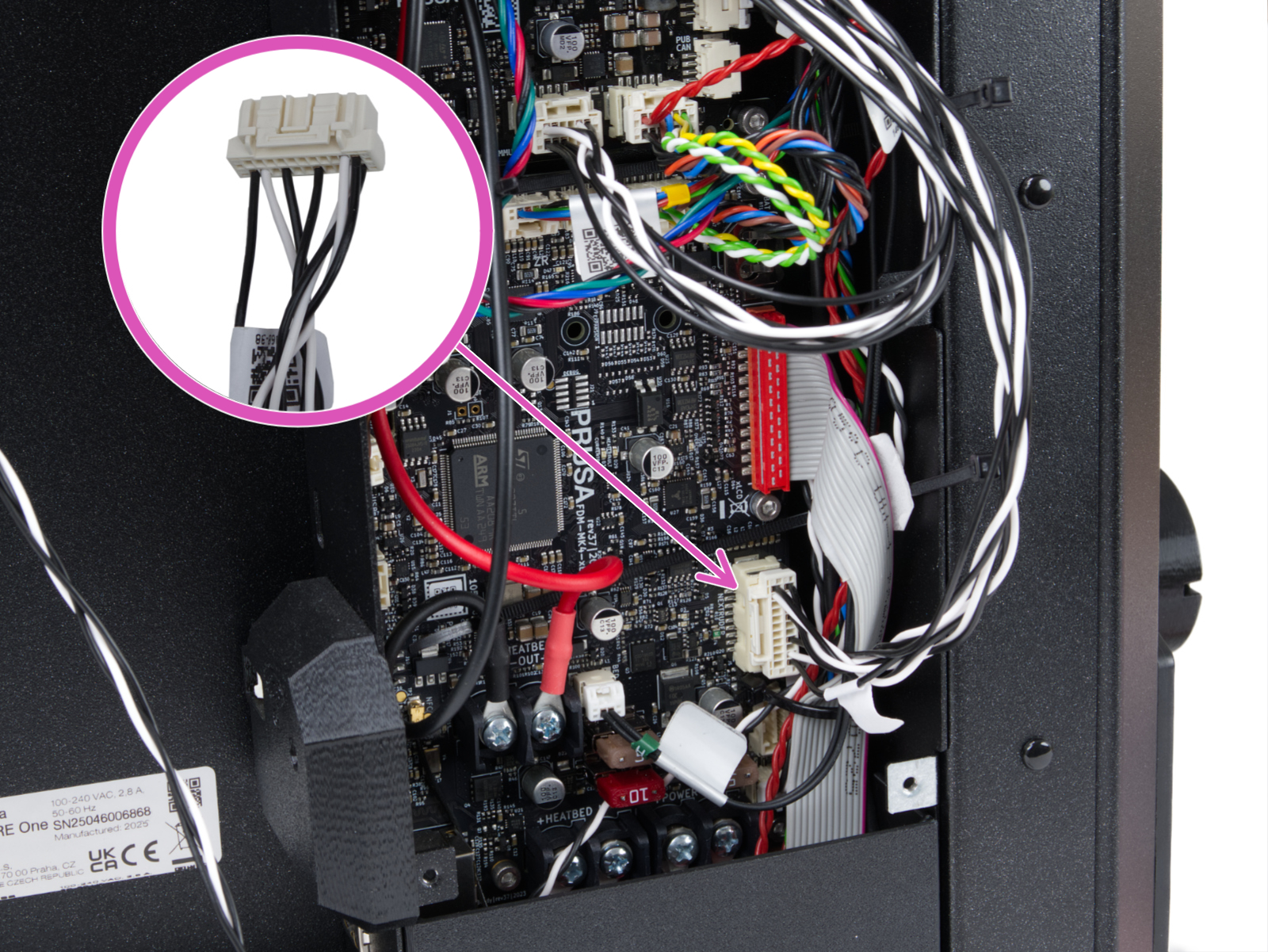
On the xBuddy board, check if the fuse that protects the extruder is not damaged.
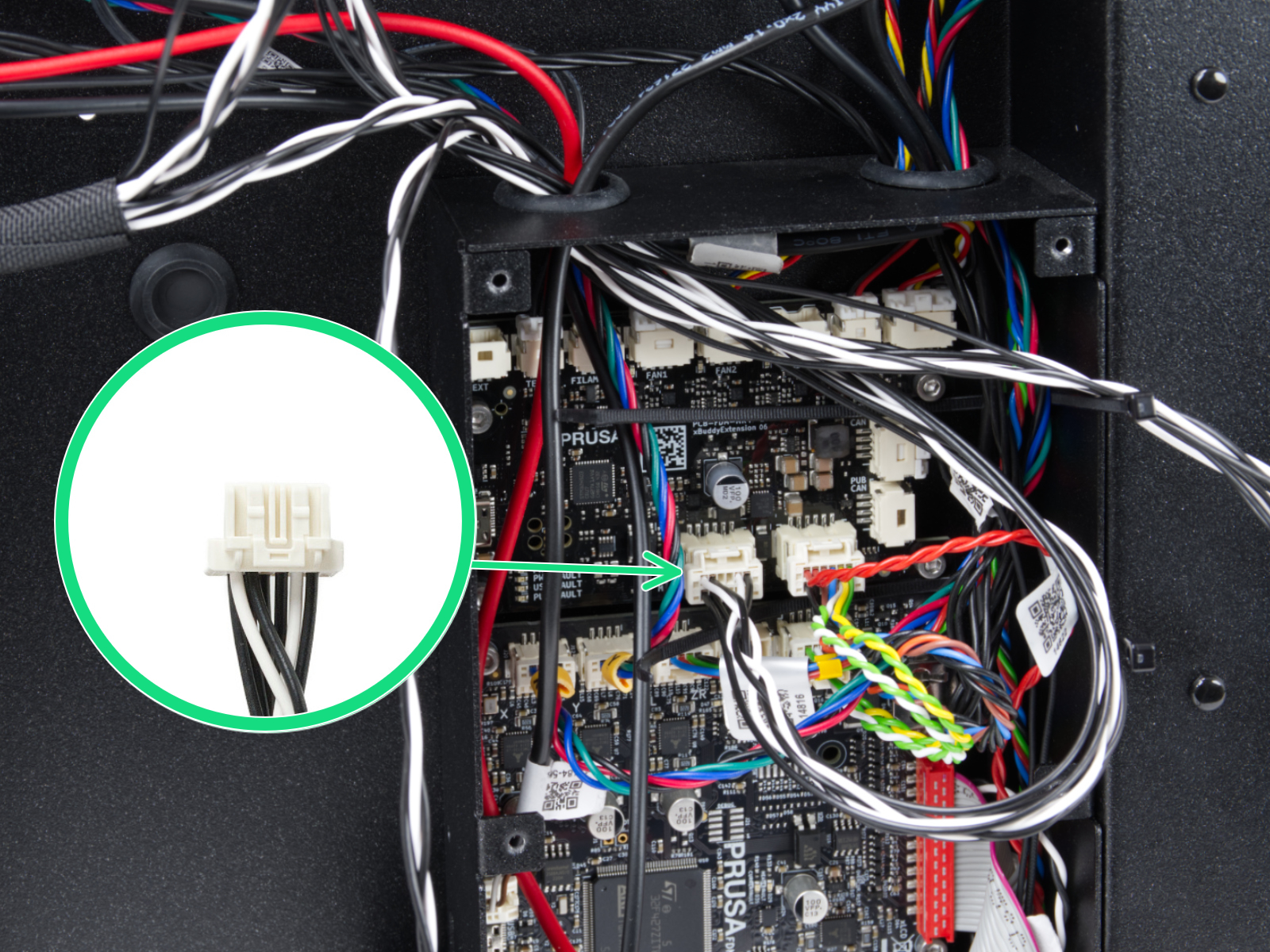
Check the connection of the head cable on the xBuddy board and extension board.
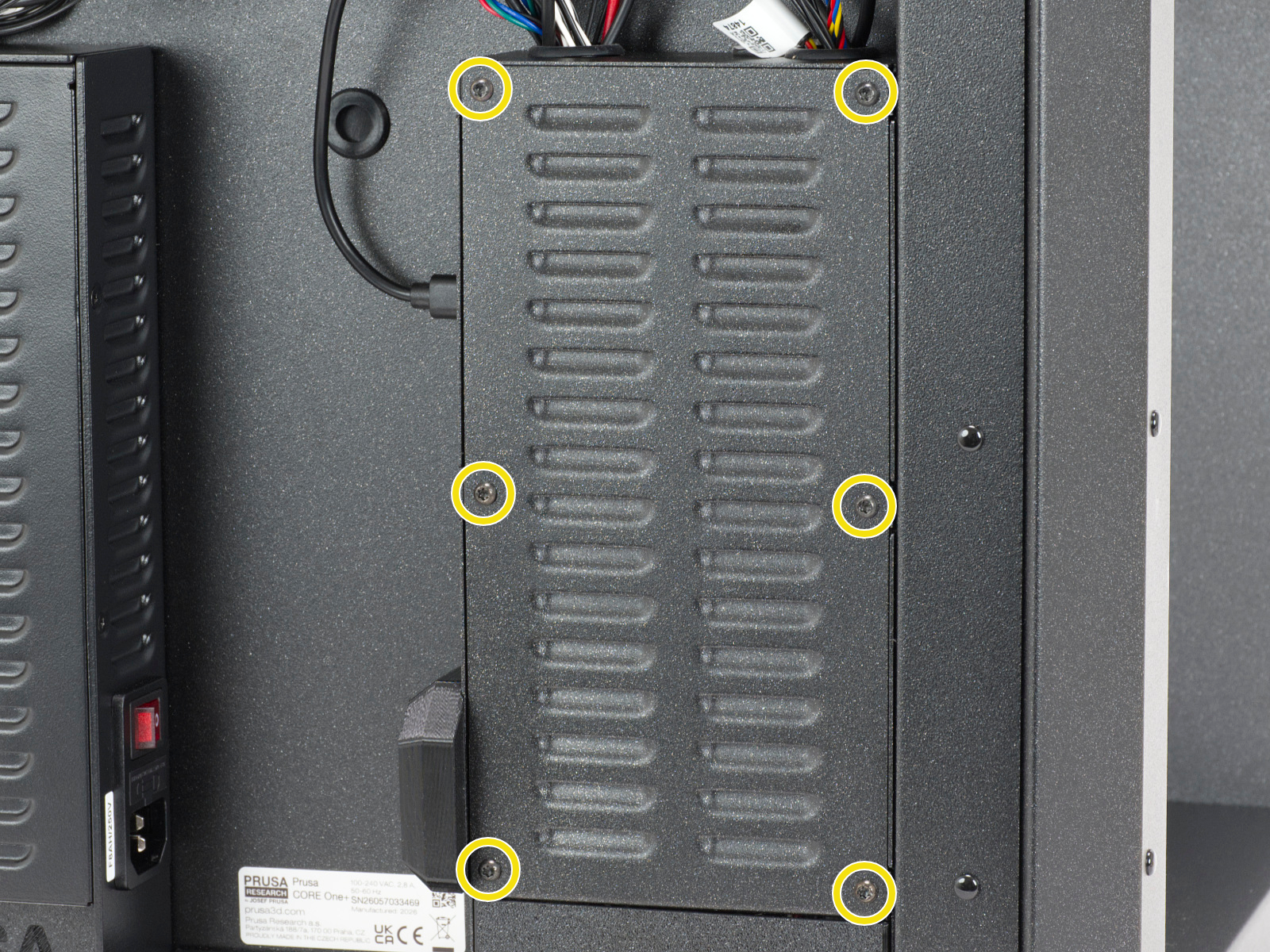
Locate the xBuddy board case. Looking at the printer from the rear, it is the rightmost case.
Using a T10 Torx key, remove six M3x4bT bolts to release the xBuddy box cover.
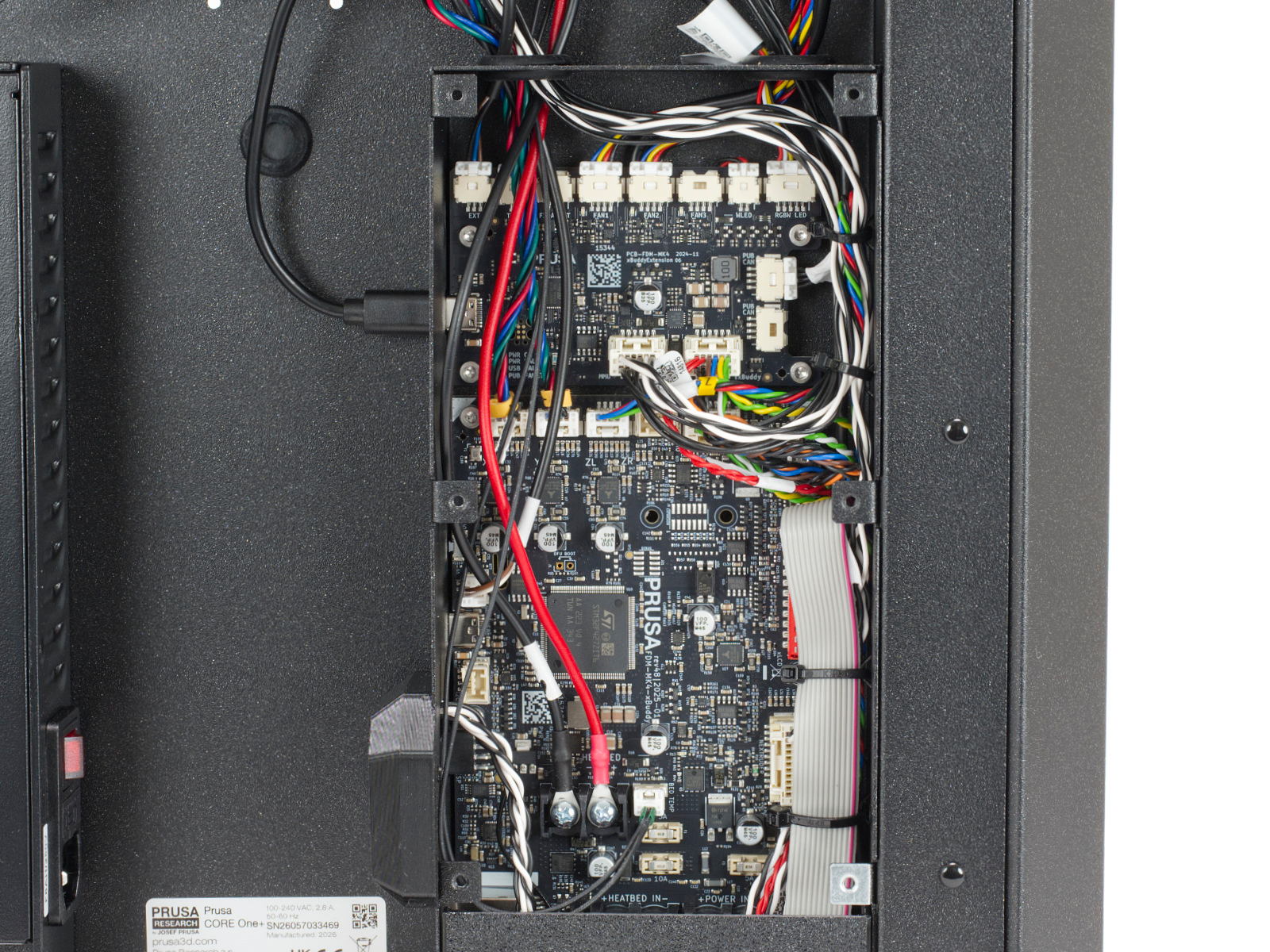
The bottom larger board is the xBuddy board, while the top smaller board is the xBuddy extension board.
 |  |
 |  |