


What happened?
The printer is showing the message "Hotend thermal runaway: Check the print head thermistor wiring for possible damage."
Error name: Hotend thermal runaway
Error code: #28204 (MK3.5S) #23204 (MK3.5)
The error will show if the temperature on the nozzle drops by 12 ºC for an extended period of time. This temperature drop would usually not be an issue, but if the heat is not recovered after 60 seconds the error will happen. In this case, the printer will stop the heating and display the message on the screen.
How to fix it?
- Make sure that the ambient temperature where the printer is stable, and above 10 ºC.
- Make sure that your hotend assembly is correct, especially if there have been recent interventions or maintenance.
- Visually check the thermistor if it is still securely and correctly installed in the heater block. The whole cartridge should be inside the block, with no part of it sticking out.
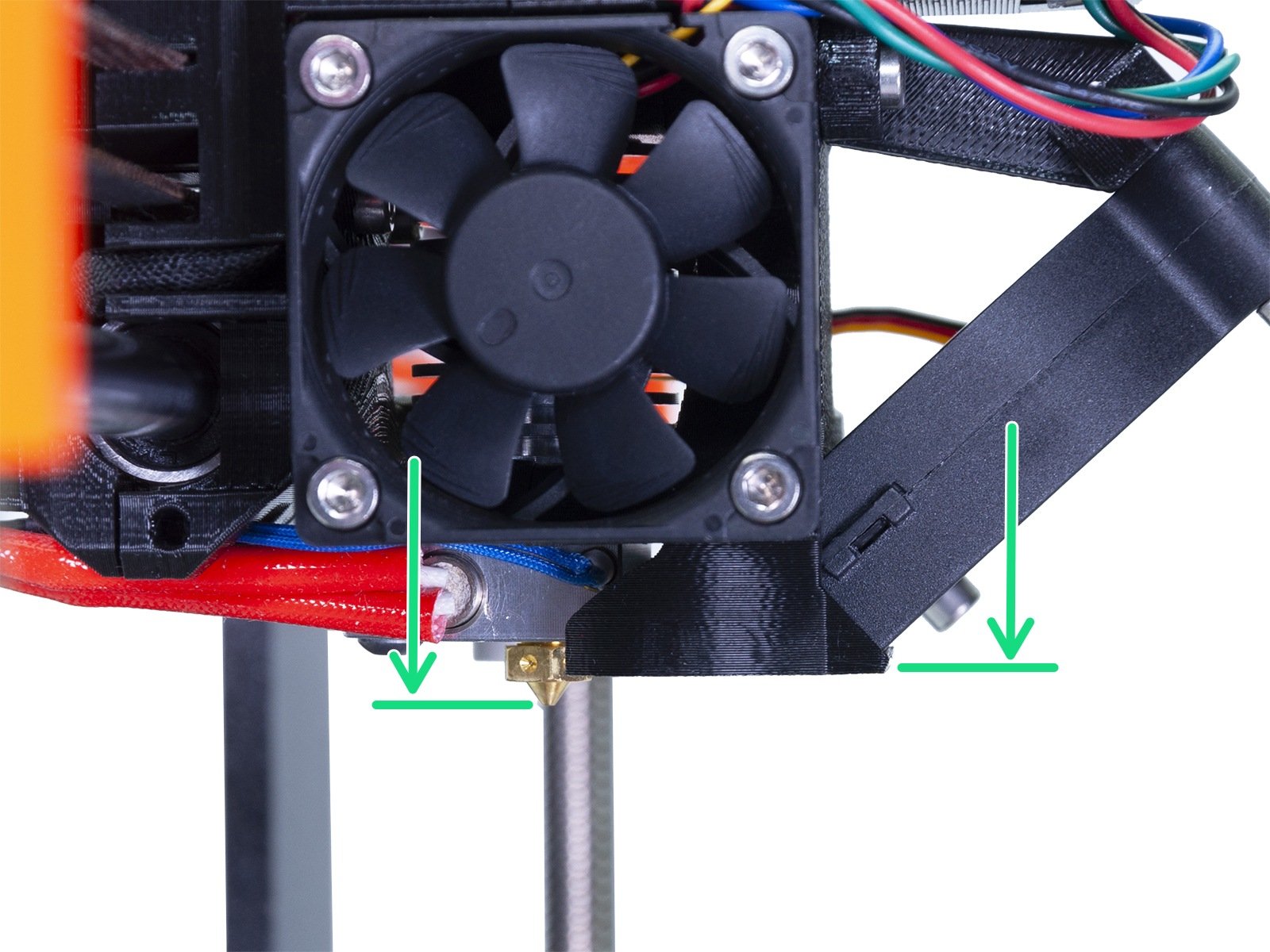
- Check the fan shroud for any kind of damage, and verify its position. A damaged or tilted shroud can change the airflow and start cooling the heater block directly.
- Make sure the thermistor and heater are properly plugged into the electronics board. Refer to Step 18 from the linked guide to verify the connections.
- Check if the fuses are not blown.
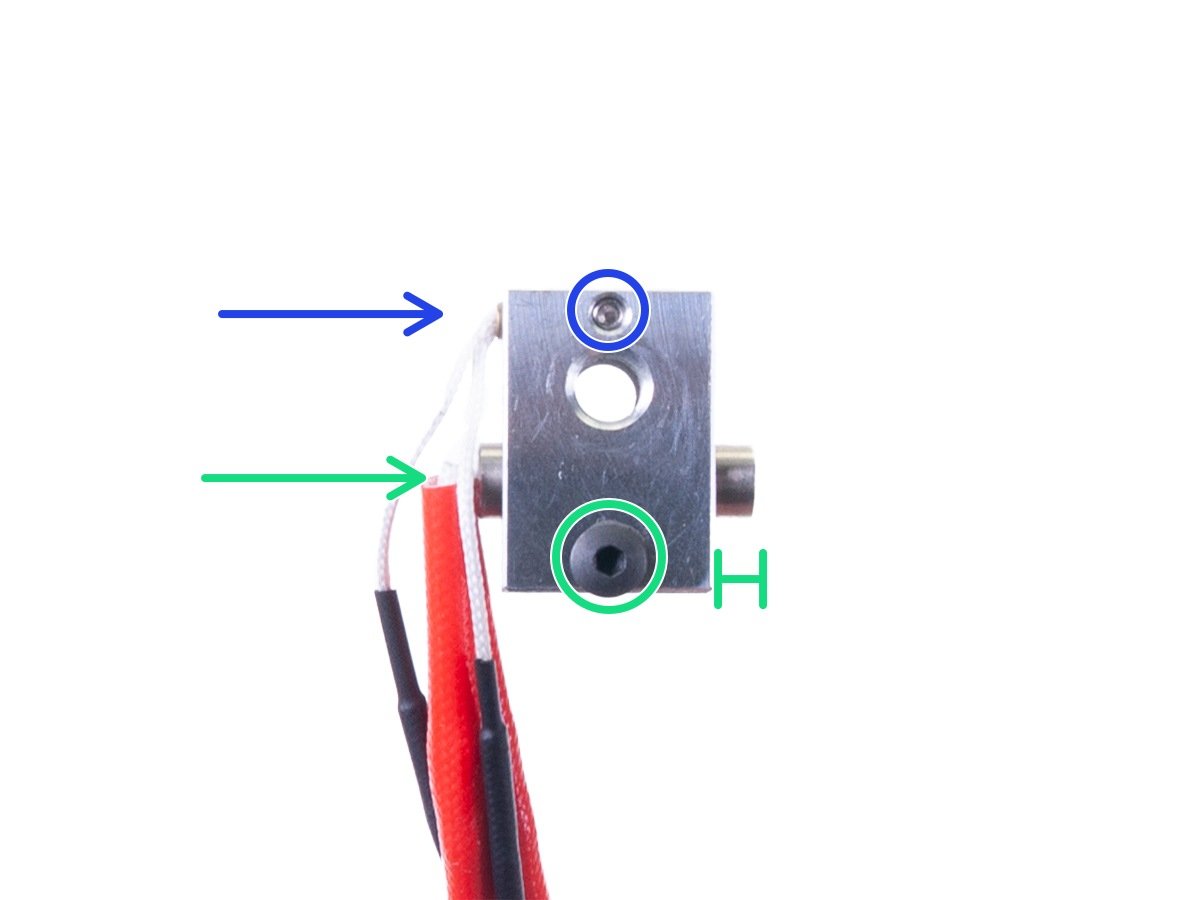
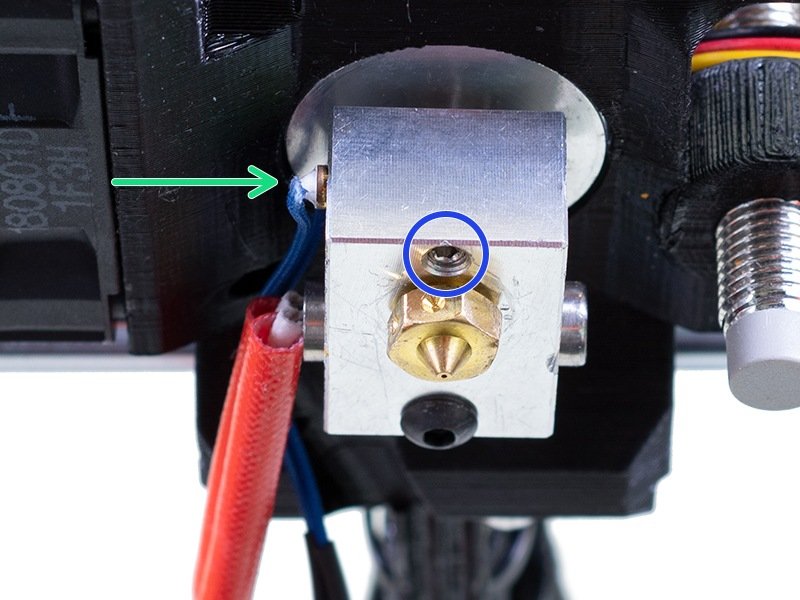
If the issue persists, the error likely stemmed from an issue with the hotend heater or hotend thermistor. To find out which one of these two is malfunctioning, perform the test described below.
Use a hairdryer to blow hot air towards the hotend. In the meantime, check if there is any temperature change on the LCD screen.
- If there is a positive temperature change it means that the hotend thermistor is working and detecting the temperature change. Most likely, the issue stems from the hotend heater.
- If there is no change at all, most likely the hotend thermistor is causing the issue, or at least contributing to it.
4 comments
Typical of a software "improvement" nobody asked and someone thought it would be so clever...
Things were running good before this implementation.
Answered: Close observation shows that this happened when the fan was disabled for the first 3 layers and then run at 100% after that. I can see that when the fan came on at 100% the temp dropped. It was printing a flat surface at the time. So much for printing a .gcode from another person.
Does this mean my hot end heater is bunk? Should it be able to stand up to that usage?