


Starting from firmware 5.0.0 for the MK4, and firmware 5.1.0 for the MINI/+ and the XL, the printers have the Input Shaper feature. The Prusa CORE One/+, CORE One L, and the Original Prusa MK4S, MK3.9/S, and MK3.5/S also have Input Shaper.
Input Shaper is a feature designed to reduce ghosting by canceling resonance vibrations. It works by analyzing the printer’s movements and applying a filter to the input signals. Thanks to faster travel speed and acceleration, it minimizes stringing and enables faster printing. The pressure in the nozzle from the faster printing is compensated by another firmware feature, the Pressure Advance.
How does it affect my printer?
We strongly suggest performing basic maintenance on your printer before you start to use the Input shaper to achieve the best possible print performance. Ensure the belts on the X and Y axes are not loose, the nozzle is in good shape, and there’s no debris on the smooth rods.
Crash detection
Due to high accelerations and print speed, the crash detection feature is not compatible.
PrusaSlicer Profiles
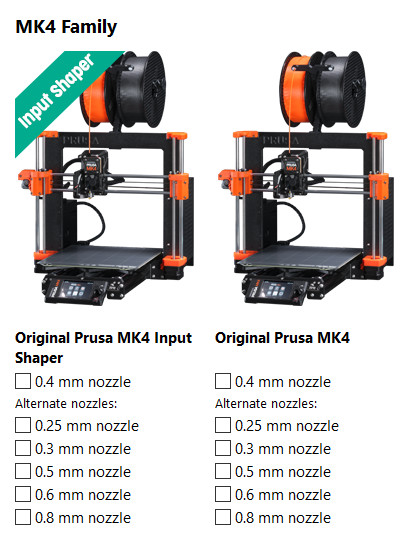
To use the Input shaper, it is not only necessary to have the proper firmware, but also the Input shaper profile on PrusaSlicer. Once the profile is selected, you will see that the layer height profiles have been renamed to better reflect their use.
On the non-Input-Shaper profile, the two qualities for each Layer height are
- Quality: settings primarily focused on the overall look and precision, with a compromise to the speed, thus taking longer to print.
- Speed: settings primarily focused on time savings, with some compromise to the look and precision.
With the Input Shaper profile, the two qualities for each Layer height are:
- Structural: settings focused on quality, precision, and structural integrity while retaining reasonably high printing speed (still much faster than printing without Input shaping).
- Speed: Short printing times are the top priority with this profile. It pushes the printer closer to its limits while keeping good quality and accuracy.
The Ultradetail profile in the Input Shaper settings is the Fast detail, which is the smallest layer height for the 0.4 mm nozzle Input Shaper profile.
Note that the Input Shaper is not only determined by the printing (or travel) speed and acceleration, the firmware, or the hardware limits of the printer. The printing material is also a limiting factor. Every filament needs to be properly melted in the nozzle, extruded at the correct temperature, and cooled once deposited on the layer below. If the temperature and cooling are too high or too low, the print will inevitably have problems, mostly poor interlayer connection and compromised structural integrity in general. The "Speed" profiles for our printers are optimized, so a printed object can be finished fast, but with only a small impact on its structural integrity.
How to set it in the G-code
The G-code to apply is M593. Below are the parameters that can be set.
Damping Ratio
D - Set the Input Shaper damping ratio. If axes (X, Y, etc.) are not specified, set it for all axes. The default value is 0.1.
Frequency
F - Set the Input Shaper frequency. If axes (X, Y, etc.) are not specified, set it for all axes. The default value is 0Hz, which means that the Input Shaper is disabled.
Type
T[map] - Set the Input Shaper type, 0:ZV, 1:ZVD, 2:MZV, 3:EI, 4:2HUMP_EI, and 5:3HUMP_EI. The default value is 0:ZV.
Vibration Reduction
R - Set the Input Shaper vibration reduction. This parameter is used just for 3:EI, 4:2HUMP_EI, and 5:3HUMP_EI. The default value is 20.
Limit to X-axis or Y-axis
X<1> - Set the Input Shaper parameters only for the X-axis.
Y<1> - Set the Input Shaper parameters only for the Y-axis.
Input Shaper calibration
The Input Shaper functionality can be calibrated using an optional accelerometer.
The CORE One L and XL don't need an external accelerometer set, they feature an integrated accelerometer.
This is pre-calibrated from the factory, so this calibration is usually unnecessary on a stock printer. However, if you've made any modifications to the printer hardware, it may be beneficial to recalibrate the settings using the accelerometer.
More information on the topic is available on the dedicated accelerometer article.
5 comments
But Input Shaper calibration is based on the axis, also on the XL, so low frequency still points to mechanical aspects such as loose belts or misaligned/loosened motor pulleys and their set screws.
Hello. Yes, changing the weight significantly impacts the Input Shaper settings.
It is definitely possible to make it work even on these machines, using a 3rd-party hardware and firmware.
However, the MK3 gains the Input shaping capabilities after upgrading it to either MK3.5, MK3.9 or MK4.