English
Login

Modular bed error

#17255 (XL)

Relevant for

XL
Article is also available in following languages
English
Čeština
Polski
Deutsch
Français
Español
Italiano
日本語

What happened? 

The printer is showing the message "Heatbed tile no. #: Unexpected temperature peak detected". 

Error name: MB peak temp

Error code: #17255

How to fix it? 

A visual inspection

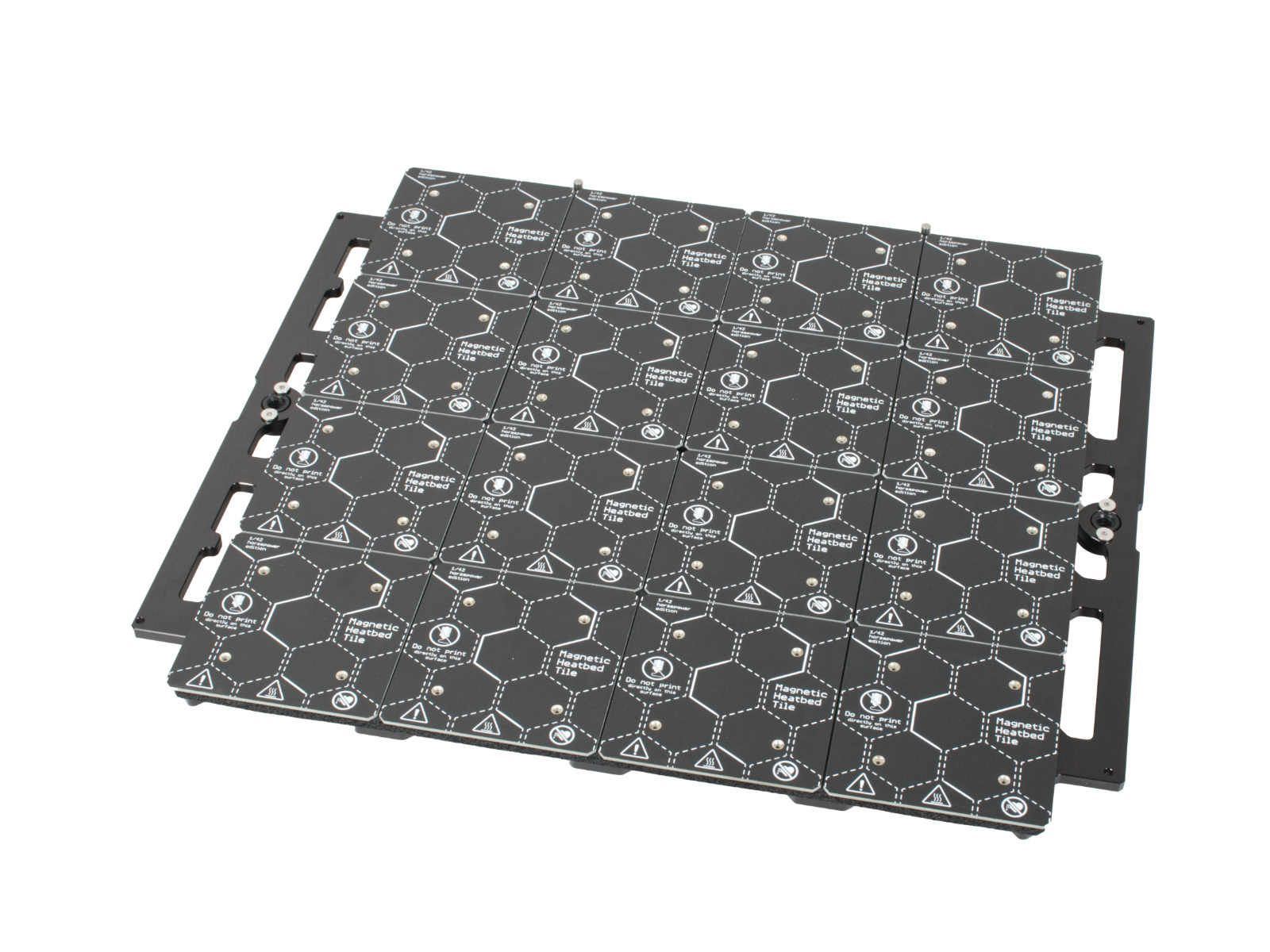
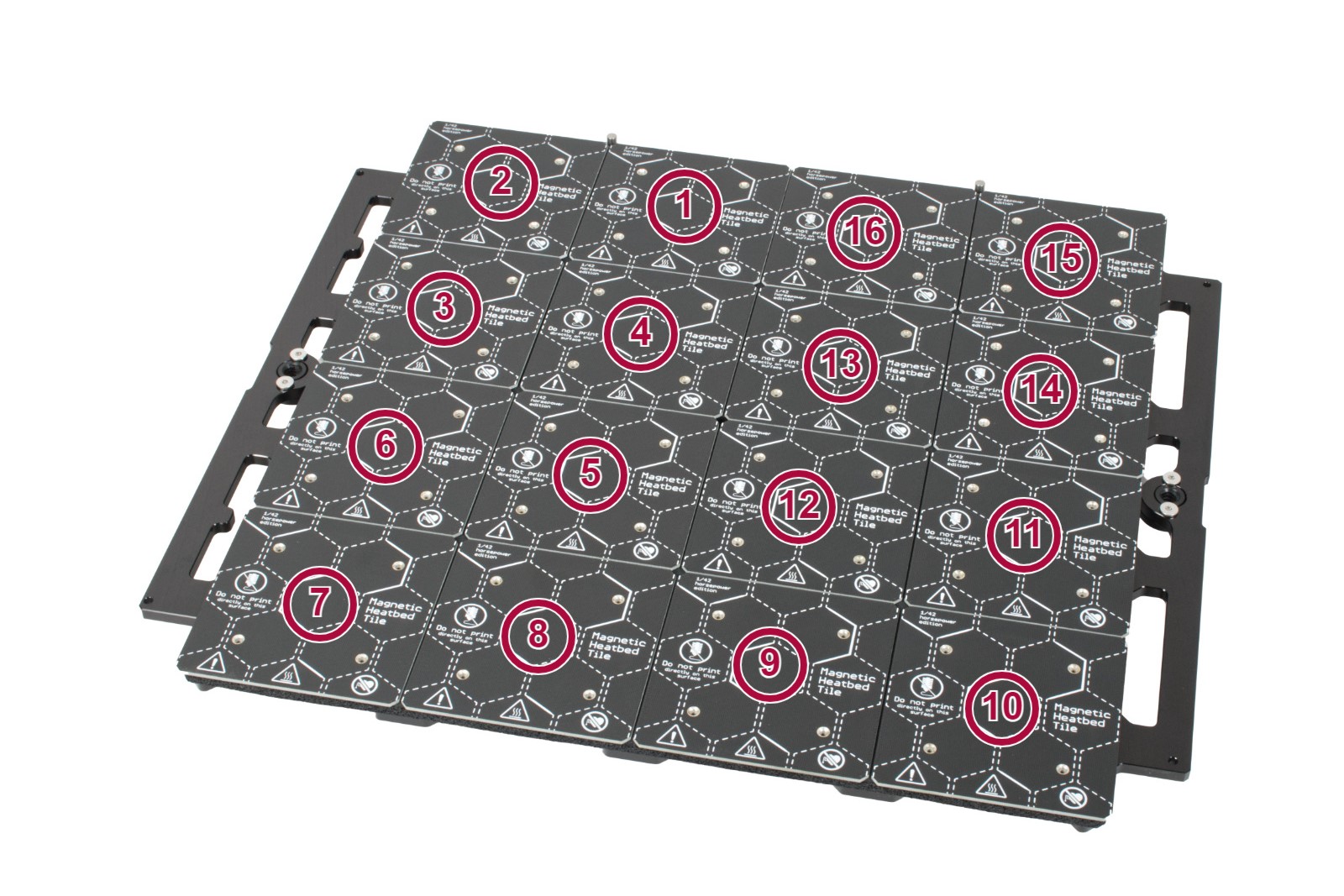
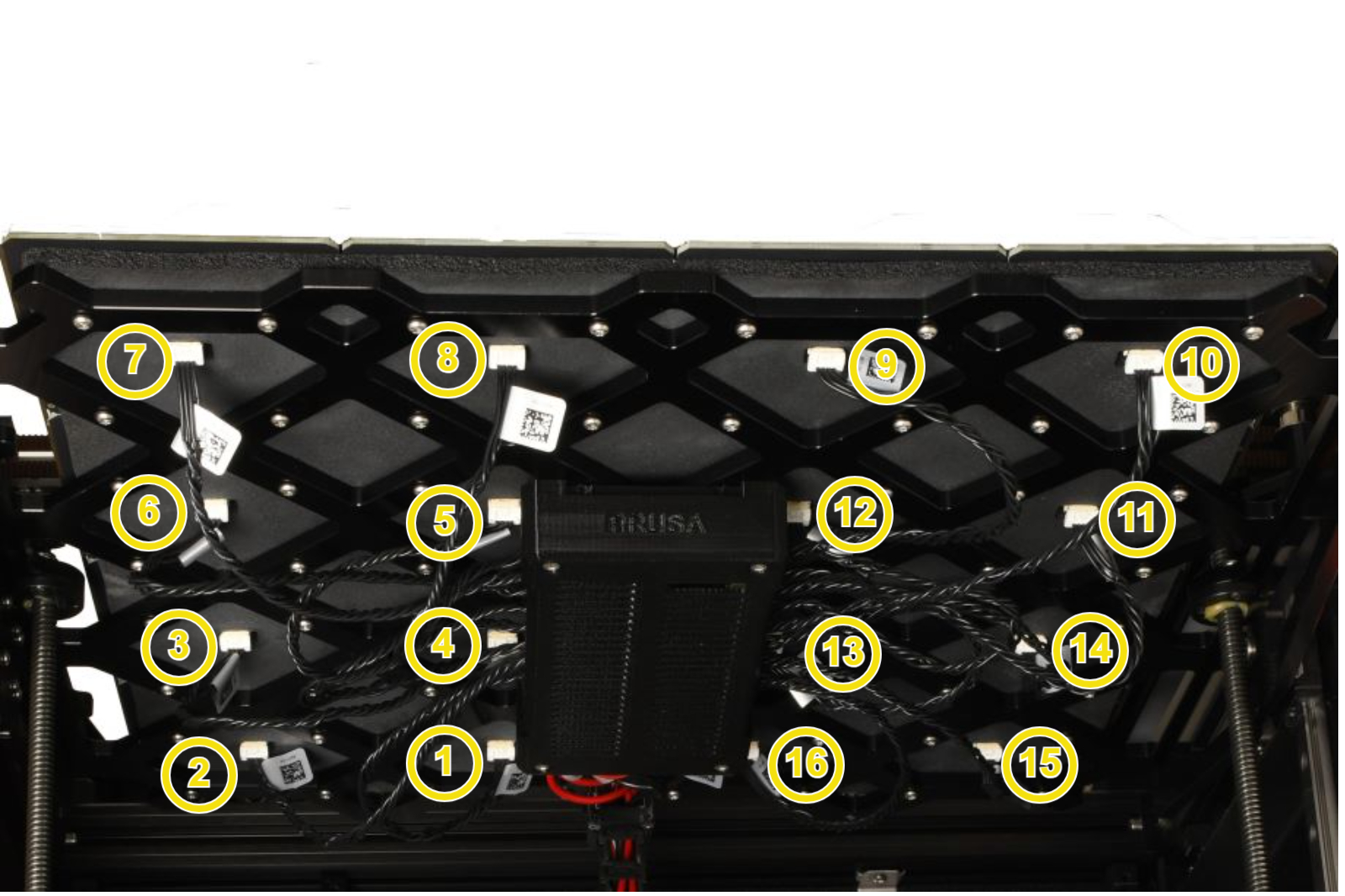
Check the heatbed tile for physical damage, for example, a scratch on any heatbed tile surface, or a cable in bad status on the bottom of a heatbed tile. Identify the heatbed tile number

Check that the indicated heatbed cable is correctly connected with the modular bed electronics, and with the heatbed tile, and reseat the connection. 
Error on heatbed tiles 1 or 7 

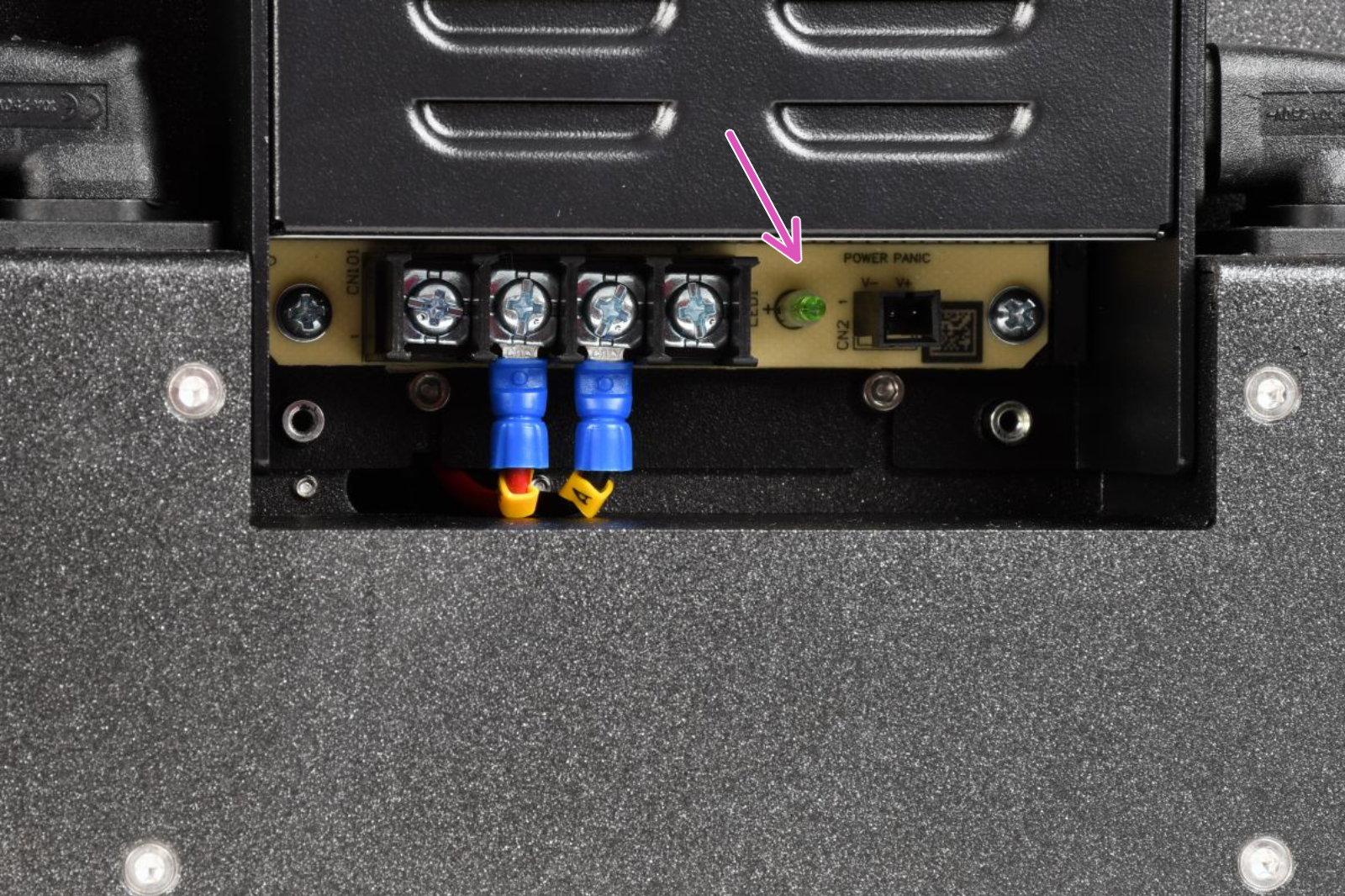
In case of an error specifically on heatbed tile 1 or heatbed tile 7, it is possible that one of the PSUs could be faulty. Before attempting the cable swaps in the below flowchart, attempt the following steps: 

  1. Switch the printer off, make sure it is cold and disconnected from the mains.
  2. Looking at the rear side of the printer, apply the following steps to the left PSU for an error on heatbed tile 1, and to the right PSU for an error on heatbed tile 7. 
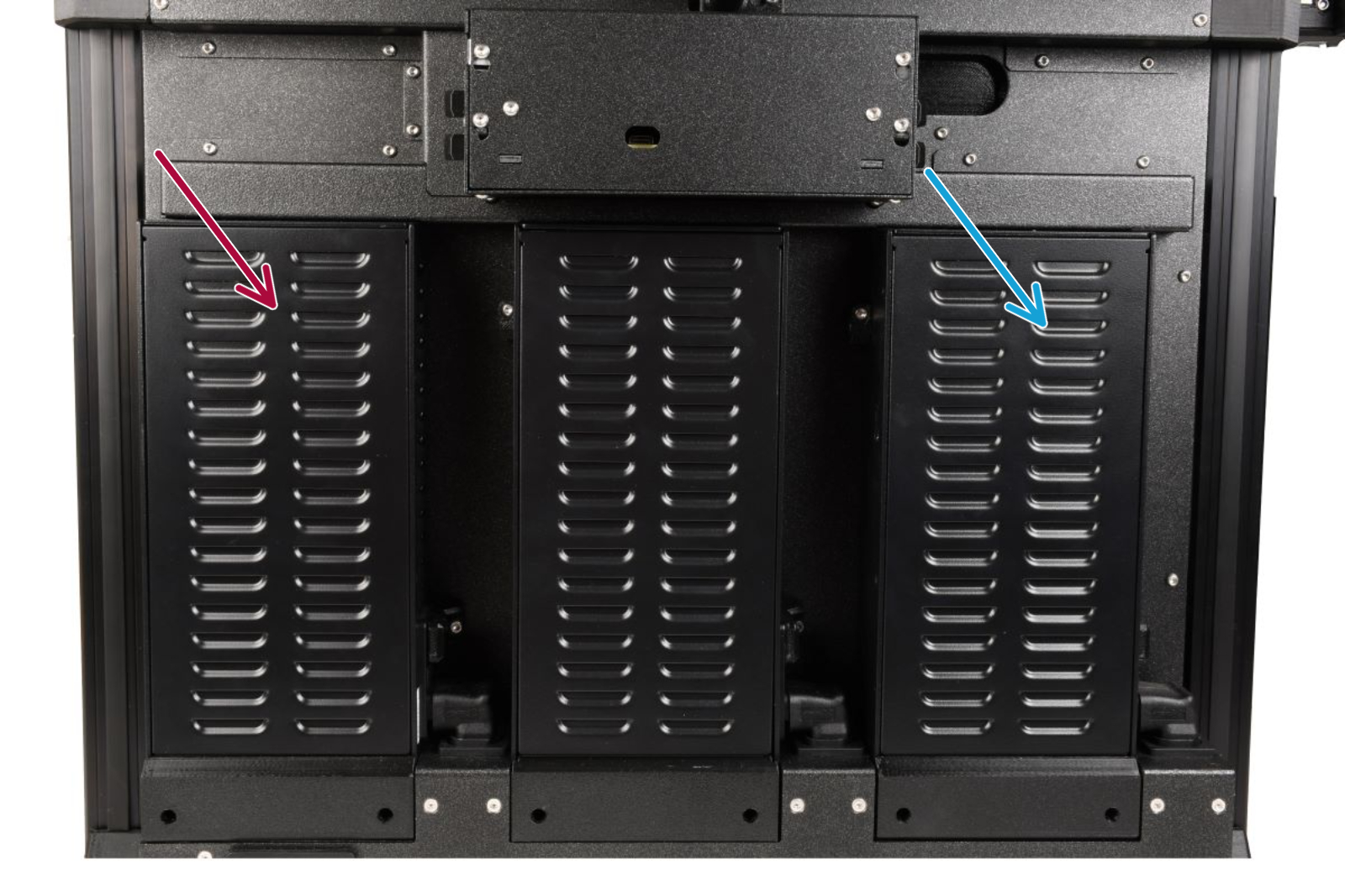
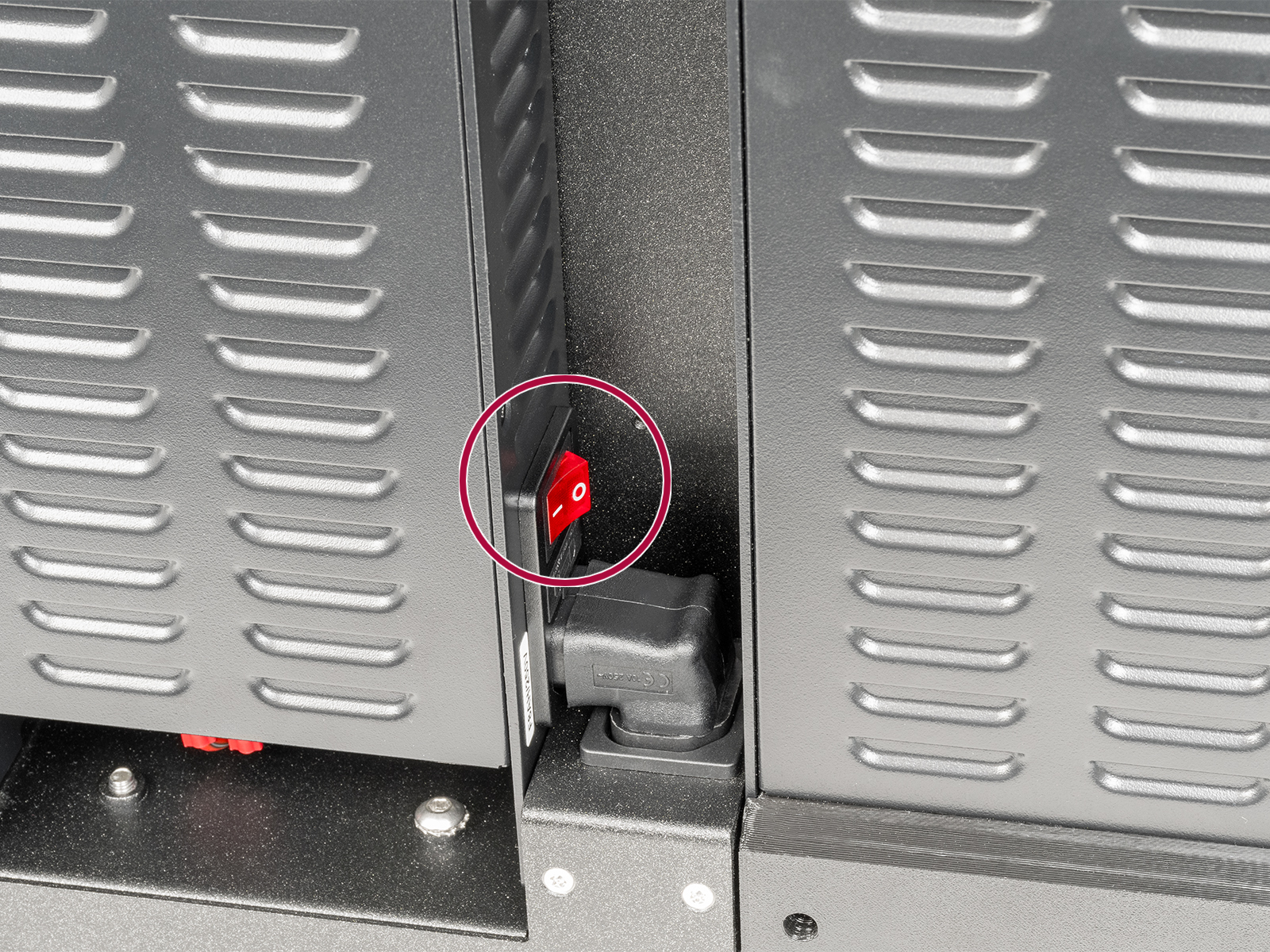
  3. Using a 2.5mm Allen key, remove the bolt holding the switch-cover. Once removed, check if the PSU is switched on (symbol "I").
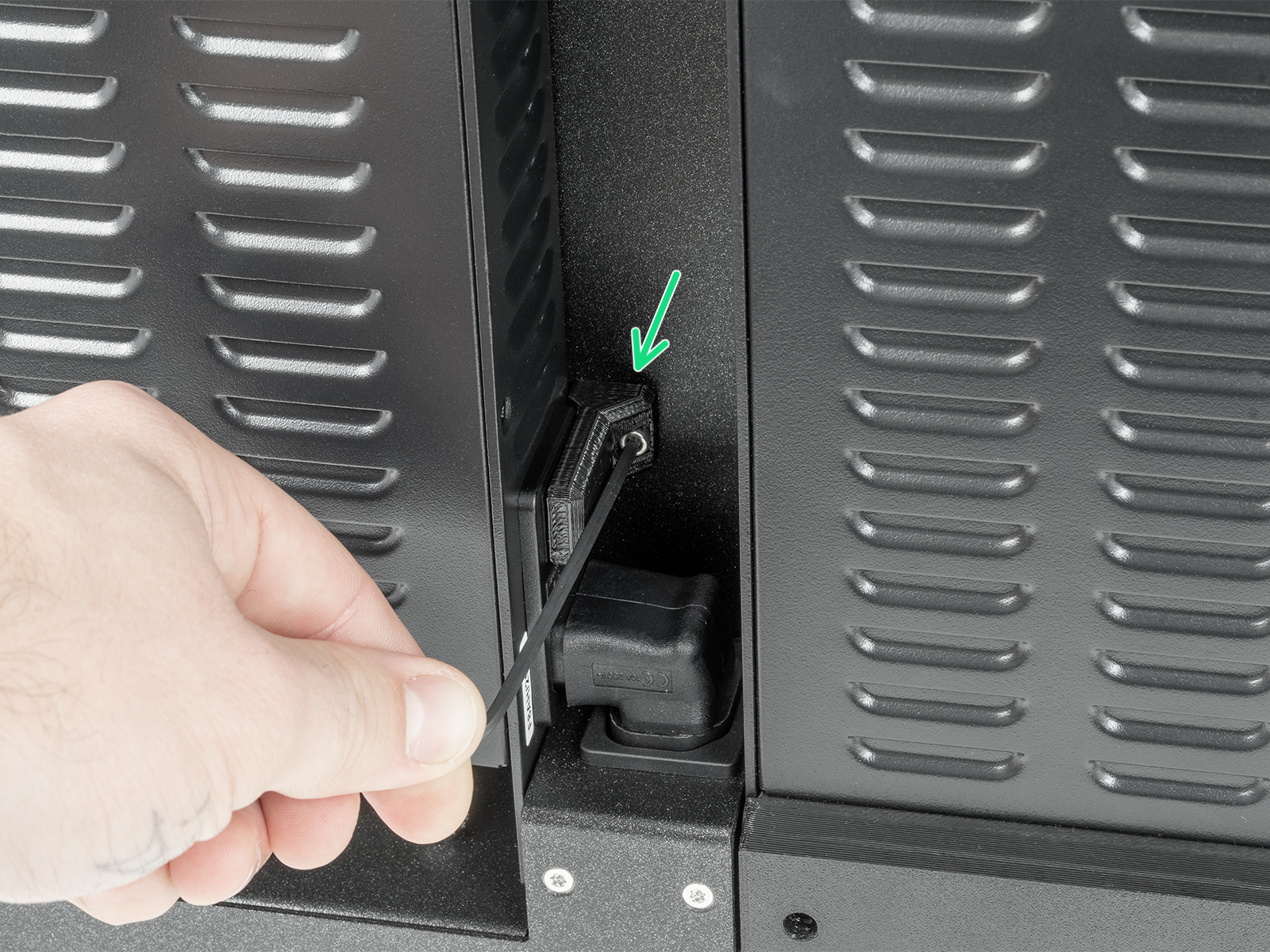
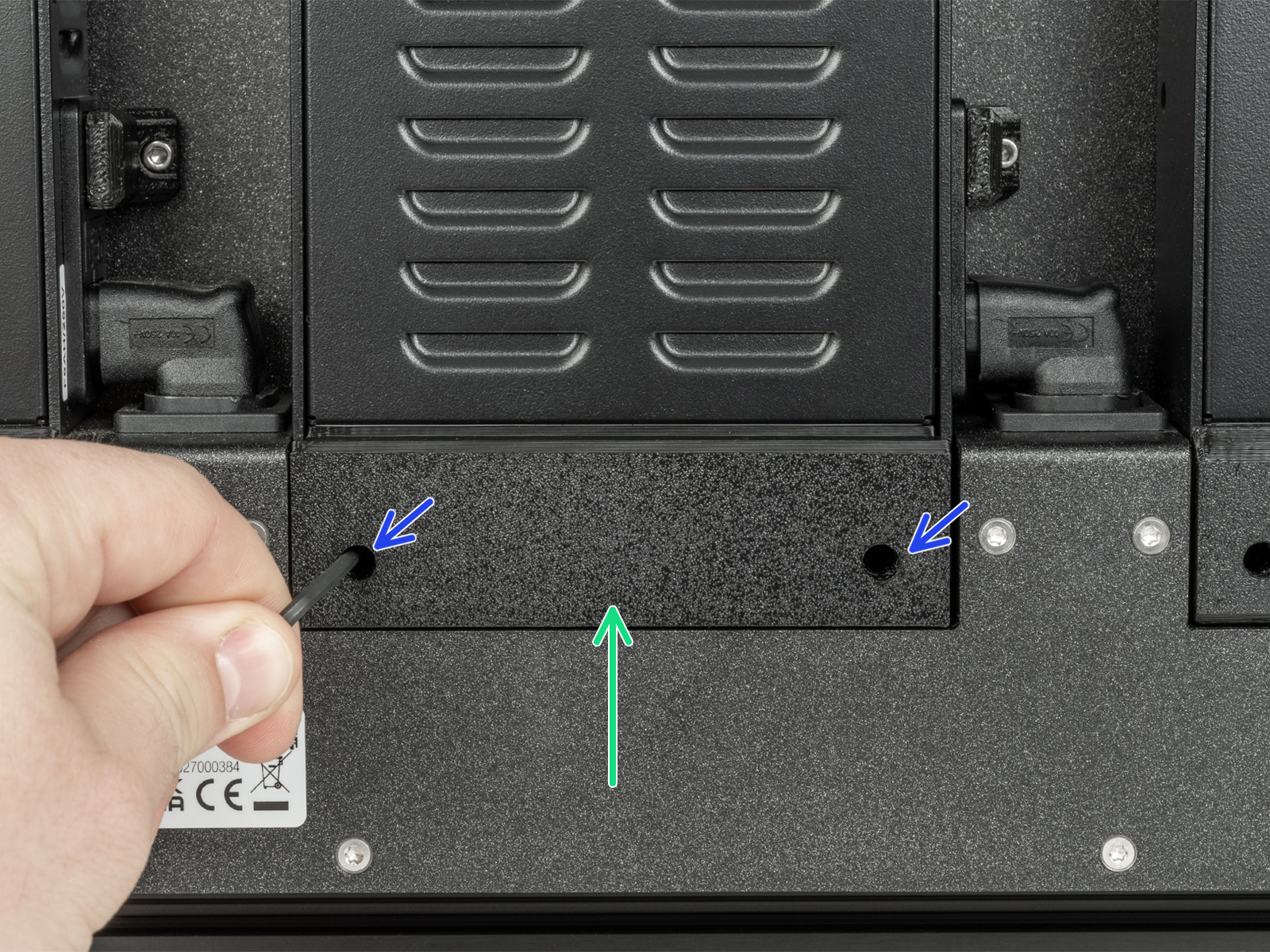
  4. Using a 2.5mm Allen key, remove the two bolts holding the PSU cover. Then, remove the PSU cover
  5. Switch on the printer. Observe if the green light switches on, or remains off. A green PSU light that remains off upon powering on the printer indicates an issue with the PSU. 
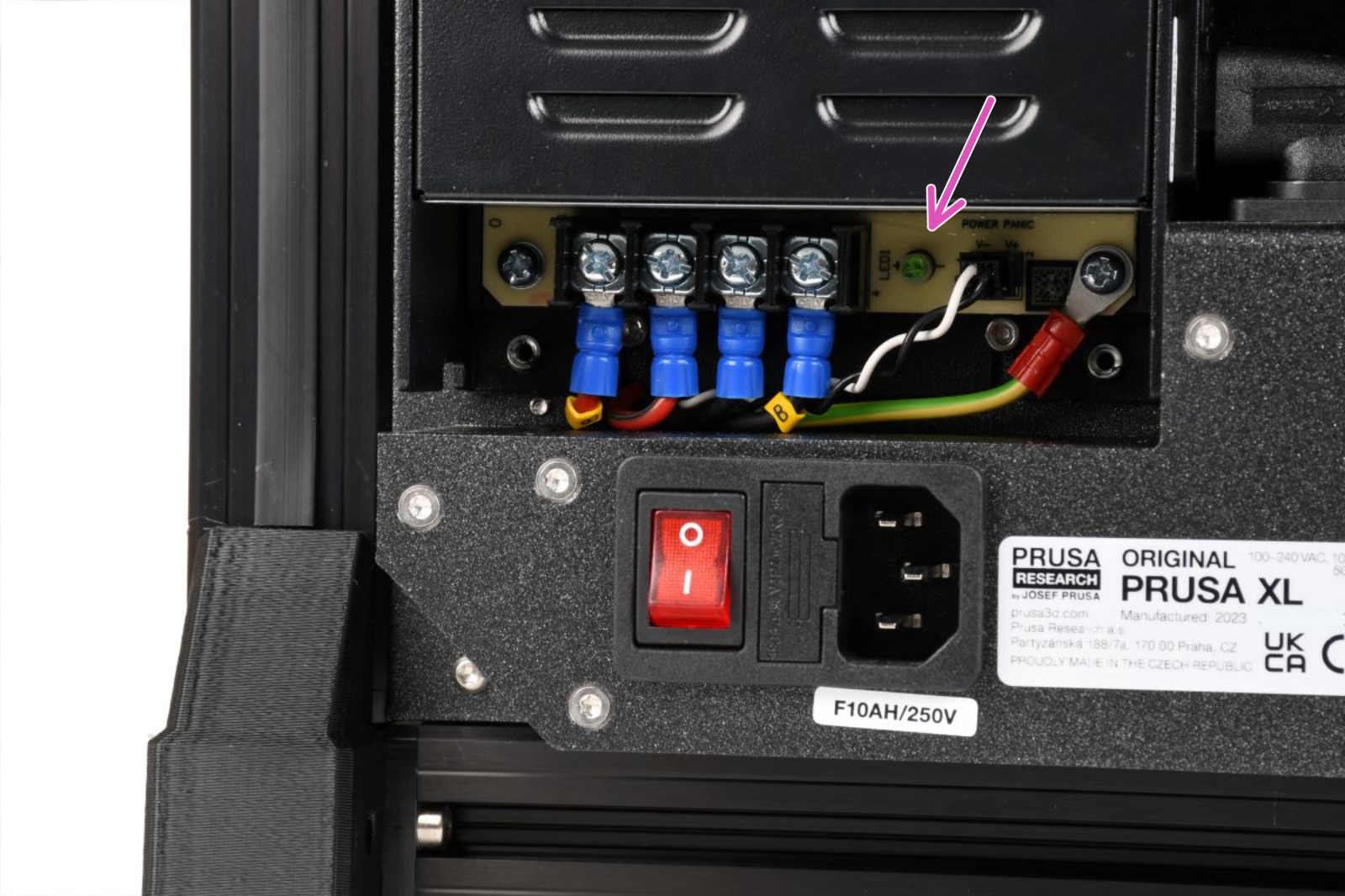
    Left PSURight PSU

Troubleshooting flowchart 

Manipulate the connections only with the printer cold and switched off

Follow the procedure indicated in the below flowchart to help diagnose the faulty component. As a first step, swap the cable on the tile side connected with the erroring tile with any other cable on the tile side. 

Each connector has a safety latch. It is necessary to press the latch before disconnecting. Otherwise, the connector may get damaged. 
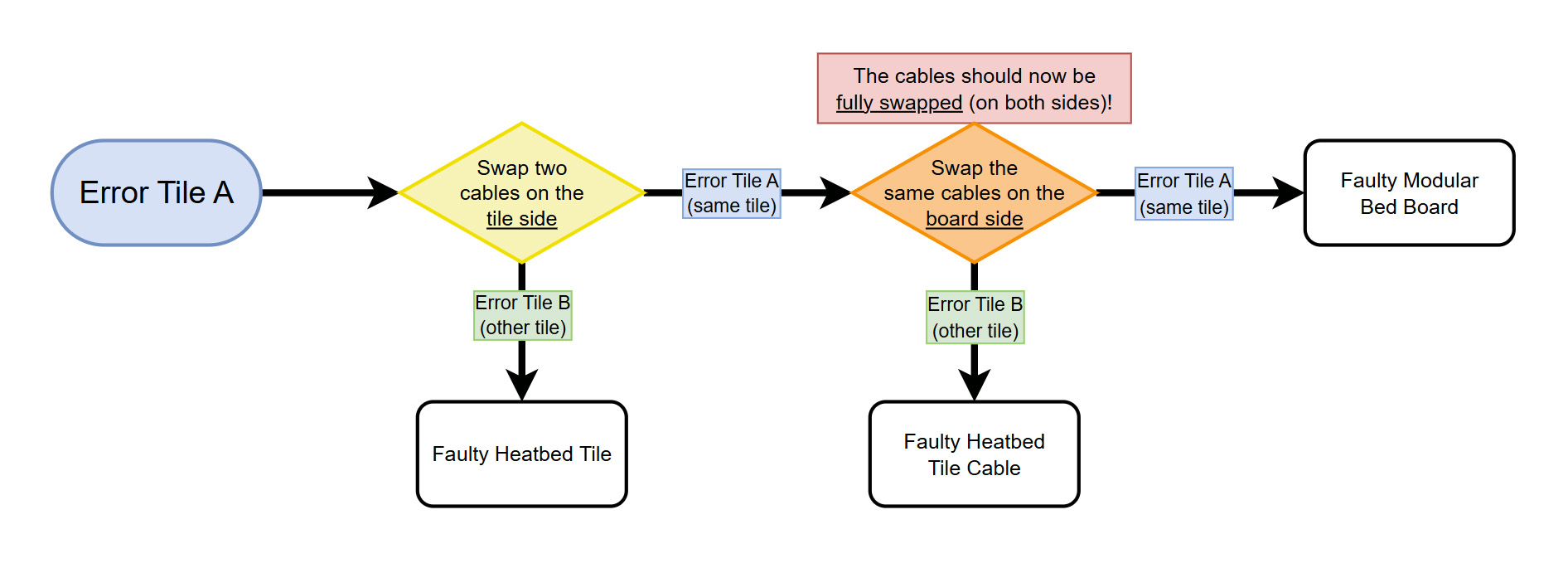
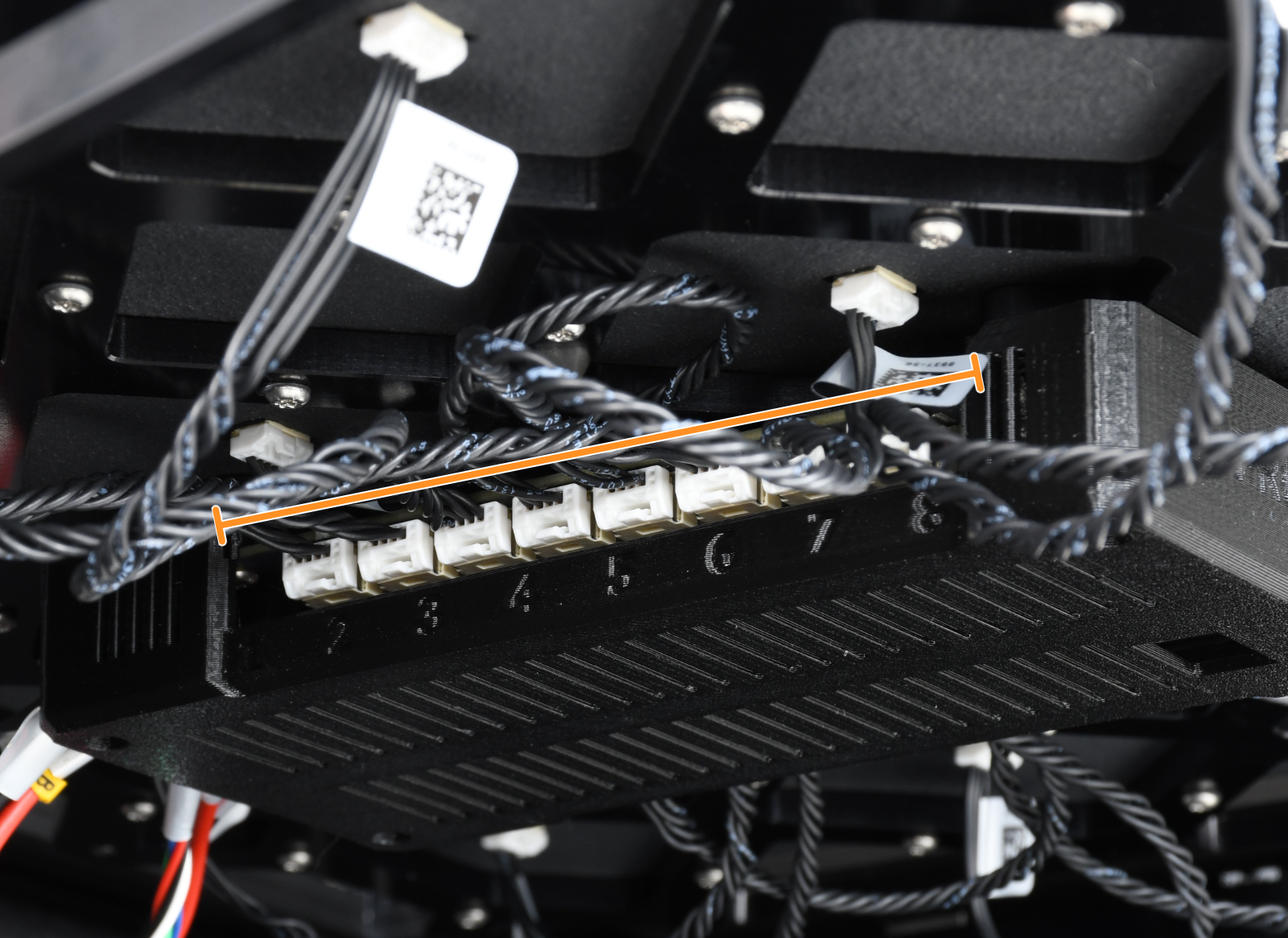
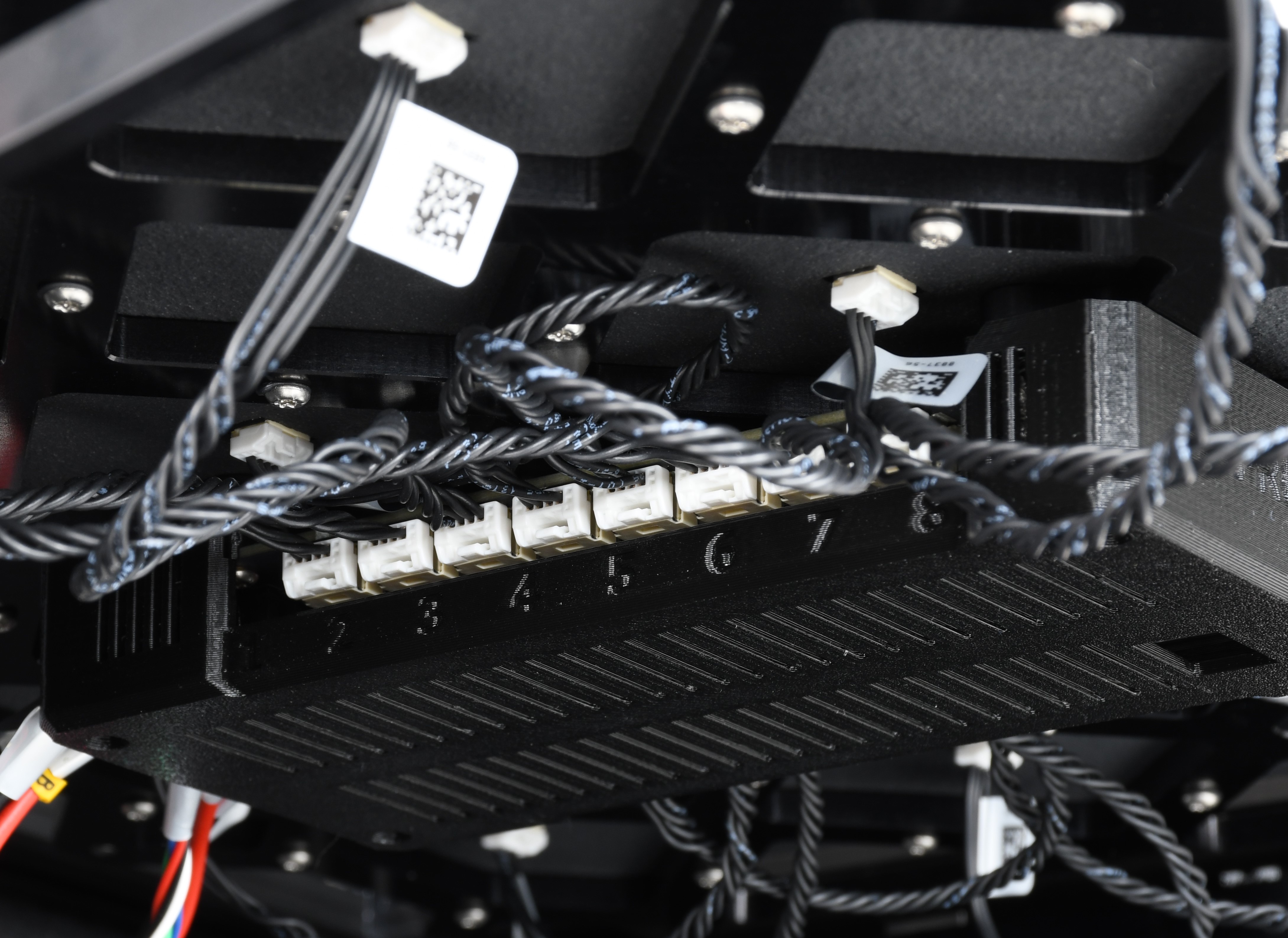
Cable connectors on the heatbed tiles side. Cable connectors on the board side.
Was this article helpful?
This action is available only to registered users. Please log-in.
 

14 comments

Log in  to post a comment
Nick Wilson
Getting this since I installed a enclosure, always tile 15 which is unheated. What a waste. Sometimes it shows up in prewarm cycle, sometimes 3/4 into the base layer. It seems to pop up right away if I have a nominal enclosure temp set, and 3/4 through base layer if I have it set to 0. using petg 260/90
ONE PALMA Design
Same problem printing ASA, printing small objects without problems, but if I want to print a larger object, this error appears.
Now the CHAT isn't working and the email isn't responding.
I have an urgent job to deliver and no response from PRUSA.
A shame.
Survival_man
When I print my tiles send an error either when I print a really hot bed and extruder like 290°C hotend and 110°C bed for PC or if I print a huge part at high temp but low bed temperature, like I once did a box at 50°C bed and 260°C hotend for TPU and it kept failing until I raised the bed to 70+°C. For a machine that expensive I would expect it to be smart enough and well built enough to not have those problems. My ender 3 has a higher print succes rate that makes no sense to me
Manuel Avitia
Same issue, checked connections and everything fine, is there a stress test we can run to reproduce the failure? Specially frustrating on long prints
Edwin Hoogeveen
The same happened here. Tile 15. It happened twice now. Why would the firmware decide to stop at this point. At least ask the user to check and resume if possible. Started the print again and was ok. Printing 20+ hours print items in ASA.
Survival_man
Yeah we should have an option to continue especially when it's intermittent like that
Denis R
I'm actually having the same problem now. Printing ASA, 20+ hours print, send error message on tile 7 after 3/4 of the print has been done. The print is not even on tile 7 and not possible to continue the print, you can only reset. That's very frustrating and a waste of material. Especially that the print is perfect until it stops. I printed then PETG and there was no issue at all. It seems to happen only when hot for long. I'm now hesitating into going to longer print with ASA or PC, which is a pity because XL is made for bigger objects...

I will write to the support to have some explanation on how to avoid this type of problems, the trouble shouting procedure is useless because except for too long printing I don't have error message.