


What happened?
On the Prusa CORE One/+ and Prusa CORE One L, communication with the xBuddy extension board is achieved using the MODBUS protocol. In MODBUS, there are two types of devices: the master and the slave, also known, respectively, as client and server. On Prusa CORE One firmware, the master is the xBuddy, and each slave is called puppy.
If one of the puppies does not respond to a request from xBuddy within a specified time period, the printer will show the message: "Waiting for puppies to start timed out".
Error name: Puppy run timeout
Error code: #31522 (CORE One) #35522 (CORE One L)
The error indicates most likely a configuration problem that might have stemmed from the firmware, or a faulty connection of the xBuddy extension board.
How to fix it?
CORE One/+
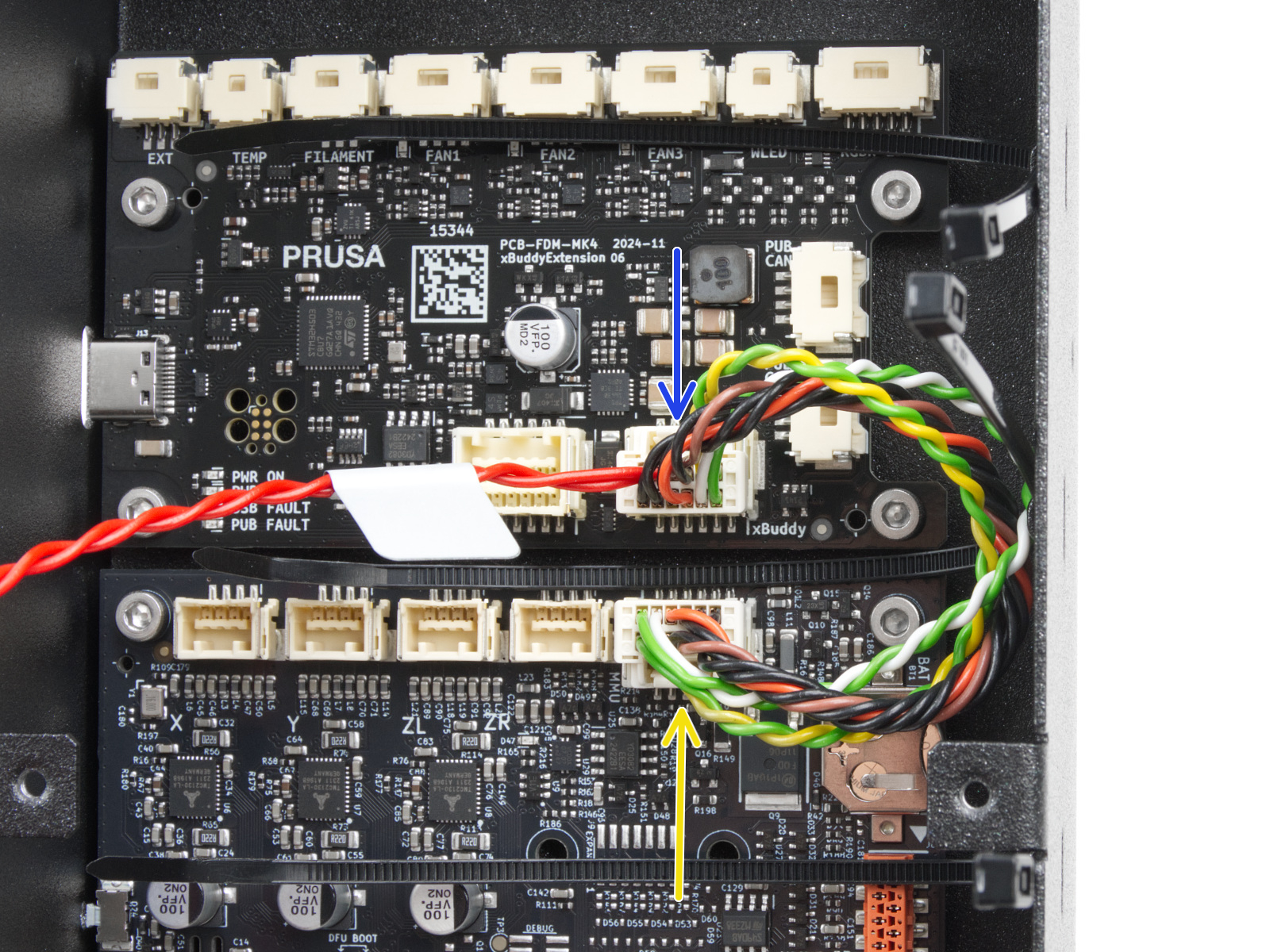
Access the xBuddy and xBuddy extension boards by loosening six M3x4bT bolts to remove the cover. Once visible, check the boards for visible damage on their surface, and check the connection between xBuddy and xBuddy extension for any irregularities.
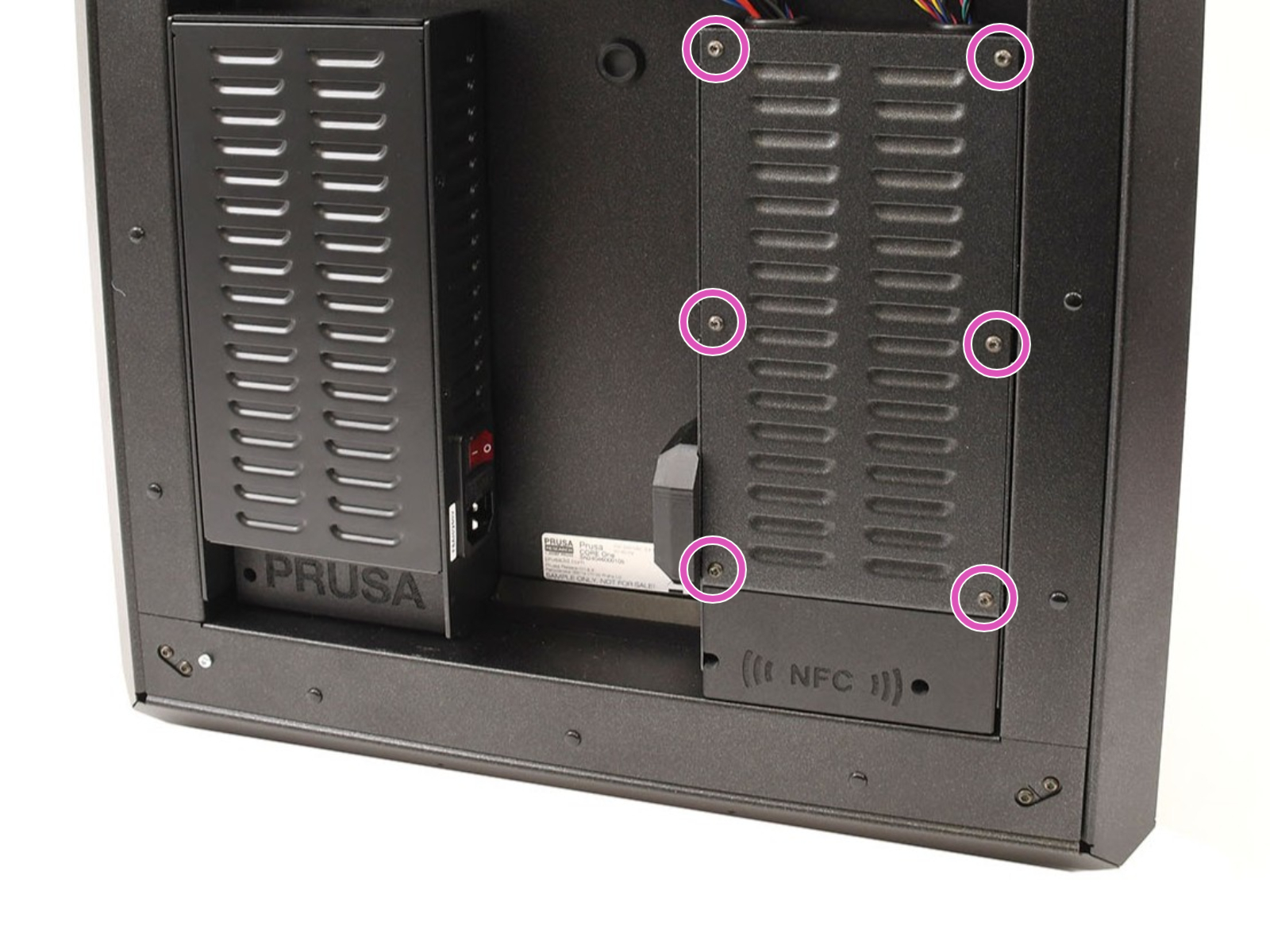 | 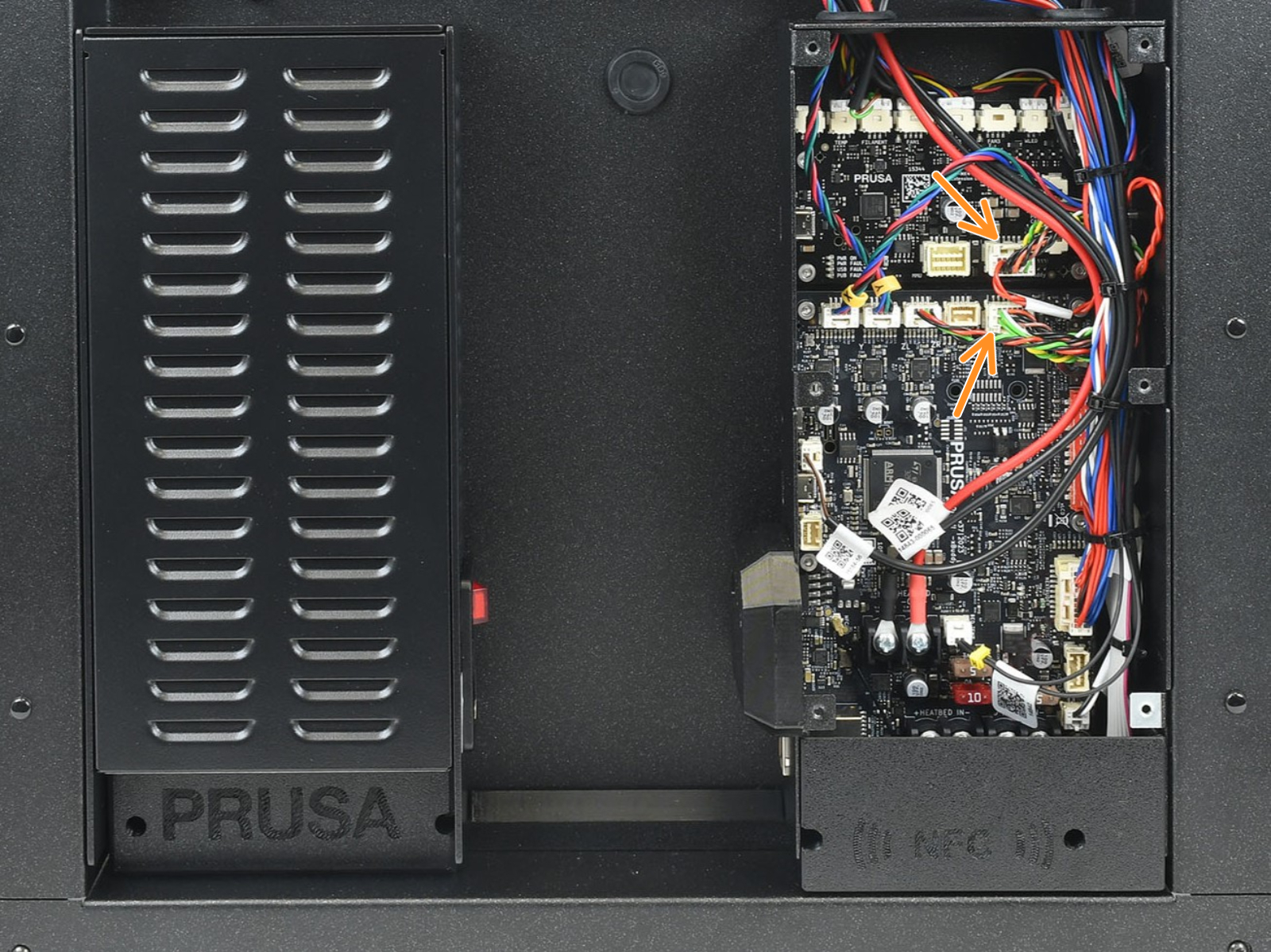 |
CORE One L
To access the CORE One L electronics, the first step is locating the Wi-Fi module on the rear panel of the printer. Using a 2.5 mm Allen key, remove the M3x14 screw. Gently pull the Wi-Fi module straight downward to remove it from the printer.
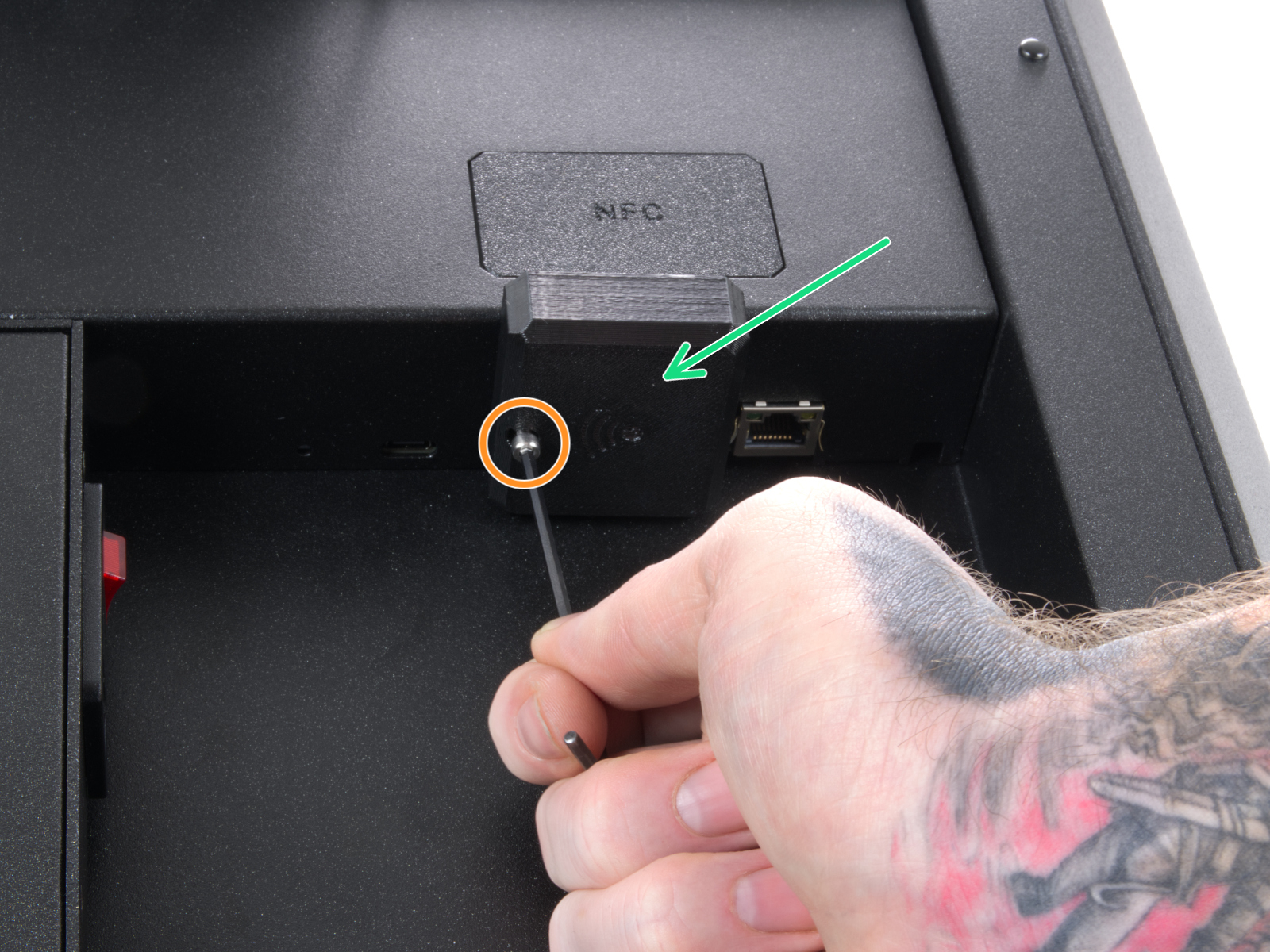 | 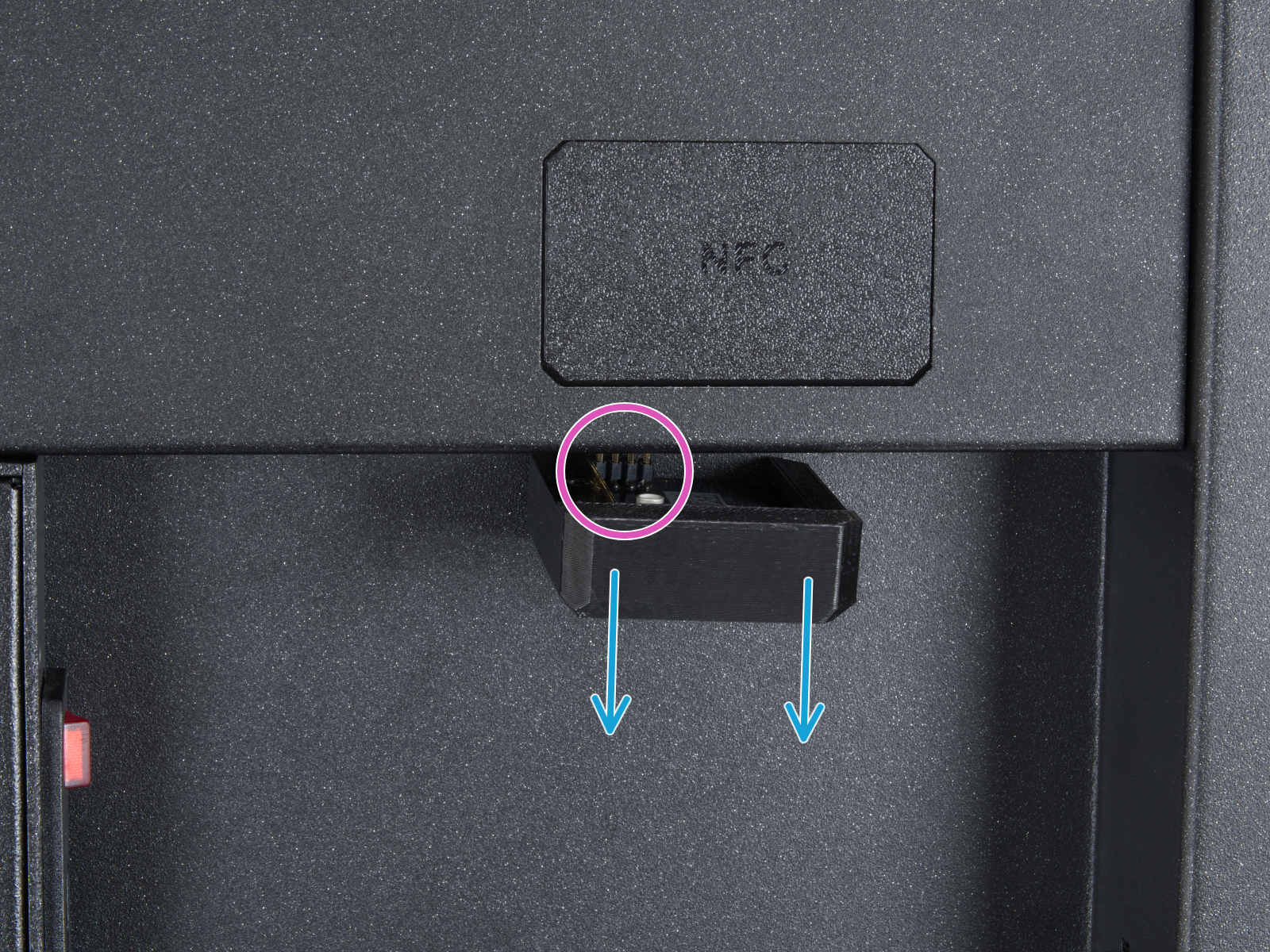 |
From the inside of the printer, locate on the rear side the highlighted M3x4bT bolts.
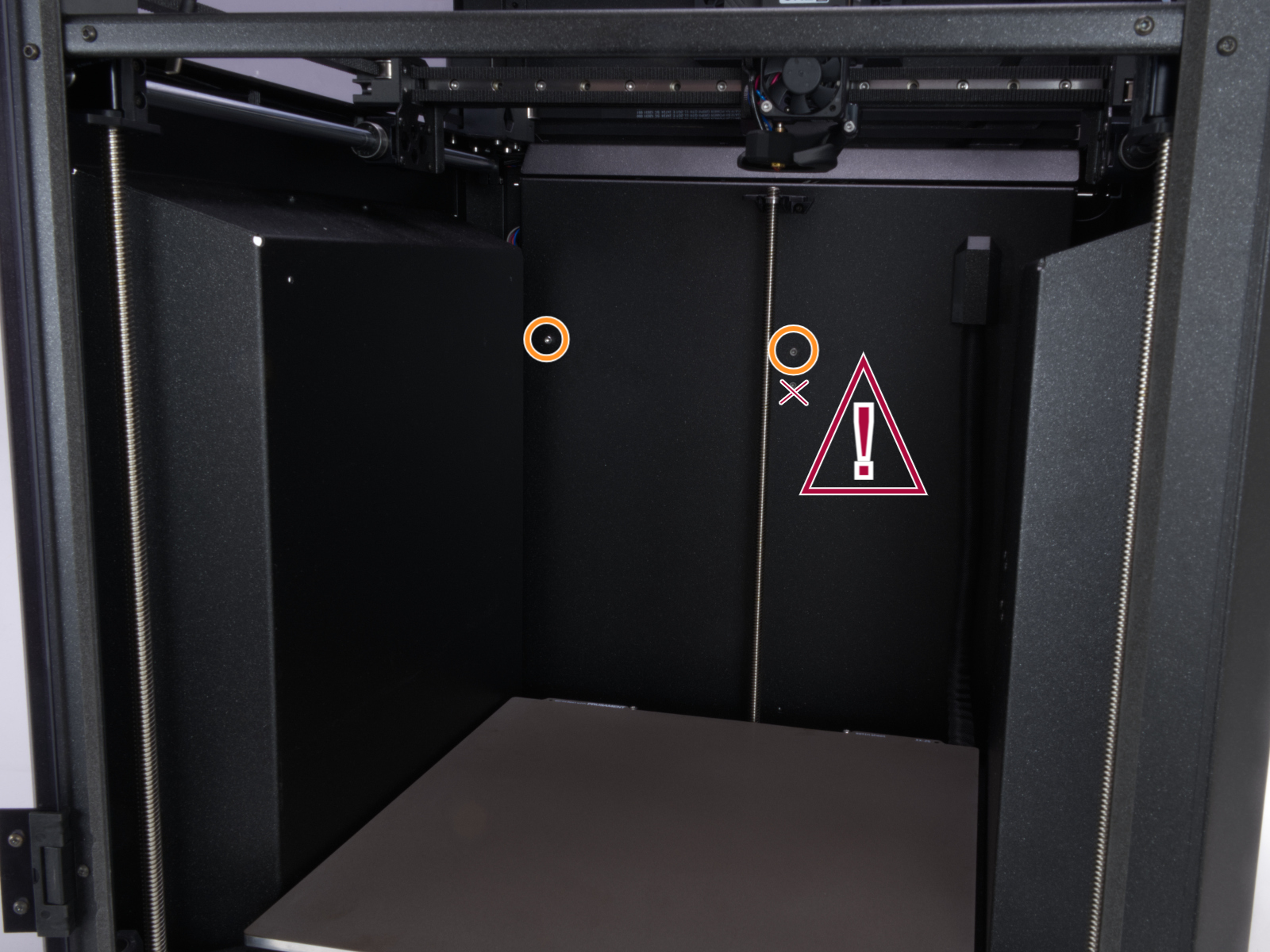
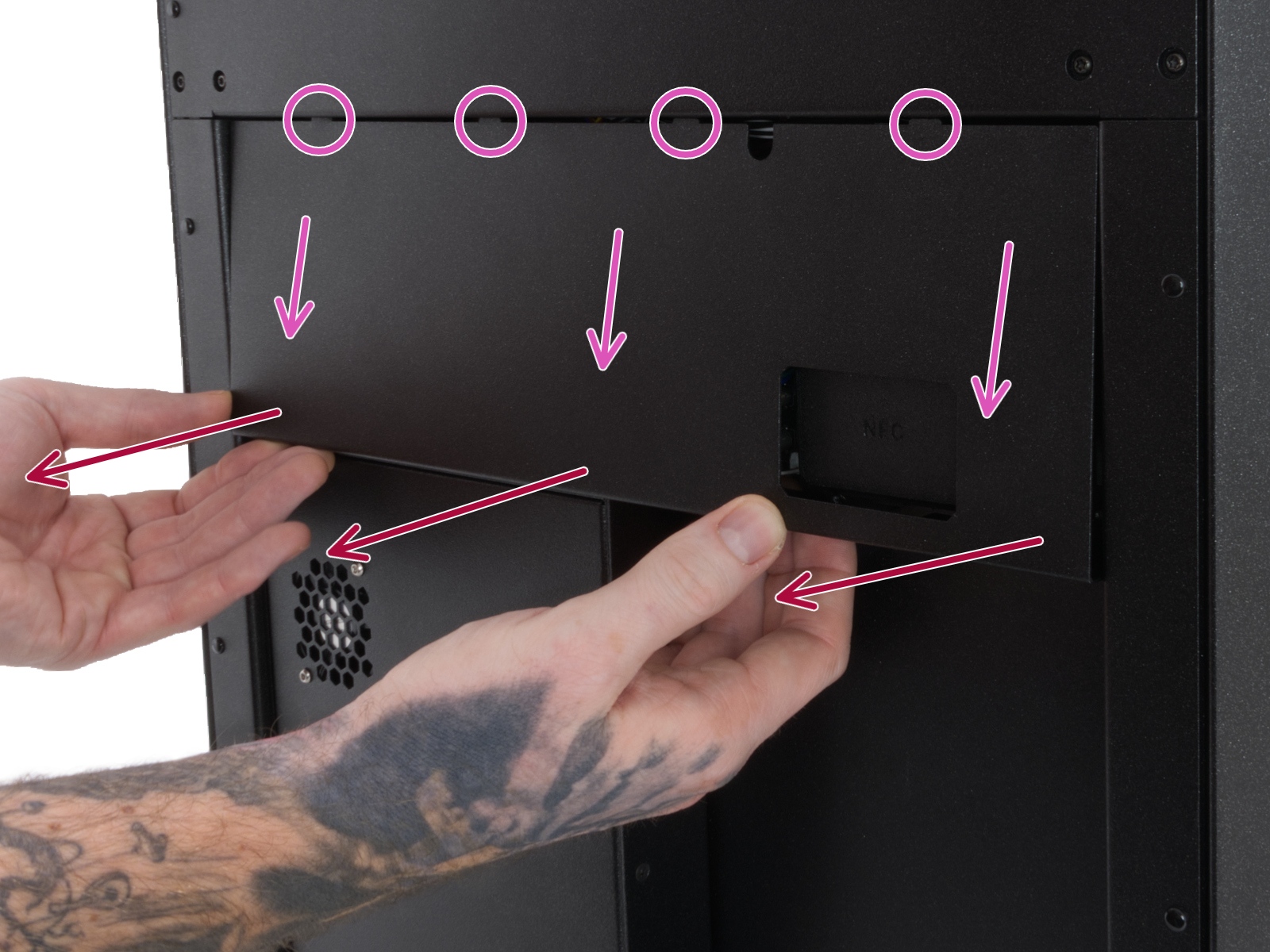
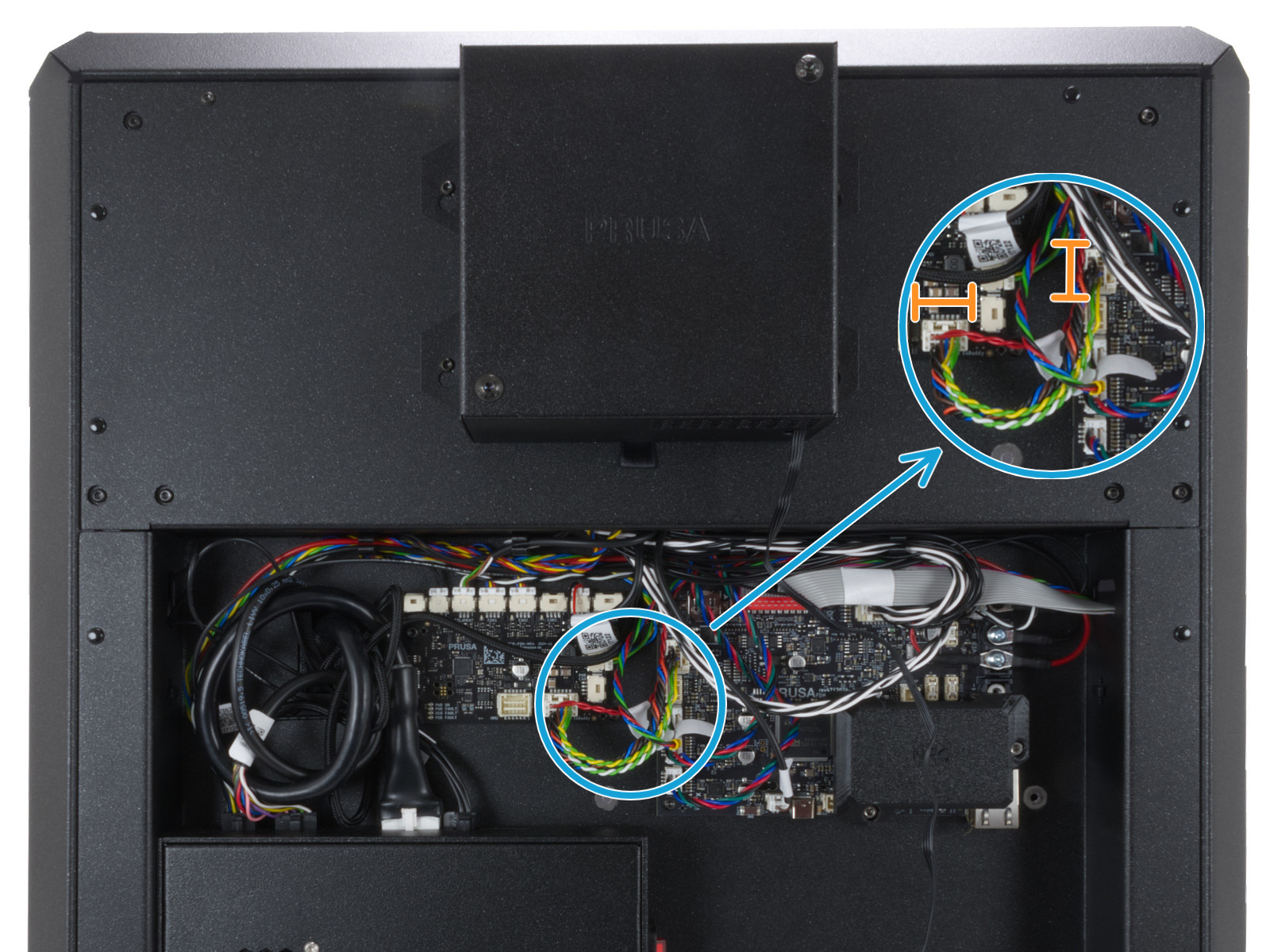
Using a T10 Torx key, remove two M3x4rT bolts to release the rear xBuddy box cover. Lift the cover to expose the xBuddy and xBuddy extension boards.
Once visible, check the boards for visible damage on their surface, and check the connection between xBuddy and xBuddy extension for any irregularities.
 |  |
11 comments
Could it be a timing error in the firmware? A reset always fix it. Maybe the timeout is to short?
Core One+ kit, firmware 6.5.3.
OK after reset.
No crash dump generated.
Another fault.