


PrusaSlicer offers many infill patterns to choose from. When choosing an infill pattern, these are the main things to consider:
- Print speed
- Density per material used (better support for top layers with less material)
- Visuals
- Support for top layers
- Flexibility (for TPU/TPE prints)
Different infill patterns are used for some, but usually not all applications:
- low-density filling of the inside of a model
- filling the top layers
- filling the bottom layers
- generating support material
Infill types and their properties
Gyroid infill
The Gyroid is our favorite and one of the best infills. It’s one of the few 3D structures that provide great support in every direction. Plus it’s printed relatively fast, saves material, doesn’t cross itself at one layer and looks great. The special shape of this infill allows filling it with resin or another liquid.
- It's 3 dimensional - giving it equal strength in all directions
- It can be printed fairly quickly
- It doesn't cross itself in the same layer
- It has a good strength/weight ratio
- It allows filling it with resin or another liquid.
- (We think) it looks really neat
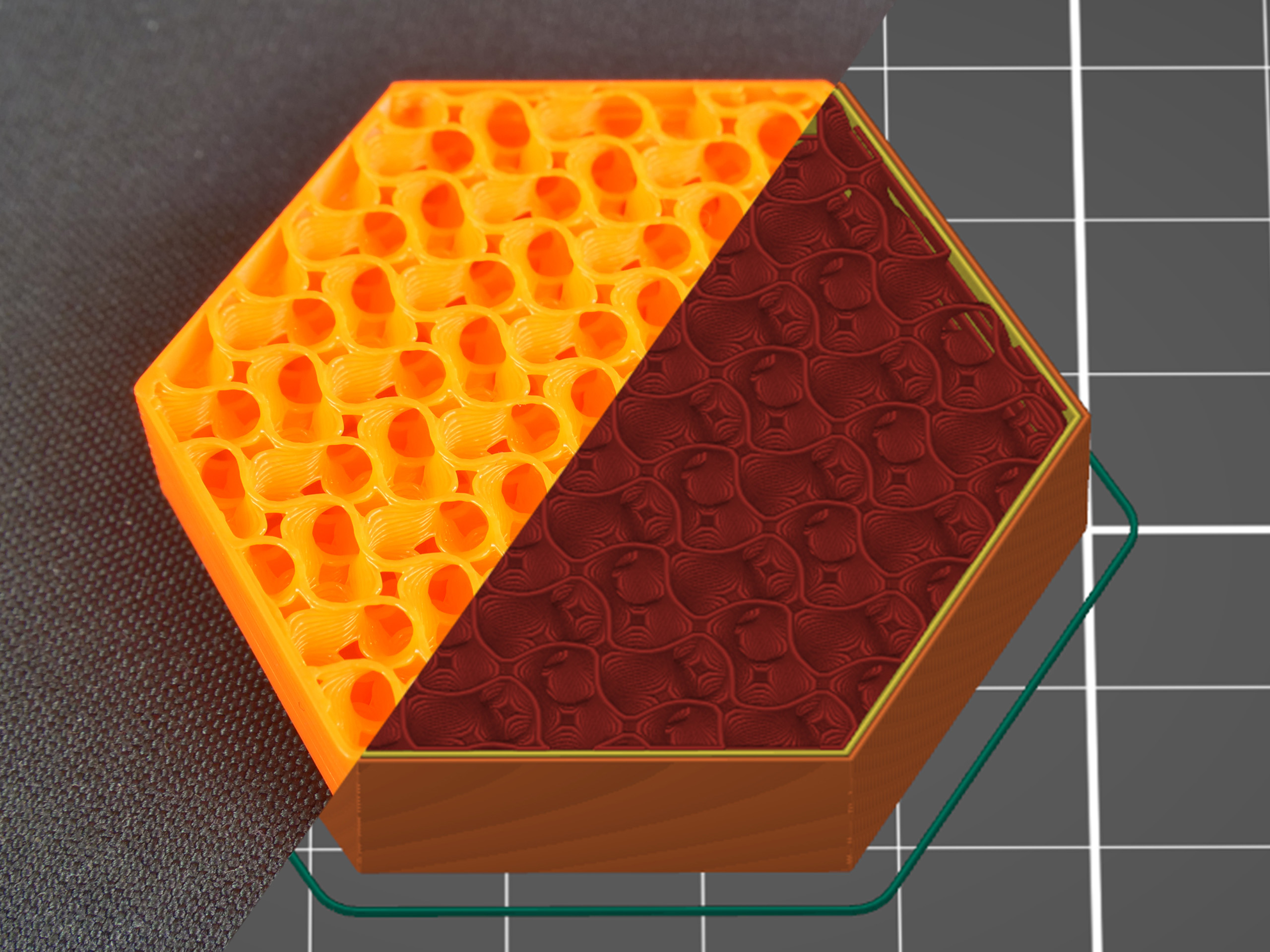
Cubic
This is an infill with paths that cross each other within one layer. It creates cubes oriented with one corner facing down. This way it makes numerous air pockets that might serve as heat insulation, or cause the object to float on water (with waterproof filaments such as PETG). Print time and filament consumption does not differ from the previous infills.
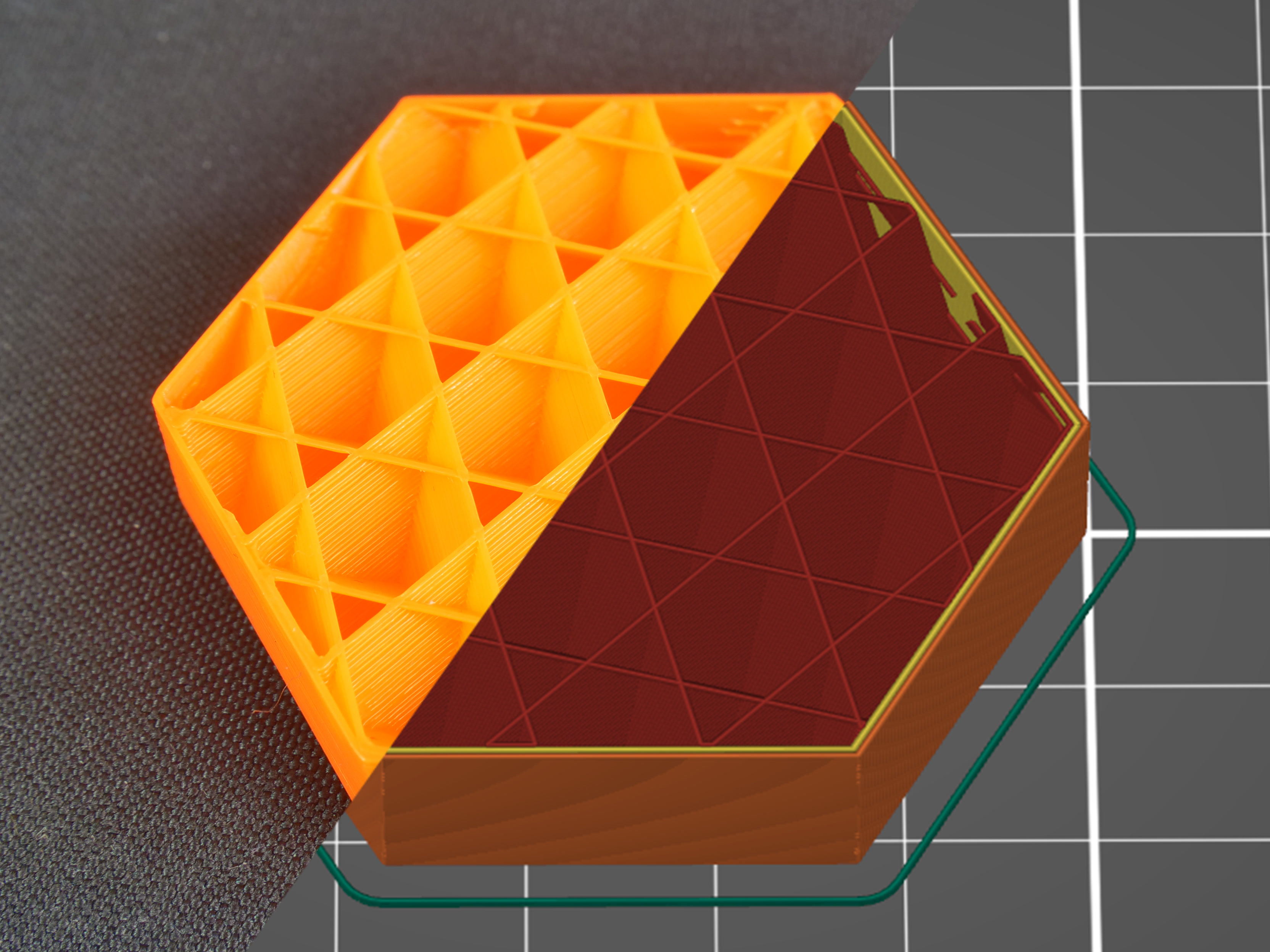
Adaptive cubic infill
The Adaptive cubic infill works on the same principle as cubic. It consists of cubes oriented corner-down where lines cross themselves in one layer. Unlike simple cubic infill, this infill gets automatically more or less dense, depending on the distance to the nearest wall, leaving large cavities in the middle. This is especially useful for large prints with a big internal volume. The print will have denser infill at the top, bottom and around all sides, but it will have lower density near the center of the volume. The result is shorter print time and lower filament consumption while maintaining great support for top layers and similar mechanical properties. Material consumption is approx. 1/4 less than the rectilinear infill.
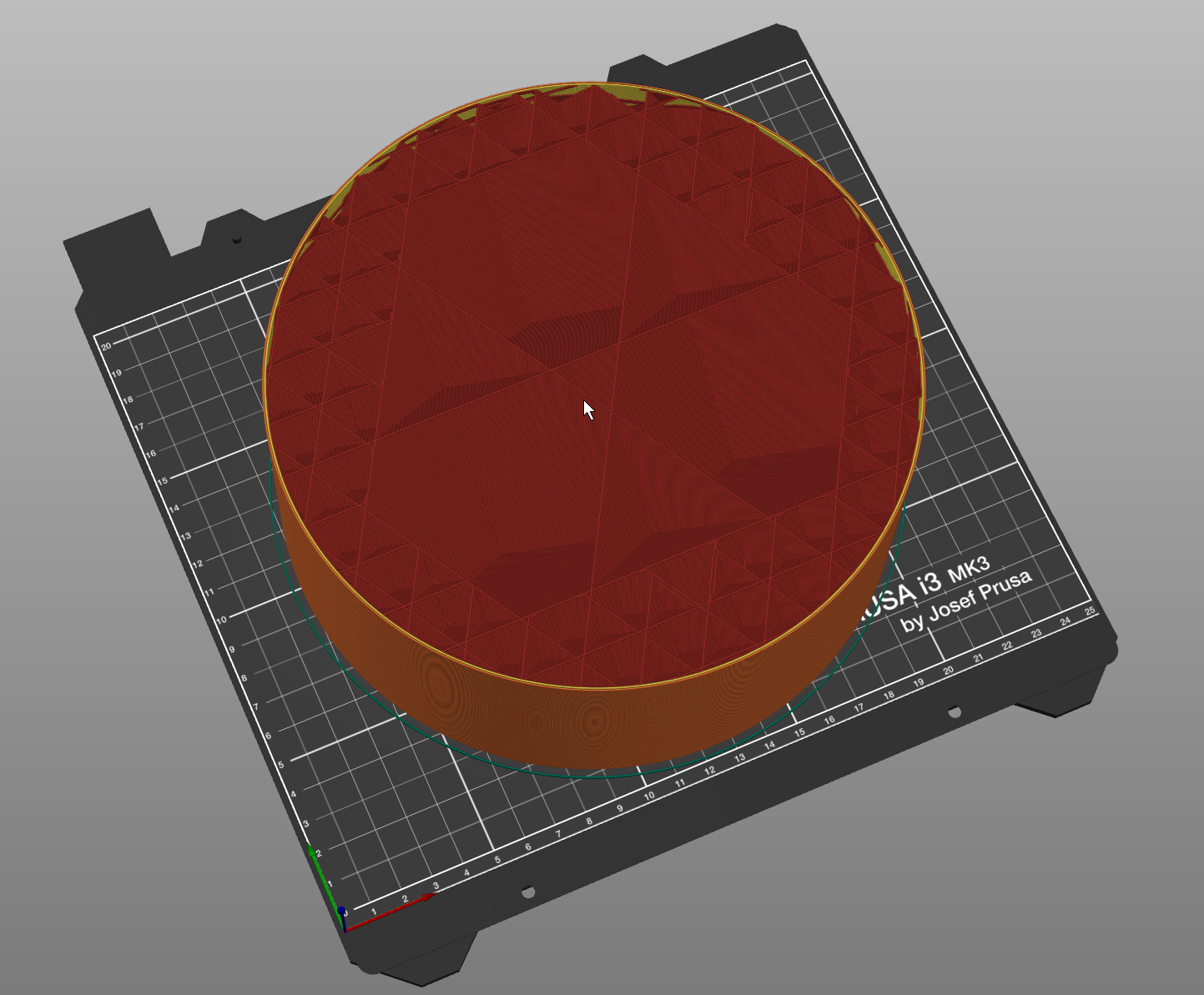
The Adaptive Cubic infill works by refining those cells of an octree, that contain any object triangle. Anchors are added to each infill line. This makes the infill sturdier and it stabilizes the extrusion flow at the start of an infill line.
Support cubic infill
This infill gets automatically denser depending on the distance to the nearest top layer (the infill density increases only in the Z-axis). Its primary function is to support top layers by saving as much material as possible, it doesn’t improve any mechanical qualities of the model. Material consumption and print time of this infill are by far the lowest of all the supported infills.
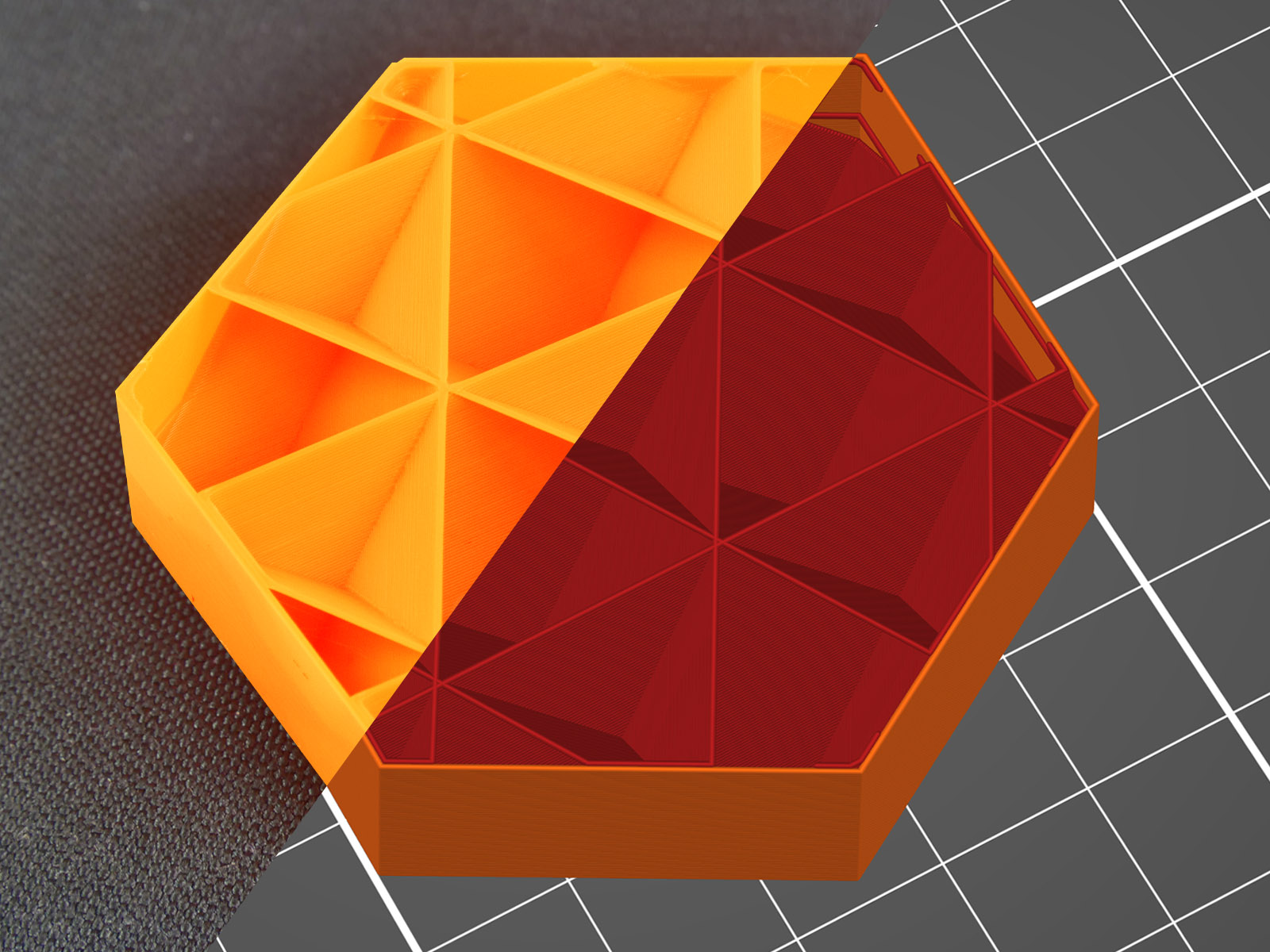
Rectilinear
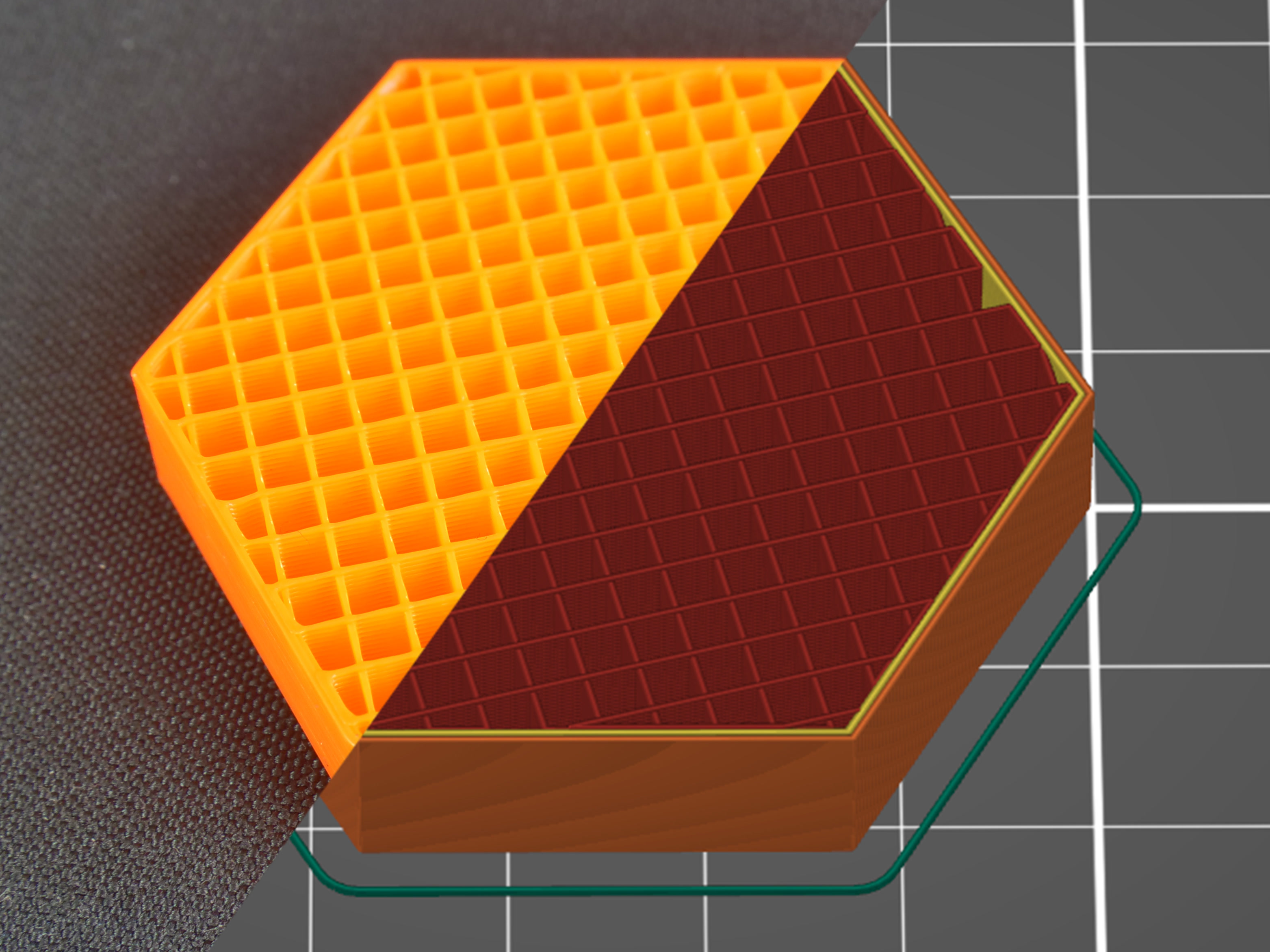
Rectilinear is one of the basic infill patterns. It creates a rectilinear grid by printing one layer in one direction, the next layer rotated by 90°, etc. This way, it saves filament and doesn’t accumulate material at crossings (unlike grid). It’s one of the fastest printed infills.
Compared to the Grid pattern, Rectilinear has double the support for top layers using the same amount of material.
This type of infill is the only one recommended for 100% infill printing. If you have another type of infill set in your profile and change the infill percentage to 100% density, PrusaSlicer will automatically change the infill type to rectilinear.
Aligned rectilinear
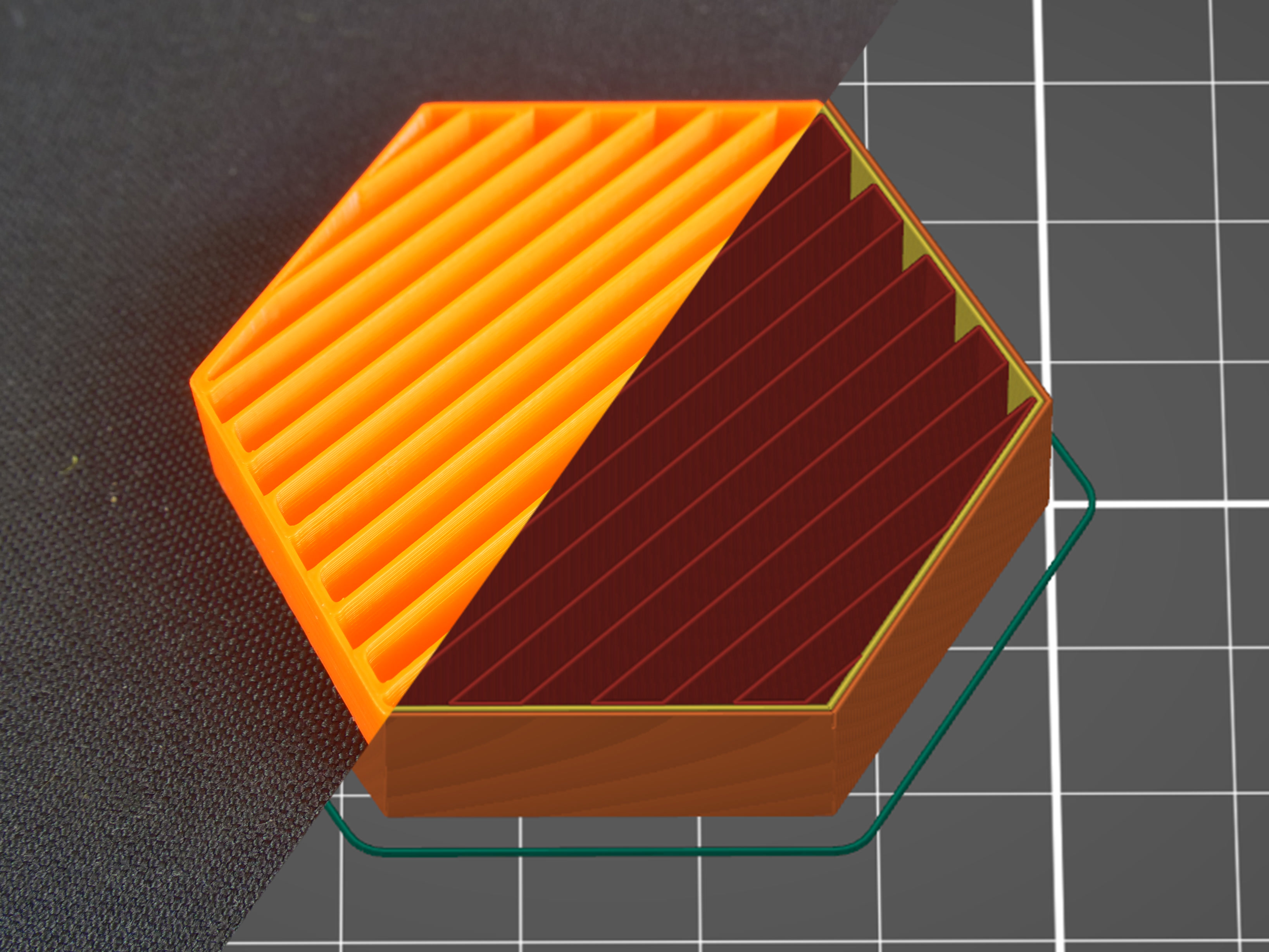
This infill is formed by parallel lines drawn inside the model, which resemble the outside support structures. Similar to the previous type, this infill saves time, has average material consumption, plus it doesn’t accumulate material at crossings. However, using this infill might cause some trouble when the direction of the lines in the infill is the same as in the infill of the first top solid layer – if they are perfectly parallel, the top layers might have issues with bridging.
Grid
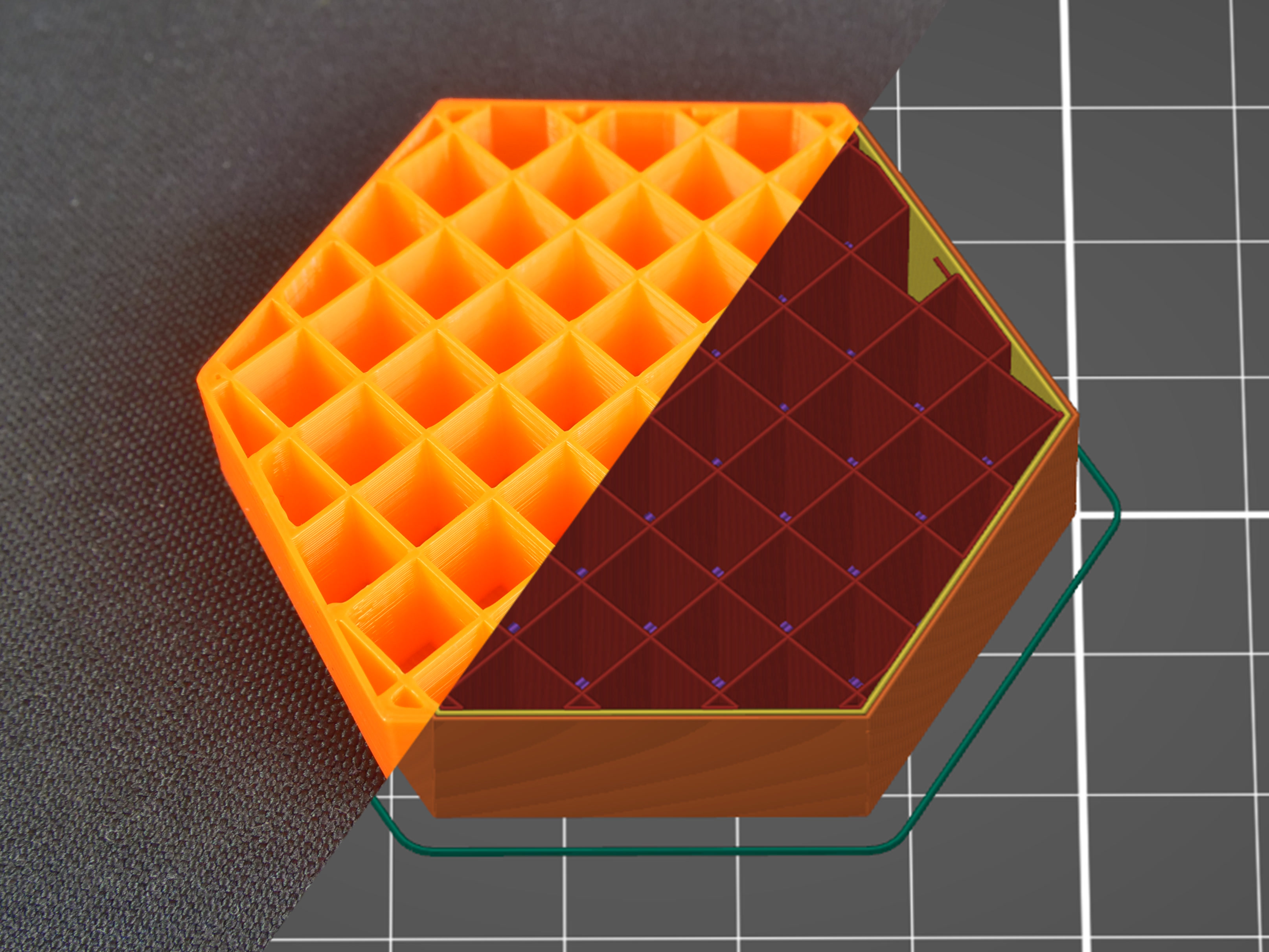
This is one of the simplest and fastest variants of infill. Unlike rectilinear, it’s printed in both directions (rotated by 90°) in each layer. This way, material accumulates in spots where the paths cross. The grid infill is more solid (and has better layer adhesion) than the rectilinear infill, however, it sometimes can cause annoying noise or even a print failure due to the nozzle going over the crossings where material accumulates.
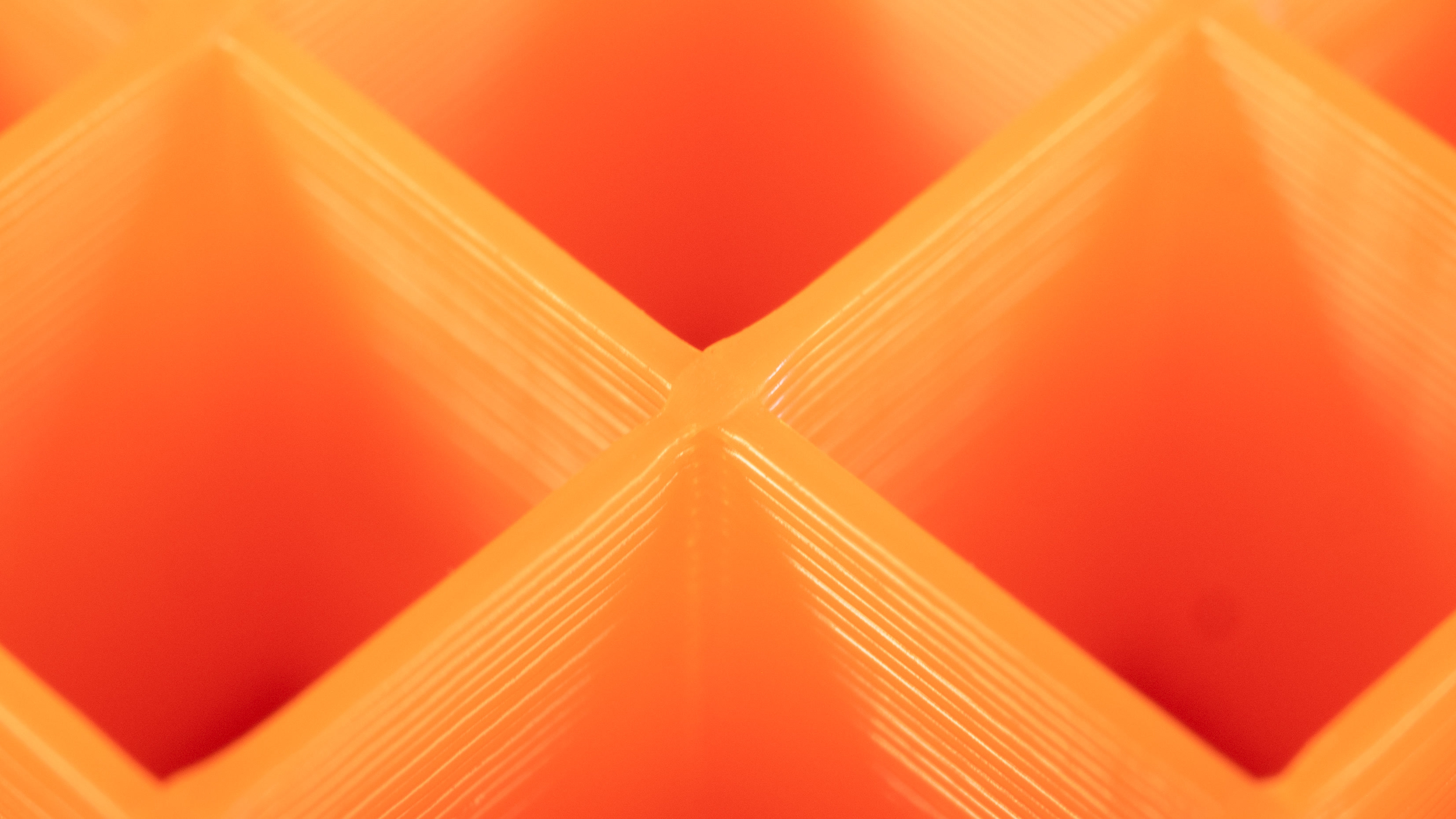
Due to the way this infill is printed, the paths cross and cause the material to accumulate in these spots. You may hear a specific noise as the nozzle hits these parts. This may even lead to a failed print.
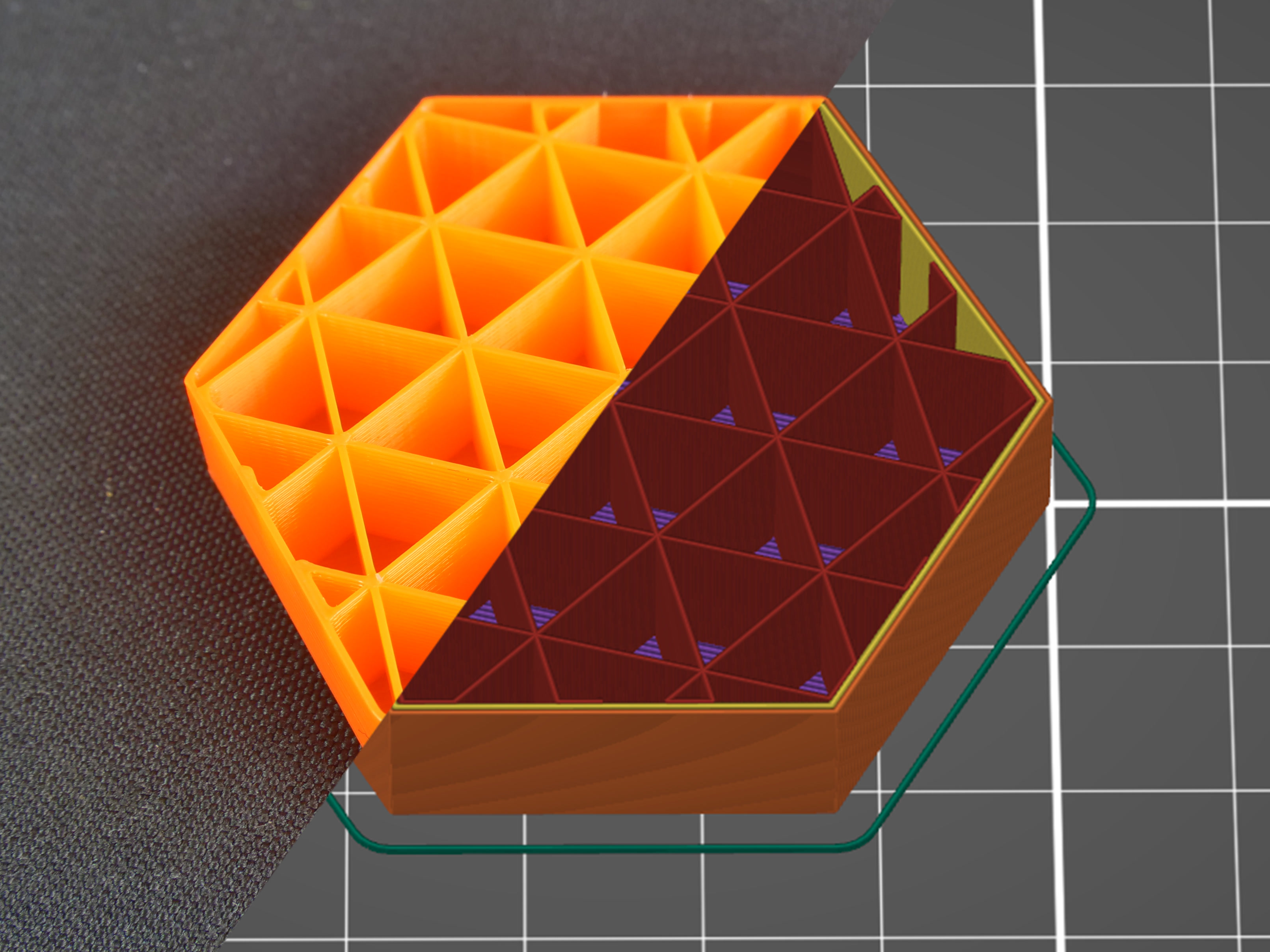
Triangles
This infill works similarly to the grid infill – the paths cross in one layer, however, this time they are printed in three directions and form a triangle structure. Material and time consumption is almost identical to the grid.
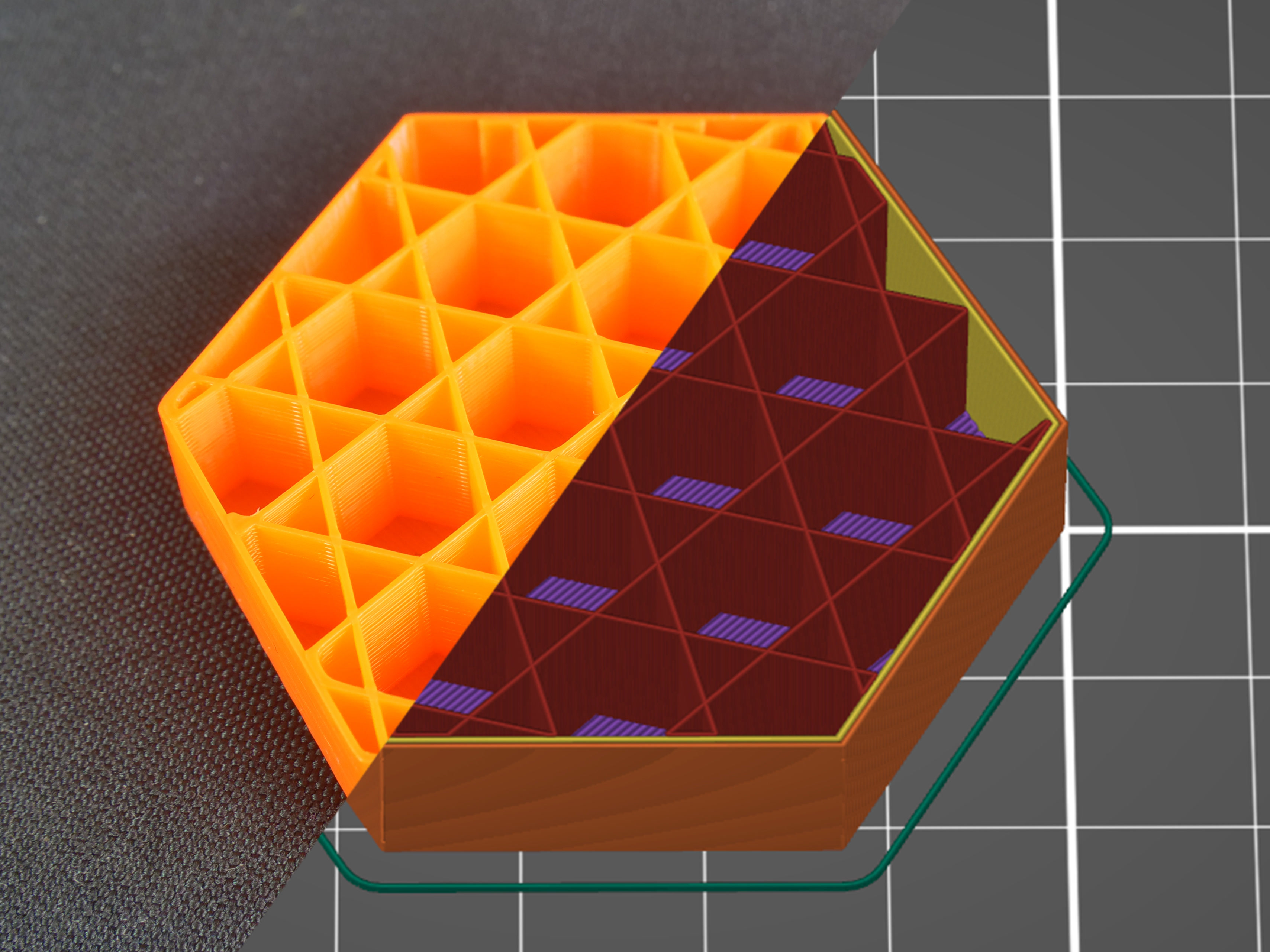
Stars
The Stars infill is based on triangles but paths are shifted to make six-pointed stars. Again, this infill is created by lines that cross each other within a single layer. Material and time consumption is similar to the previous infill.
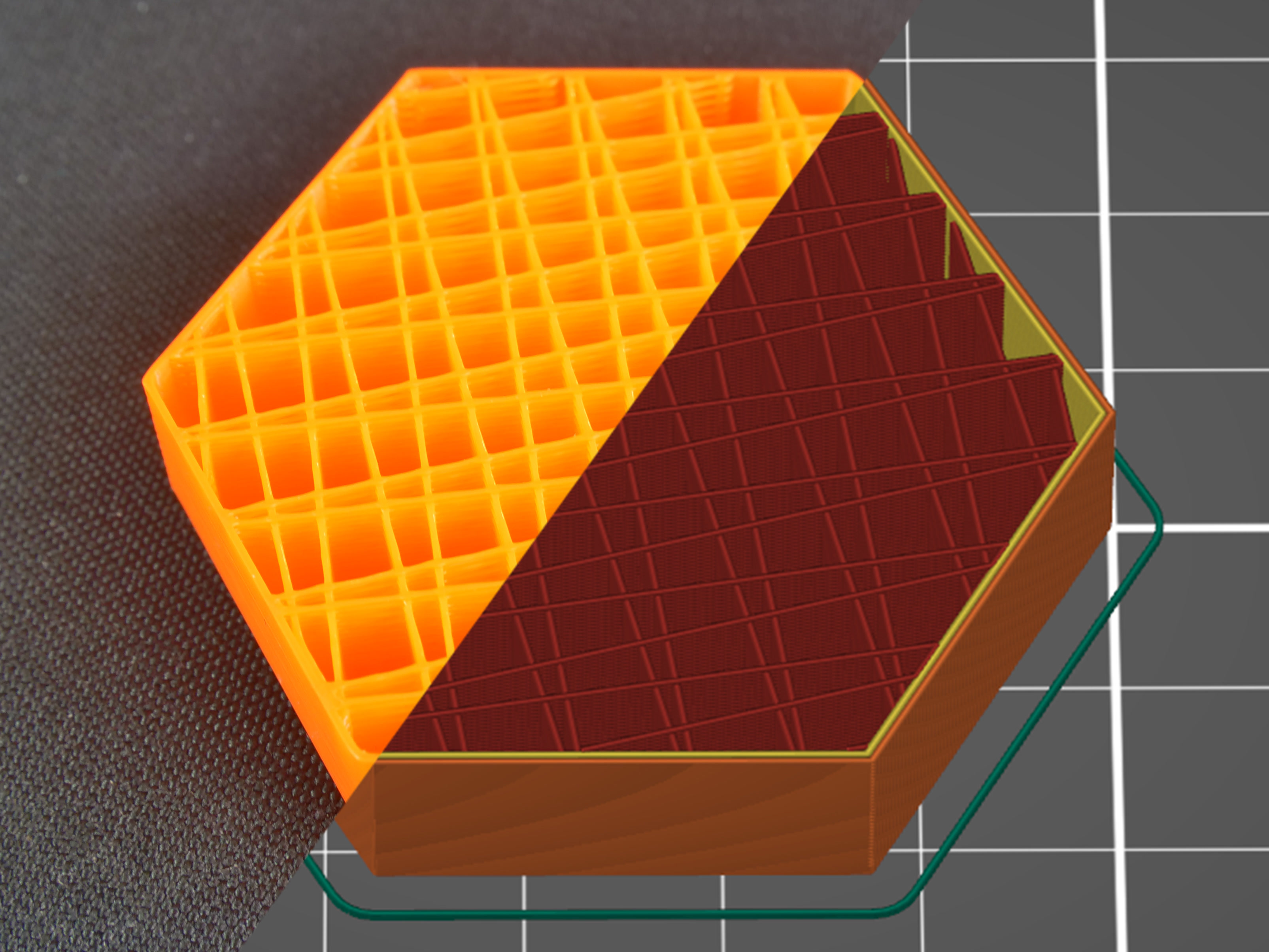
Line
The Line is one of the infills that don’t feature any crossing paths in one layer. Its paths are similar to the rectilinear infill but they are not parallel to each other. Instead, they are printed at an acute angle. Unsurprisingly, this infill is similar to rectilinear when it comes to printing time and material consumption.
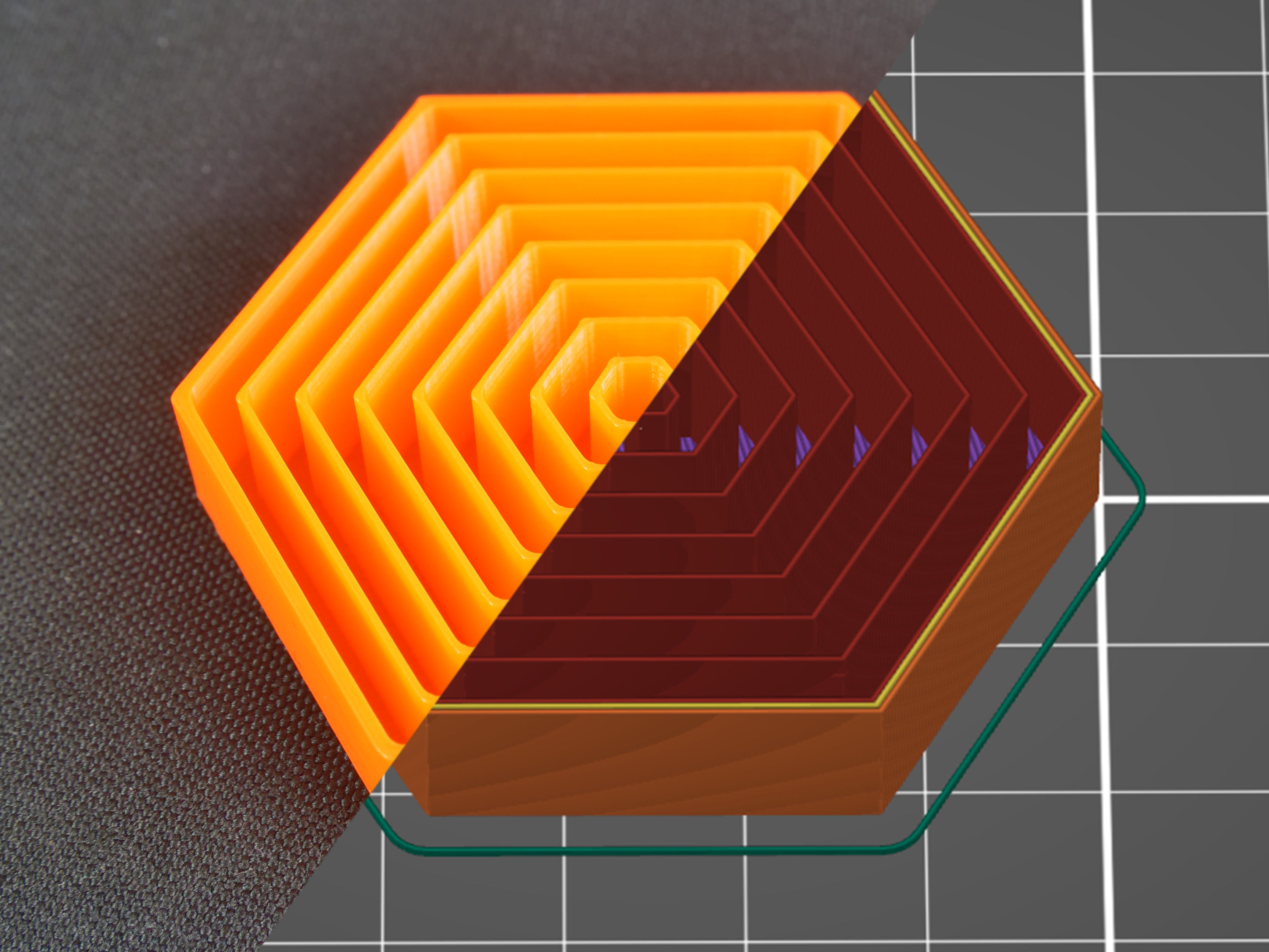
Concentric
The concentric infill traces the model perimeter lines and makes them smaller towards the center. In other words: if you print a cylinder, the concentric infill will create concentric circles inside that cylinder. This can be useful with transparent parts or flexible models (RC tires for example). The main disadvantage is the time spent printing. Material consumption is not higher than previous types of infill patterns.
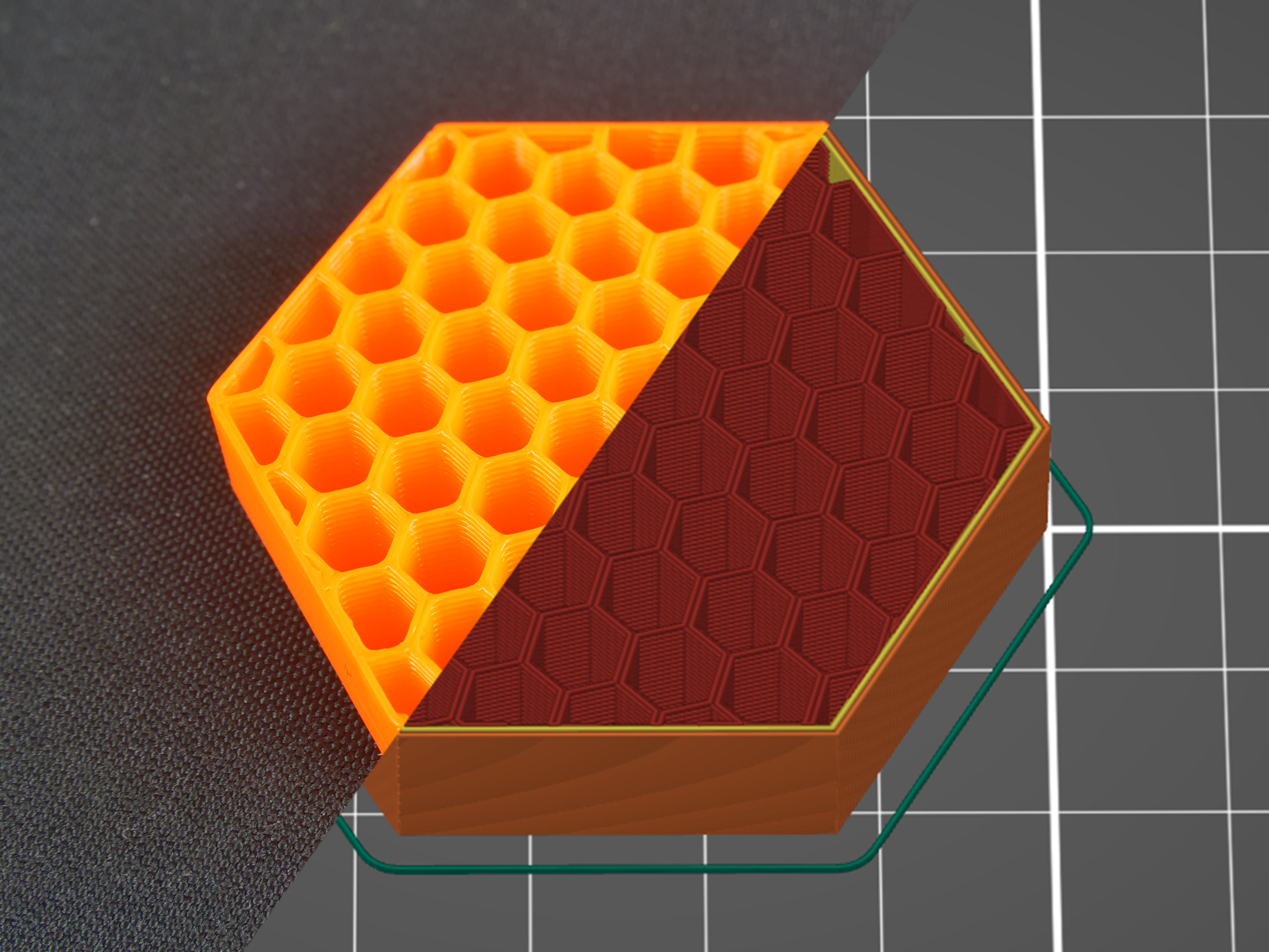
Honeycomb
This infill prints a grid made of hexagons. Its main advantage is mechanical resistance and optimal paths without crossings. The main disadvantages are higher material consumption (approx. 25% more) compared to other infills, and print time that can take up to twice the time of previously described options.
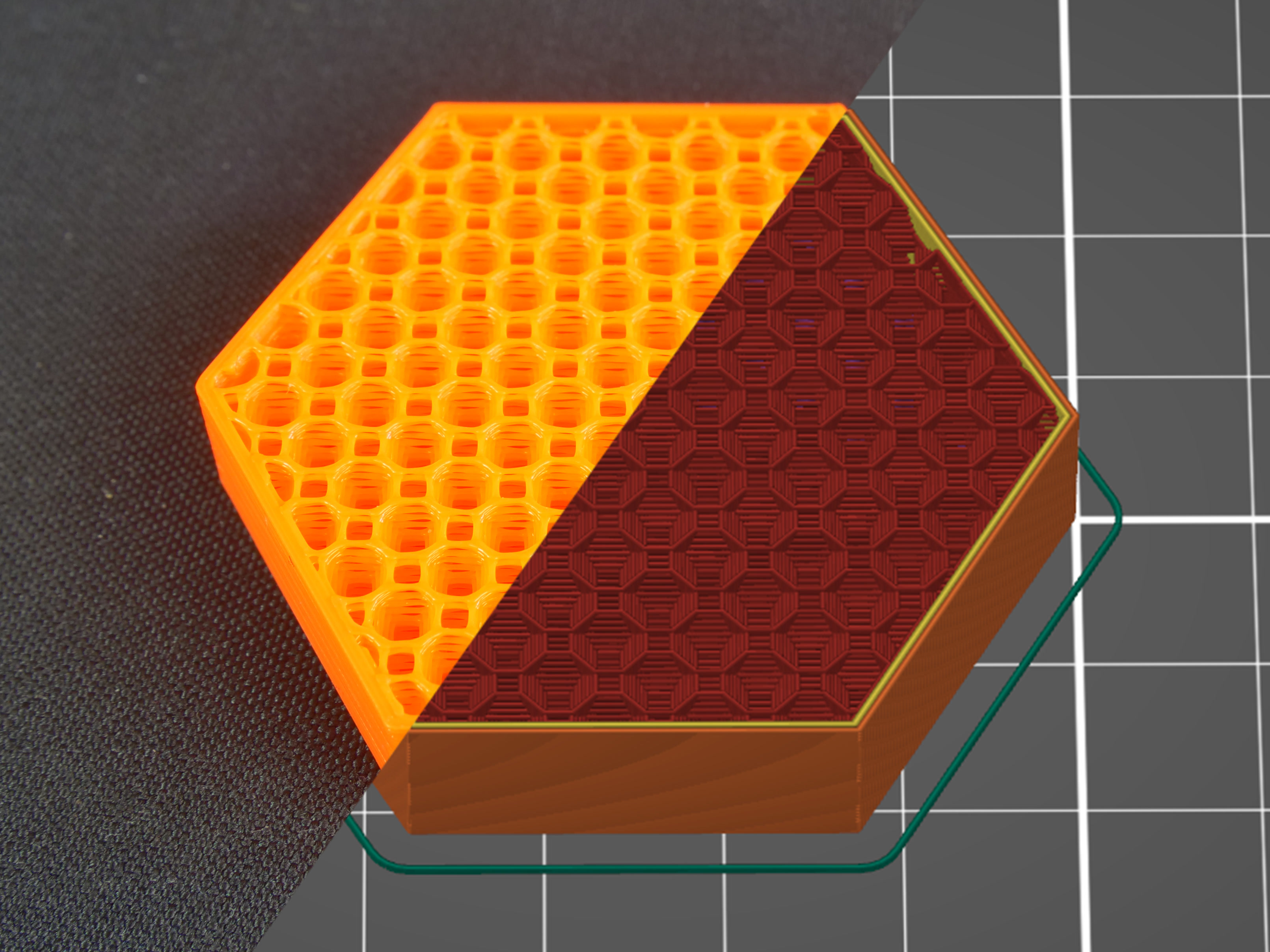
3D honeycomb
3D honeycomb prints bigger and smaller squares and octagons to create columns of periodically increasing and decreasing thickness. Again, this infill doesn’t have crossing lines in one layer, however, due to the way it lays down the paths, it creates small gaps between layers. Material consumption and print time are slightly worse compared to the regular honeycomb pattern.
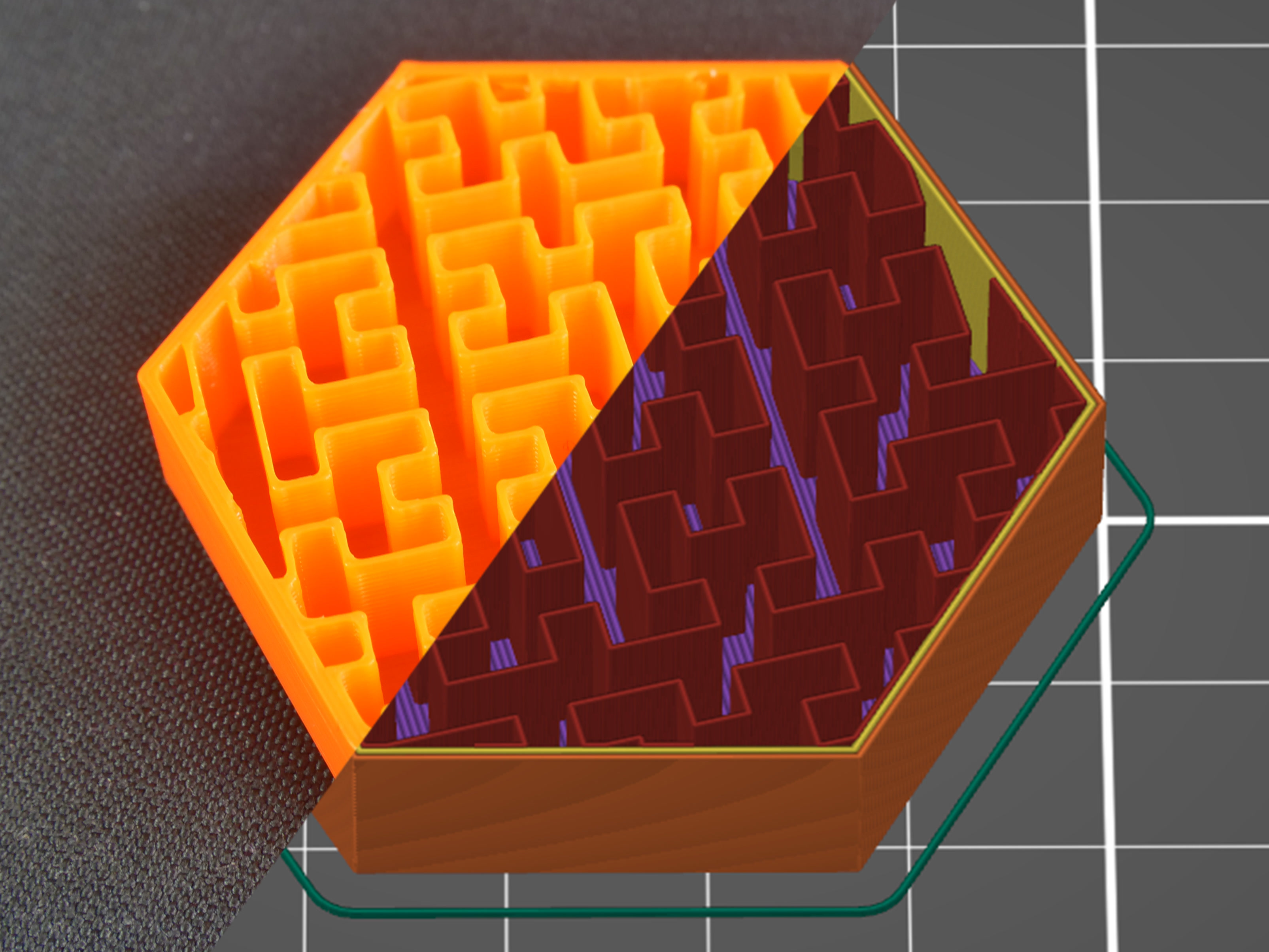
Hilbert curve
The Hilbert curve creates a rectangular labyrinth inside the model. The main advantage of this infill is its non-traditional look, plus it can be pretty easily filled with epoxy resin or another liquid – the model is split into several large cavities, instead of a number of small “bubbles”. The main disadvantage of this infill is increased print time, which sits somewhere between honeycomb and rectilinear infills. The material consumption of the Hilbert curve is similar to the rectilinear.
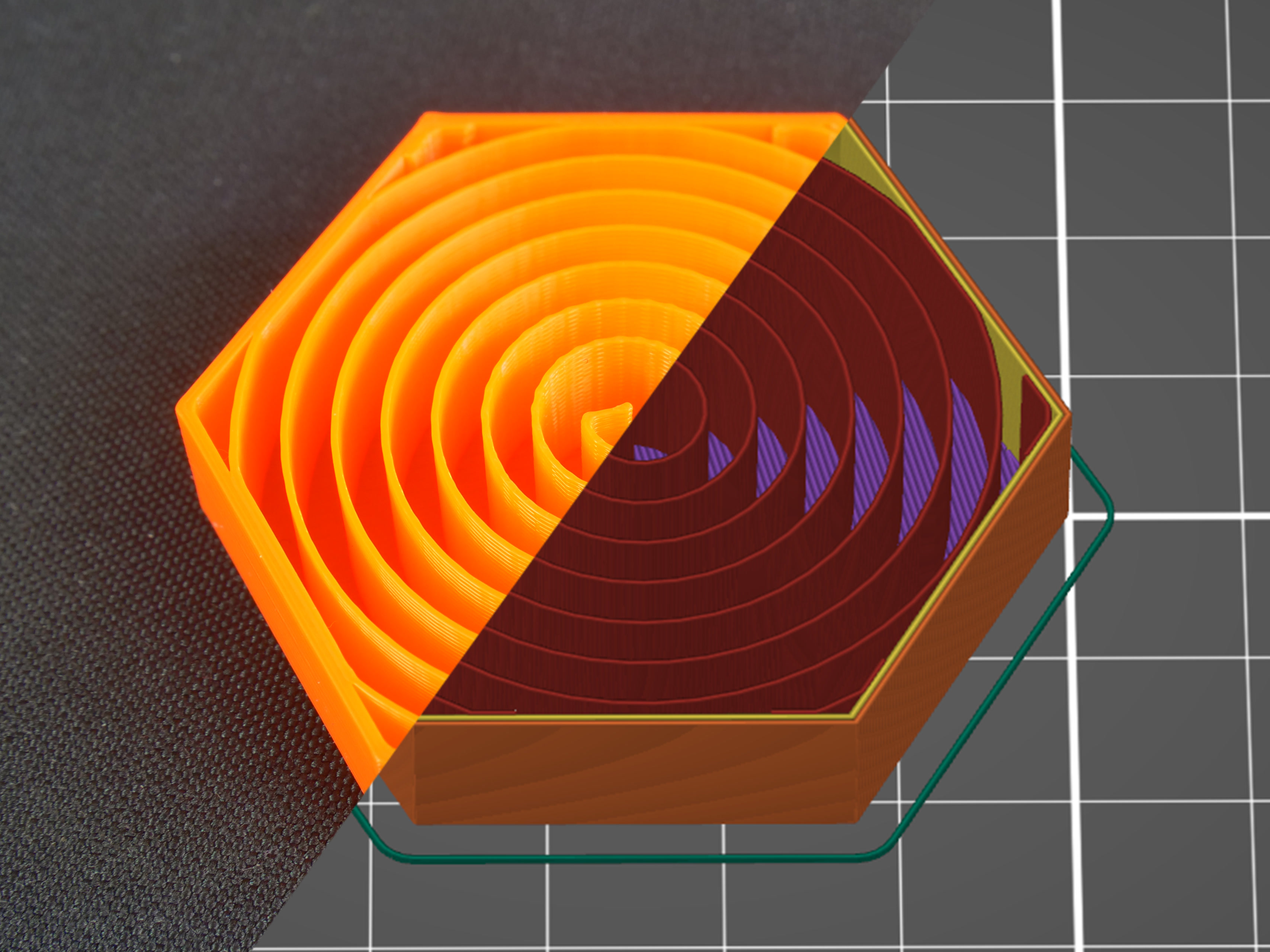
Archimedean chords
Again, this spiral-twisted infill allows easier filling with liquid. This simple shape saves material and time (compared to the rectilinear infill). Similar to the concentric infill, the Archimedean chords help with model flexibility if you print it with flexible filament.
Octagram spiral
Octagram spiral allows filling the object with liquid easily due to larger compartments made with this type of infill. An Octagram spiral might also help with flexibility for certain models. But mostly it’s for aesthetic purposes and top layer support. Material consumption is similar to Archimedean chords but print time is slightly longer.
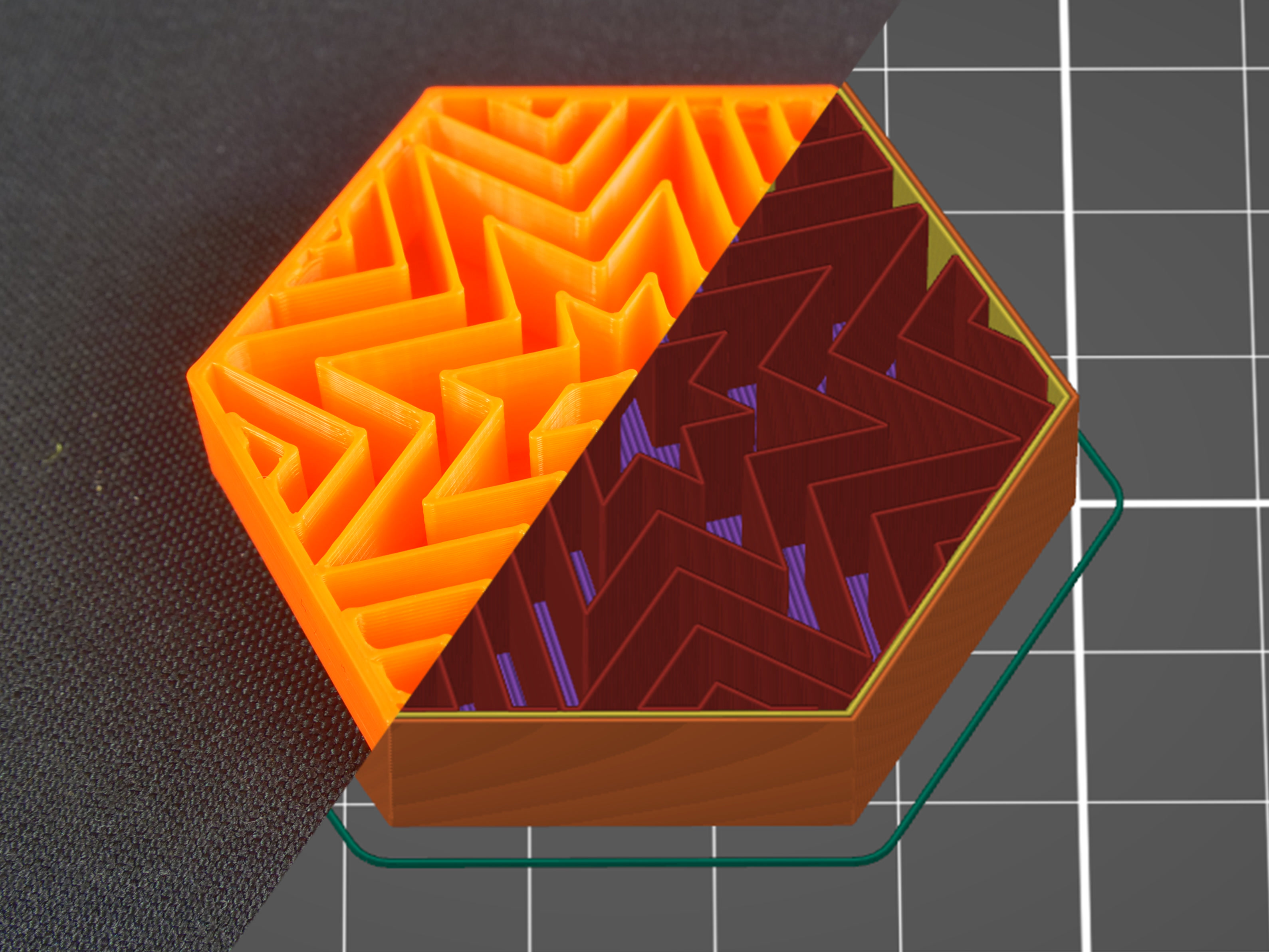
Lightning
The lightning infill generates a branching structure that gets progressively denser towards the top surfaces to support them reliably. It saves even more material compared to the Support cubic infill. The lightning infill is based on paper and ported from Cura, our thanks go to the Cura team for keeping it open-source.
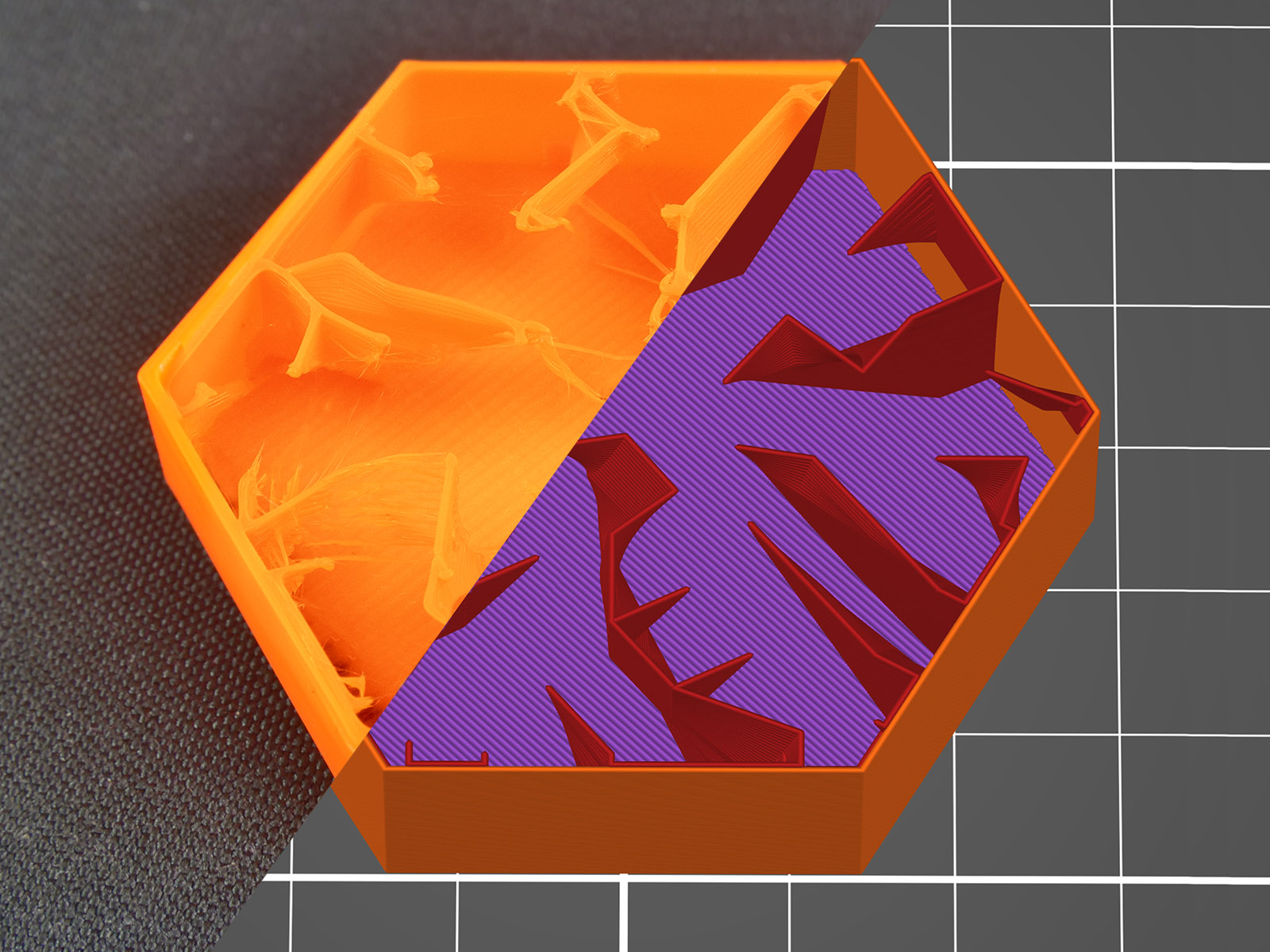
Types of top (bottom) layer infill
Editing infill doesn’t end with choosing an infill type for the internal parts of the object. You can also change top and bottom layer infill types to get some interesting results. These can be adjusted in the Print settings - Infill -Top (Bottom) fill pattern tab.
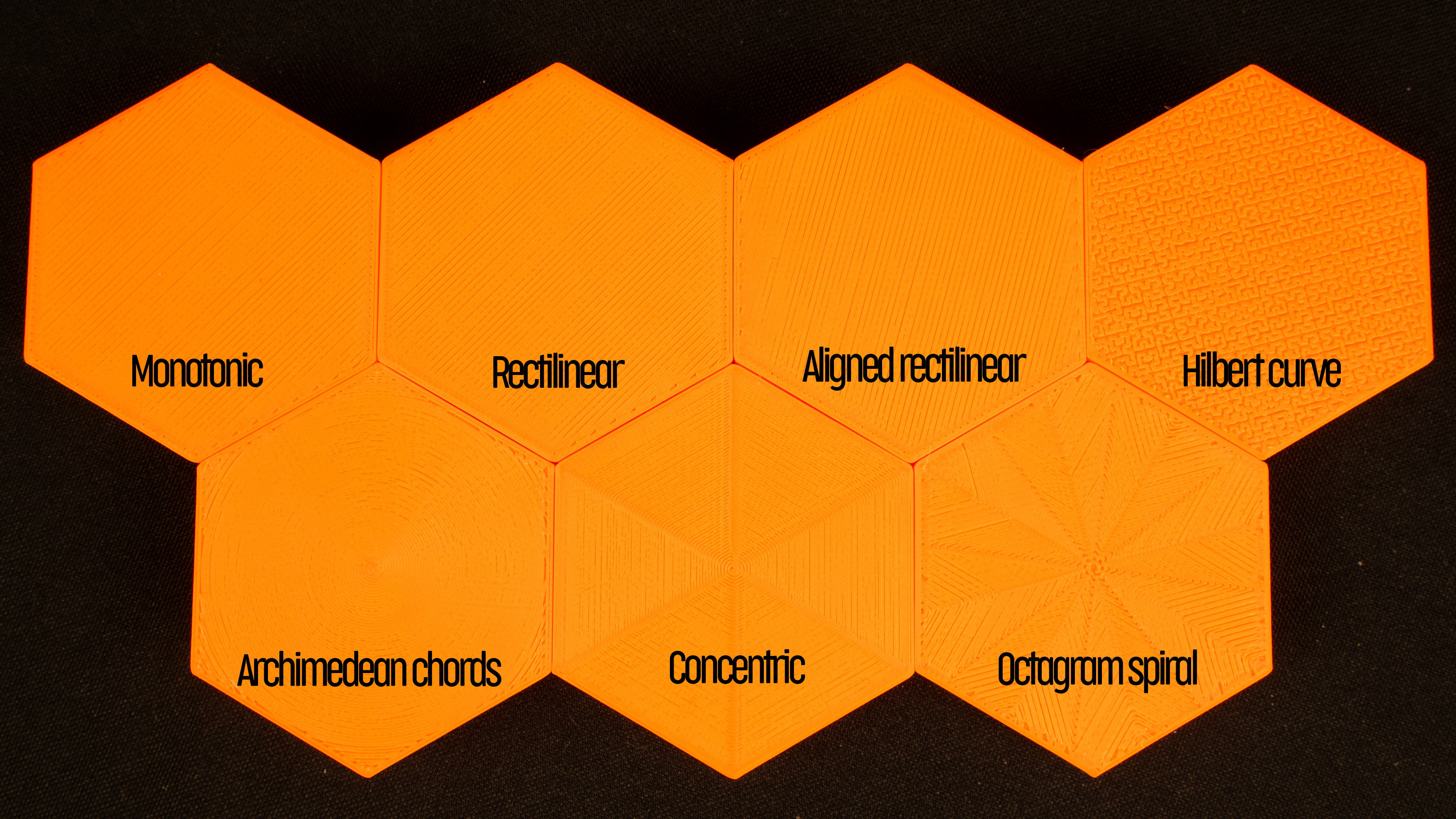
All seven types of top (bottom) infills printed with 80% flow to highlight the patterns.
Rectilinear
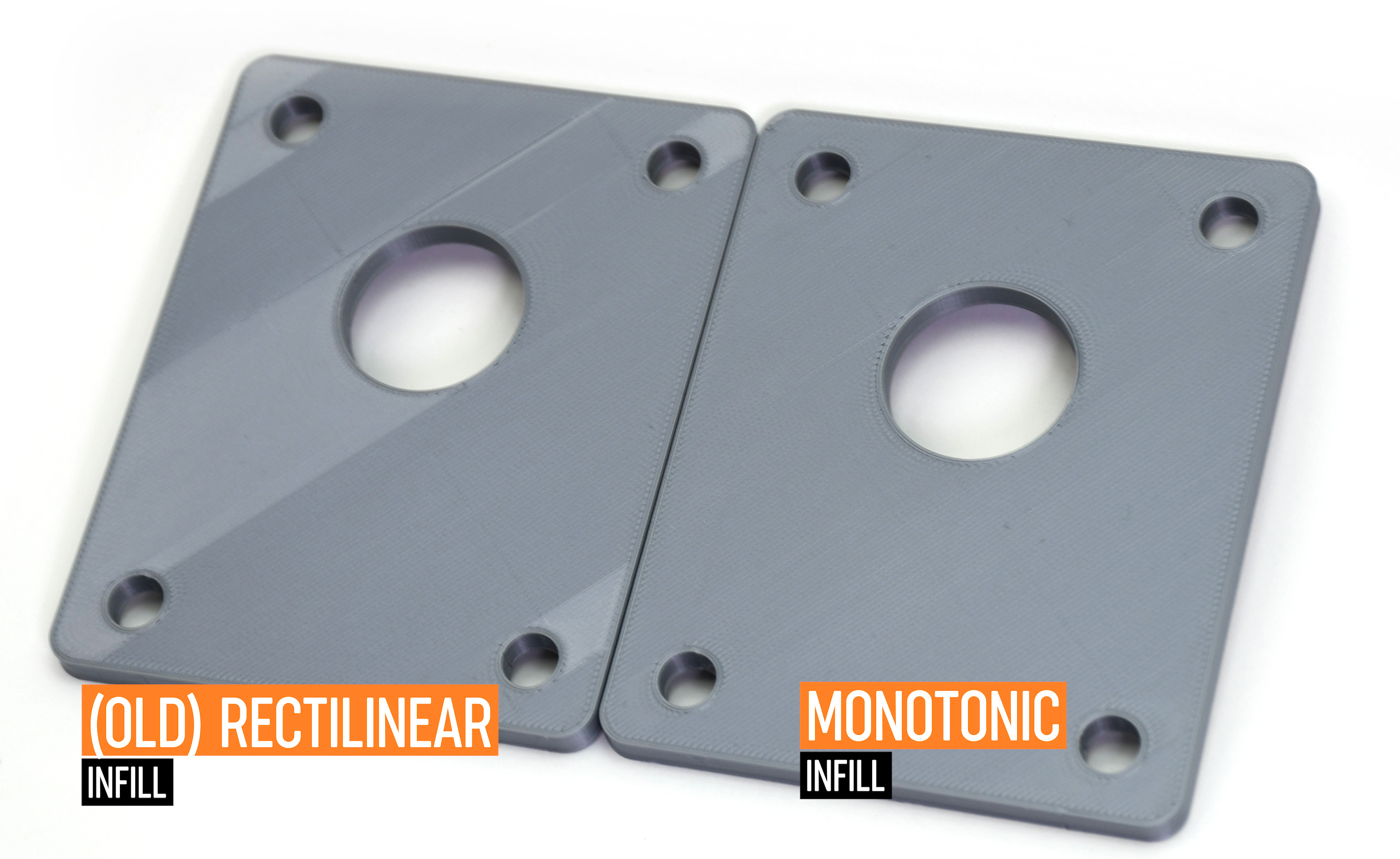
Again, this is one of the most common (and basic) types of top infill. The print paths are oriented zig-zag for the whole layer. However, this is the simplest type of infill that doesn’t provide any advantage whatsoever (see Monotonic infill).
Monotonic infill
The "monotonic" infill is essentially a rectilinear infill with modified path planning. The infill lines are extruded left to right monotonically, a line is never extruded to the left of an already extruded infill line. This strikingly simple strategy leads to a homogenous texture without ugly ridges. Ridges are often created when the left-to-right extrusions meet with right-to-left extrusions in the center of an infill area, while printing left to right only leads to a homogenous shine.
The seemingly simple left-to-right strategy is surprisingly difficult to implement optimally. We have implemented a variant of the Ant Colony System as described by Raad Salman.
Aligned rectilinear
This infill pattern works similarly to the rectilinear infill but the last layers on all top surfaces are aligned in the same direction. This can help for creating a homogenous top layer pattern for models that have top layers in different heights (imagine a staircase model).
Concentric
The concentric infill pattern copies perimeter shapes. If you print a cylinder, it will create concentric circles on top of the model.
Hilbert curve
This is mostly an aesthetic infill. If it’s printed inside, Hilbert Curve creates rectangular shapes, while the topmost layer looks more like a wicker basket. Some people say that it looks “wormy”. This infill significantly increases the print time due to the complex shape.
Archimedean chords
The topmost layer of archimedean chords is printed in a spiral. This infill can save time when printing certain models.
Octagram spiral
Again, this infill is described above. It’s good mainly for aesthetic purposes but due to the complex shape, it prolongs the print time.
29 comments
DMartin's request for a chart would be good. I would like a chart with ratings 1-10 in various categories for easy comparison.
My version of PrusaSlicer (2.9.4) does not have a way to set top and bottom infill; at least I don't see it under PrintSettings/Infill. Also don't see Monotonic listed. It would be nice to indicate the version of PrusaSlicer required to get any particular feature.
https://postimg.cc/bdJ0bxq3
The design has a central pole and a curved horizontal bar (168 centimeters) at the top to hold the monitors. There will be 2 angled poles extending from each side of the central pole to the top bar for support.
2. Click "Infill" in the left menu
3. Adjust the "Fill pattern" setting to the pattern you'd like