


What happened?
For printing with MMU, it is fundamental that all parts move freely and correctly. If the selector cannot move properly, the following message appears: "The selector cannot move properly. Check for anything blocking its movement. Check the wiring is correct".
How to fix it?
The error message indicates that the MMU selector isn't moving properly. The main items to check are:
- Check for any debris or residue that might be blocking the selector's movement.
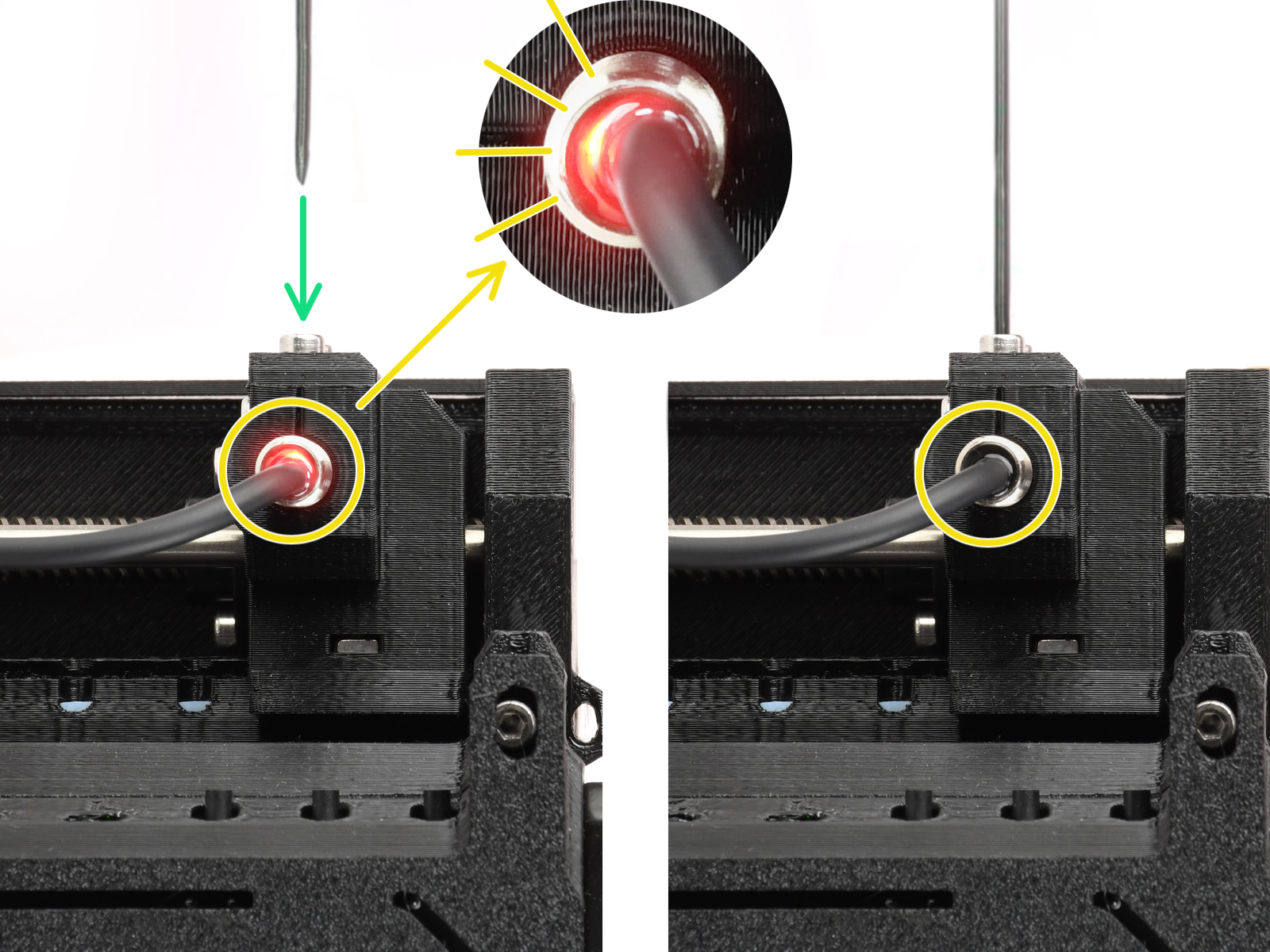
- Check the light on the FINDA, as the selector will only move if the light is on. If the light is off, redo the SuperFINDA calibration.
- Check if the blades are in place.
- Make sure that the motor is plugged correctly.
Check this guide for more details: MMU2S Selector not moving.
Was this article helpful?
This action is available only to registered users. Please log-in.
Log in to post a comment
No comments