


Every Original Prusa printer has a unique serial number assigned to it. This is found on a silver sticker on every machine and is also hardcoded to the main controller board. Serial numbers issued before November 2021 start with "CZPX", while after November 2021 we introduced a new format starting with "SN". All serials are registered in our internal database and they allow us to confirm your printer as genuine.
Prusa CORE One
A label is found on the back of the printer, between the PSU and the xBuddy board.
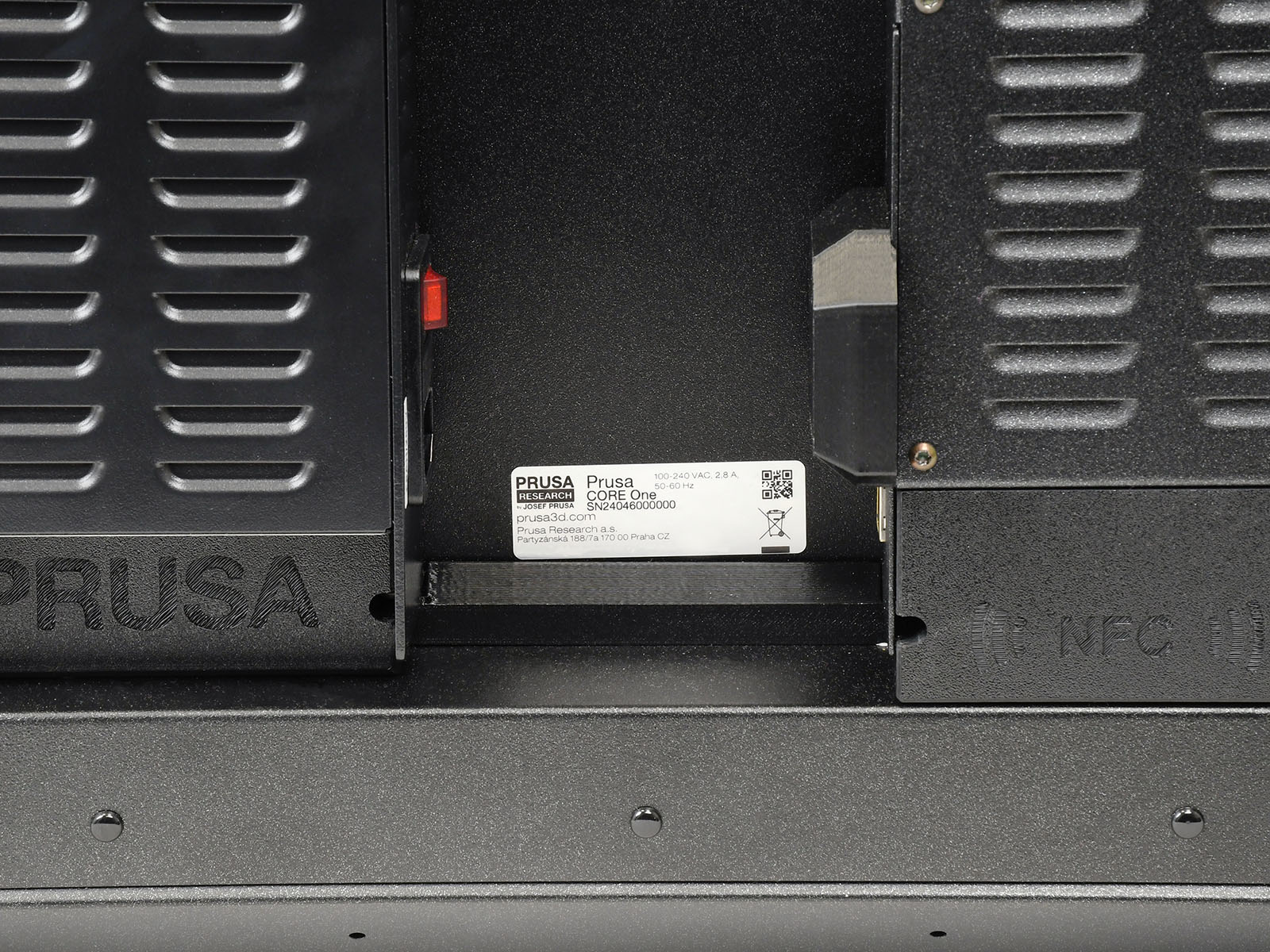
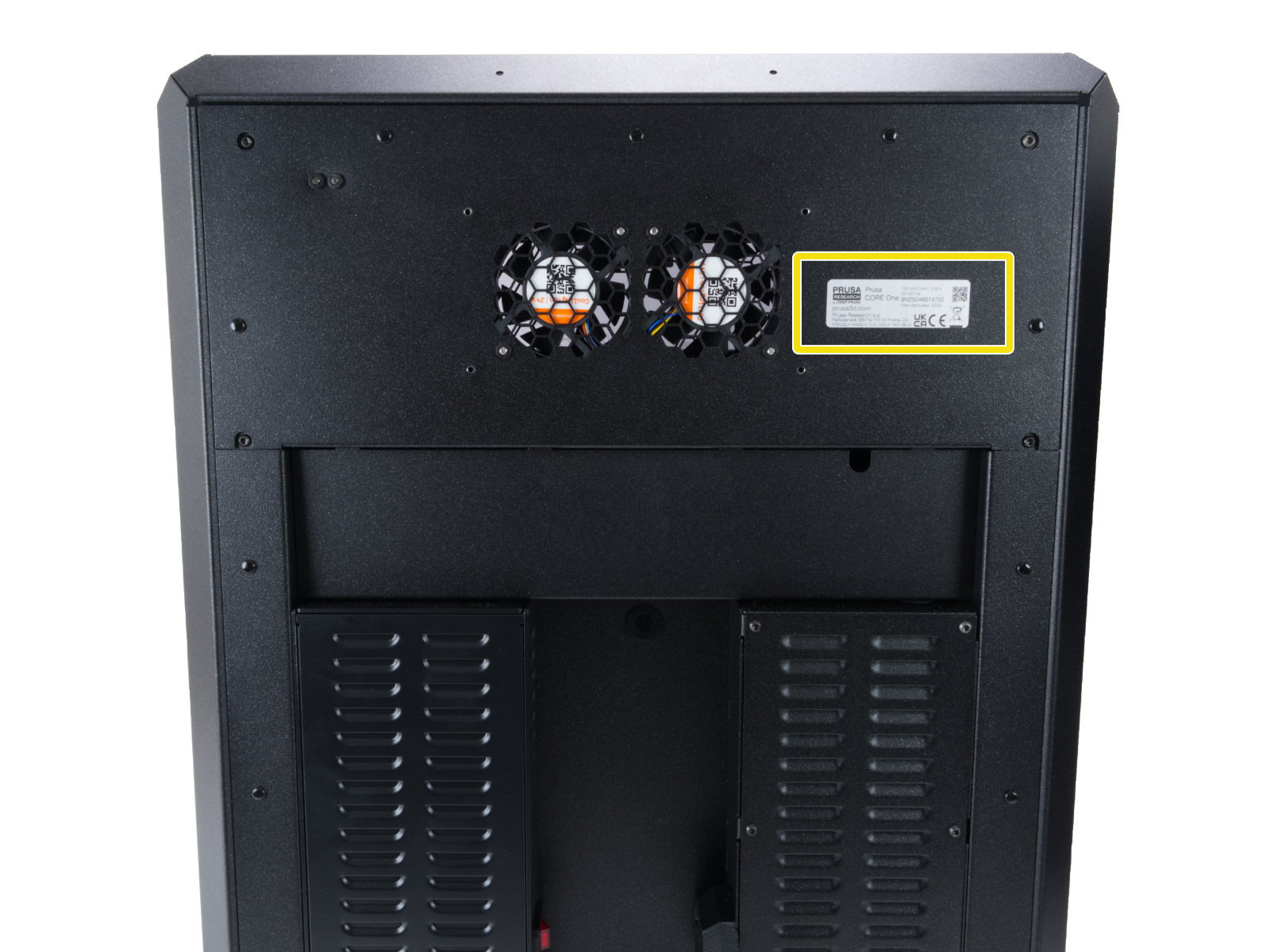
If you assembled the CORE ONE printer from the kit, the Serial Number label is already placed on the top right of the rear assembly.
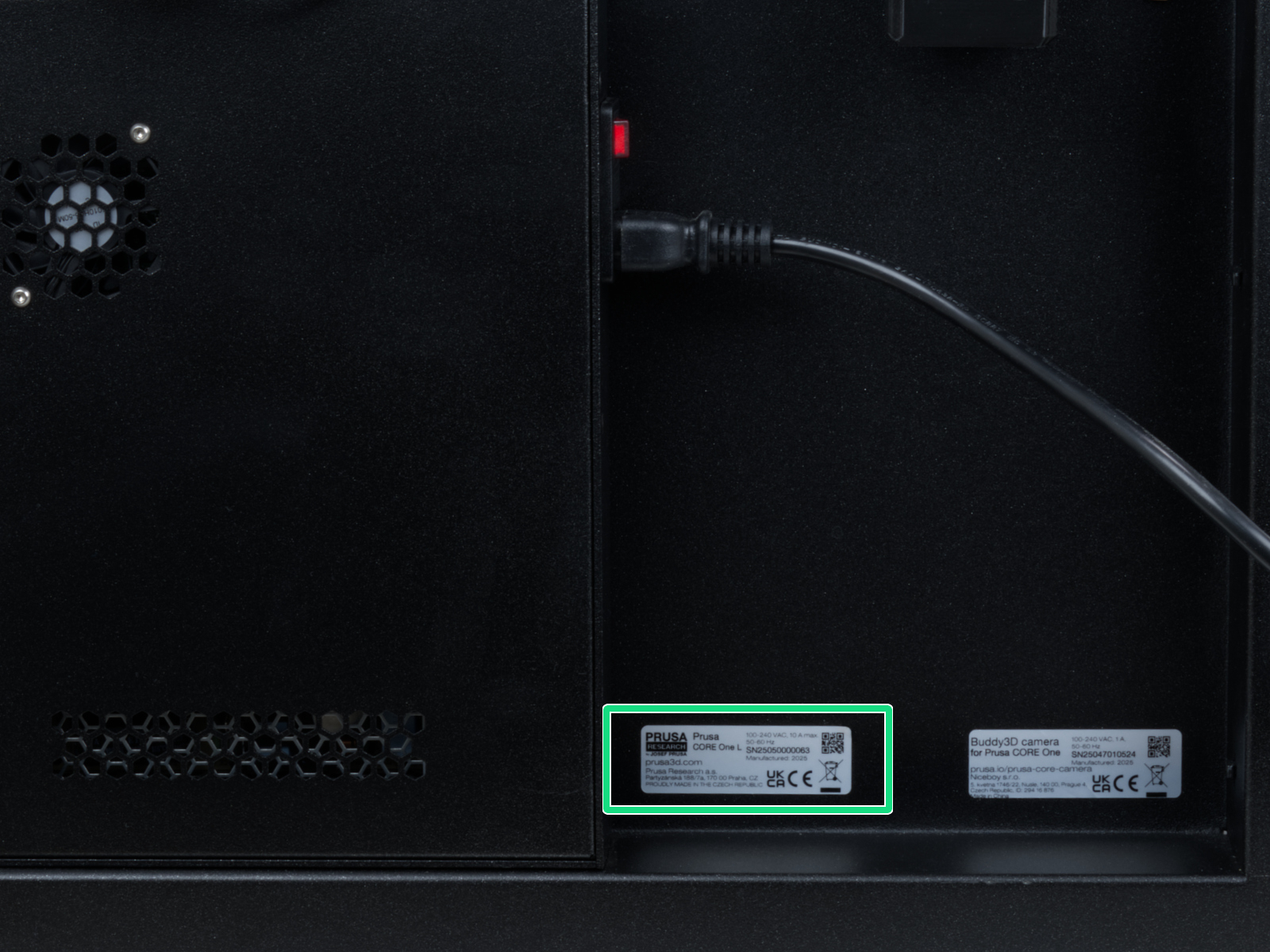
Prusa CORE One L
A "Prusa CORE One L" label is found on the rear of the printer, next to the AC Box.
Original Prusa MK-series
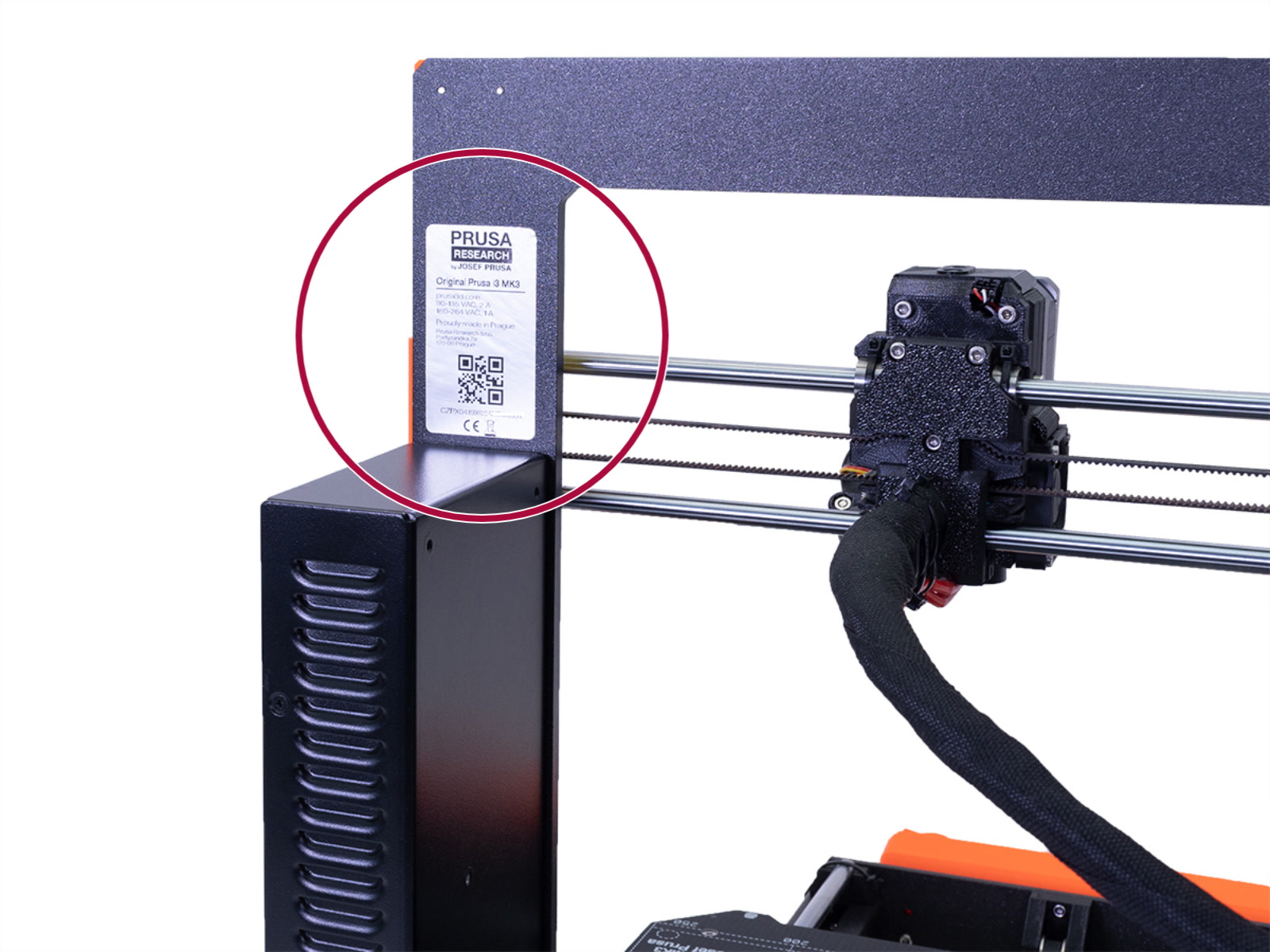 | 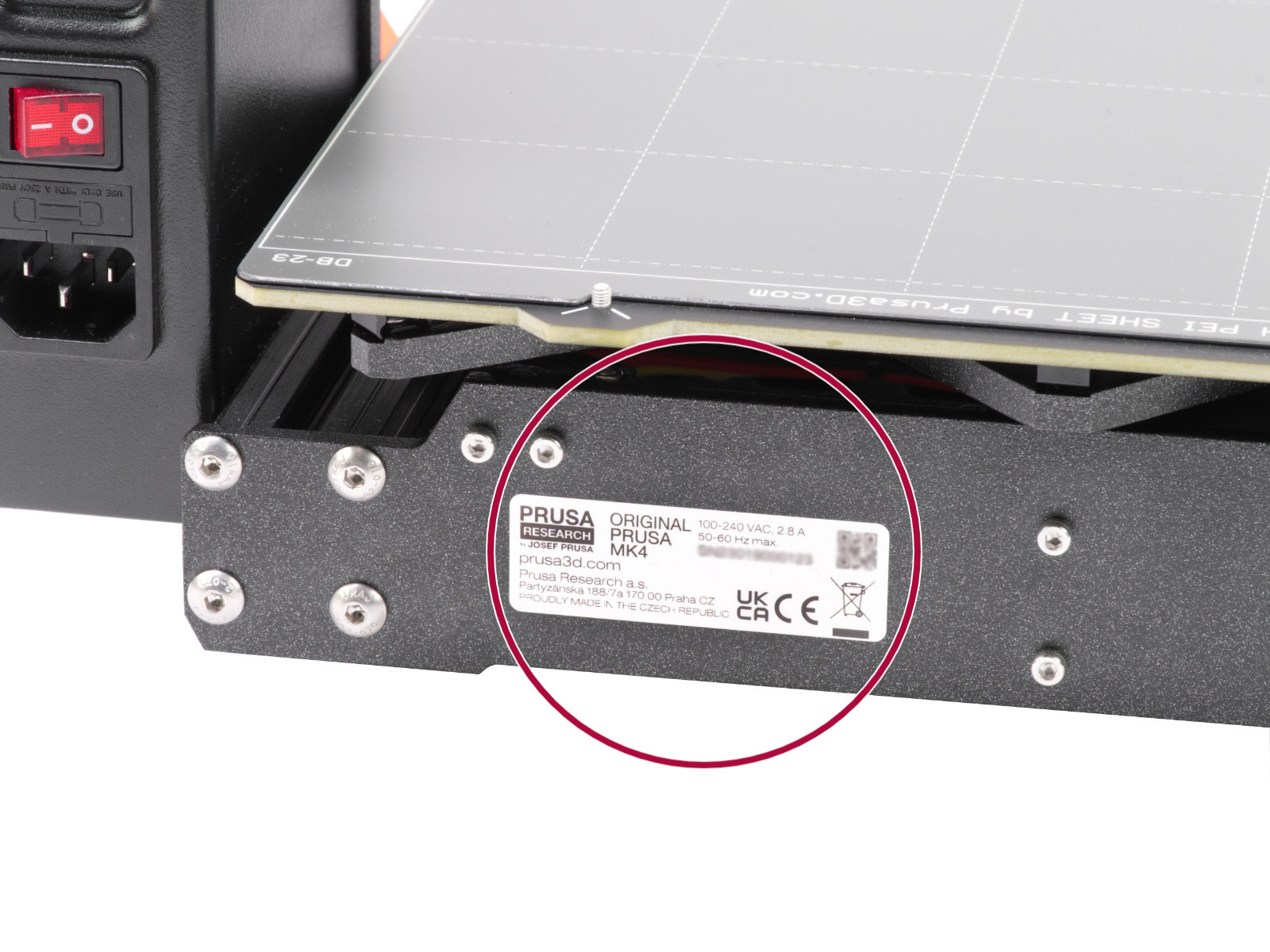 |
| Original Prusa MK-series until 2022 | Original Prusa MK-series from 2023 |
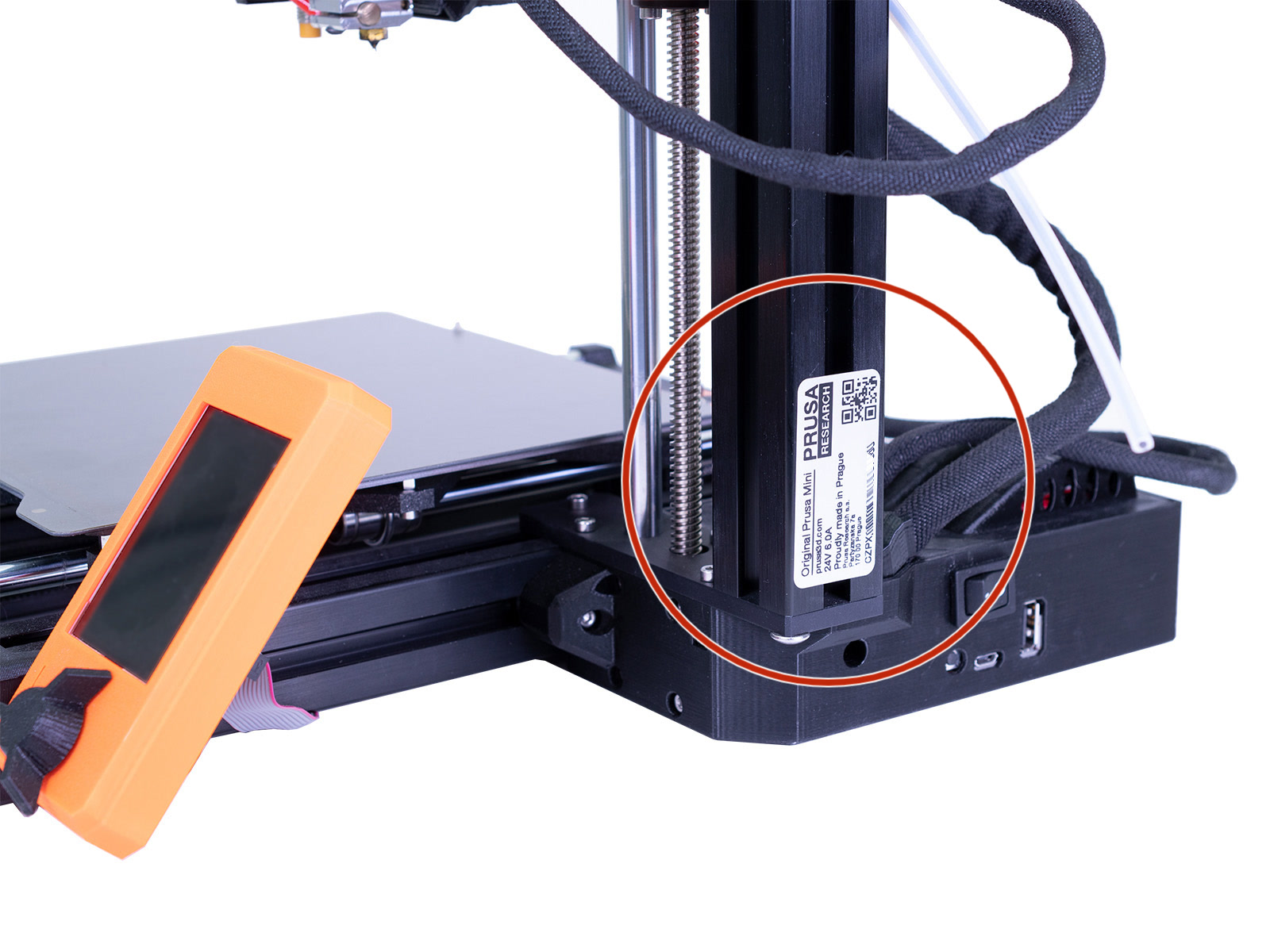
Original Prusa MINI & MINI+
Original Prusa XL
The Original Prusa XL may have one or two silver stickers. Check the whole rear of the printer to locate one or two stickers.
If the printer has two serial number stickers, the XL printer serial number is the one on the top sticker.
If the printer has one serial number sticker, the XL printer serial number is located on the bottom rear of the printer.
In both cases, the sticker has the text Original Prusa XL stamped on it.
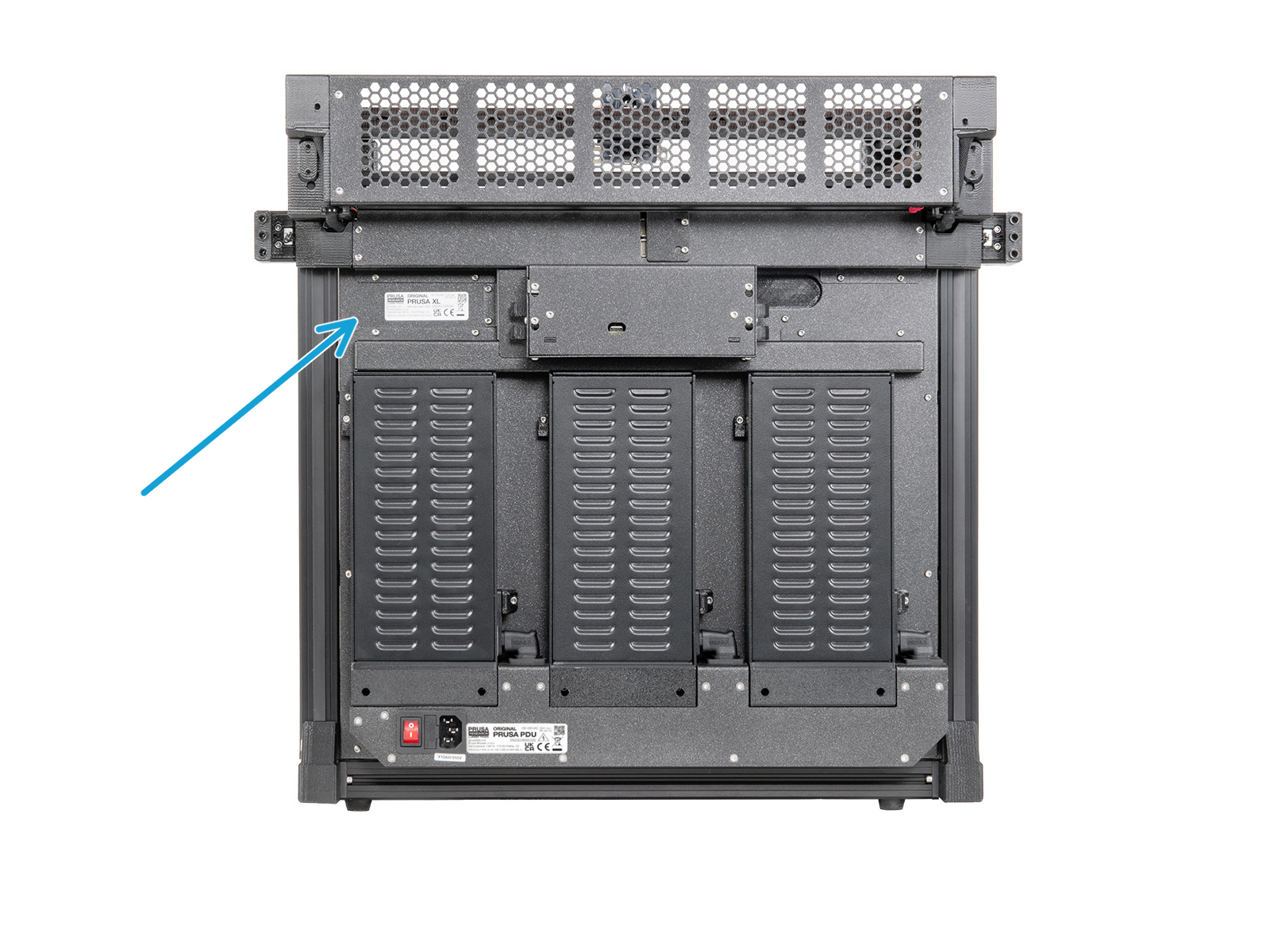 | 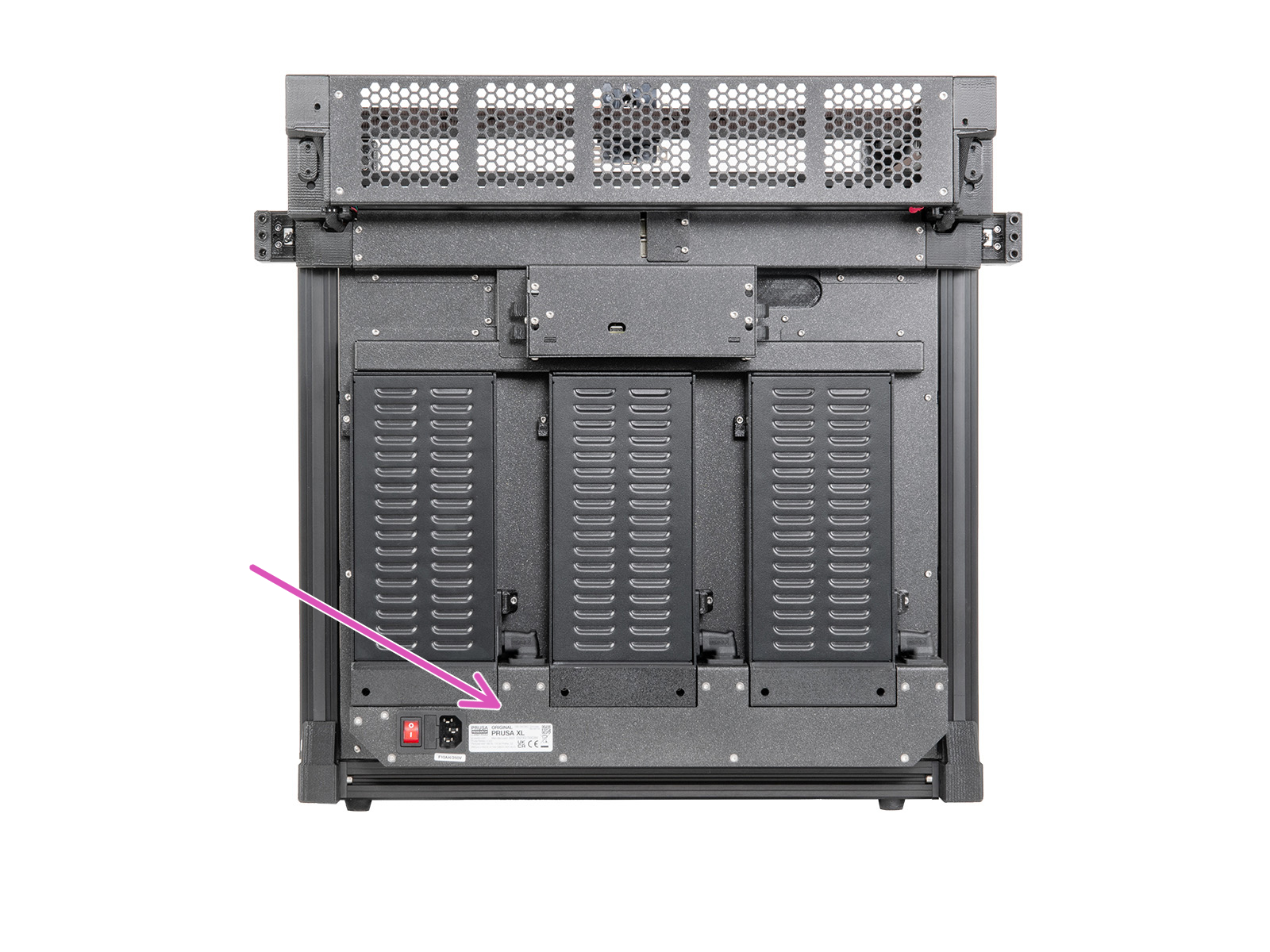 |
| XL with two serial number stickers | XL with one serial number sticker |
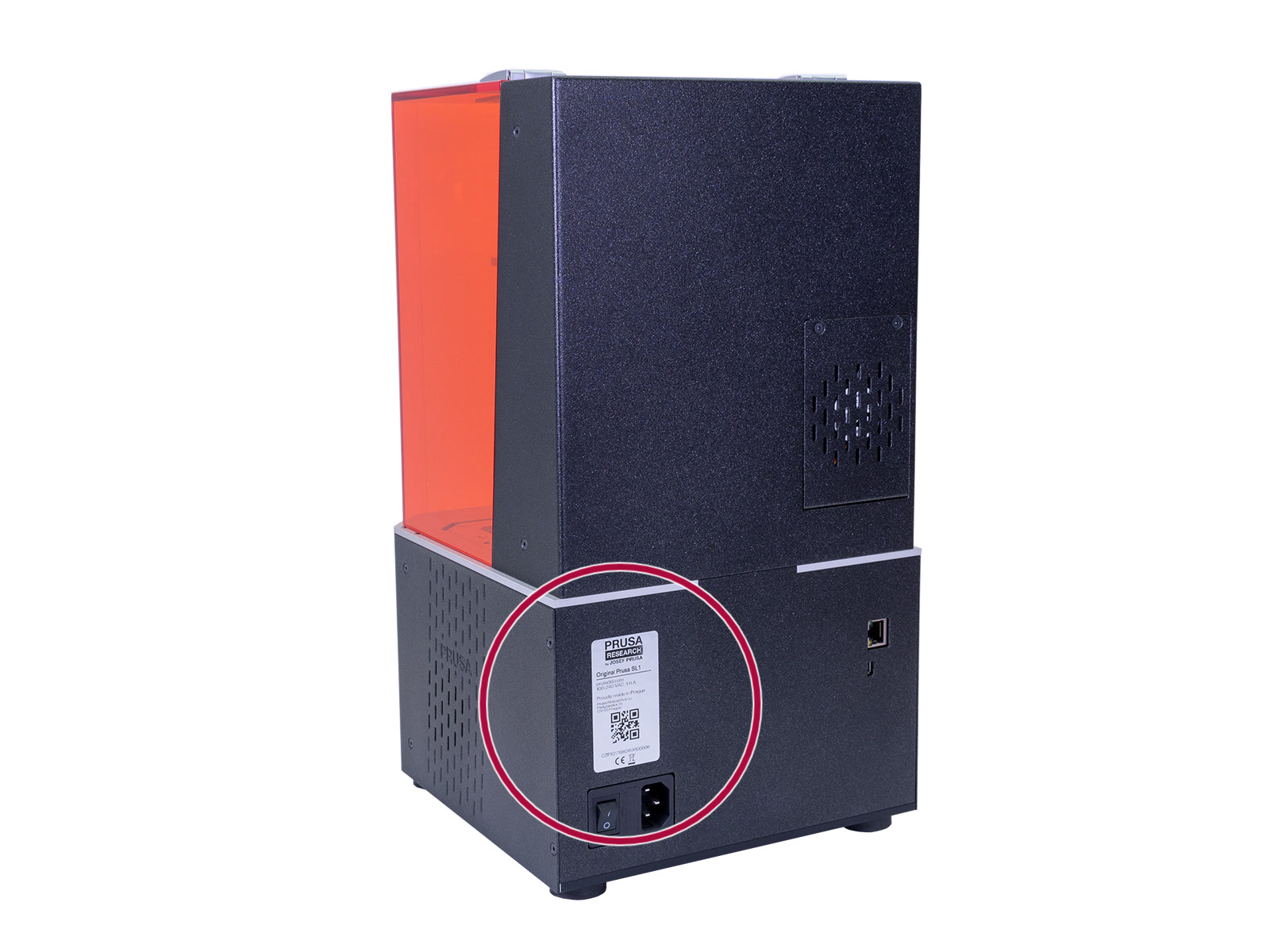
Original Prusa SL1 & SL1S
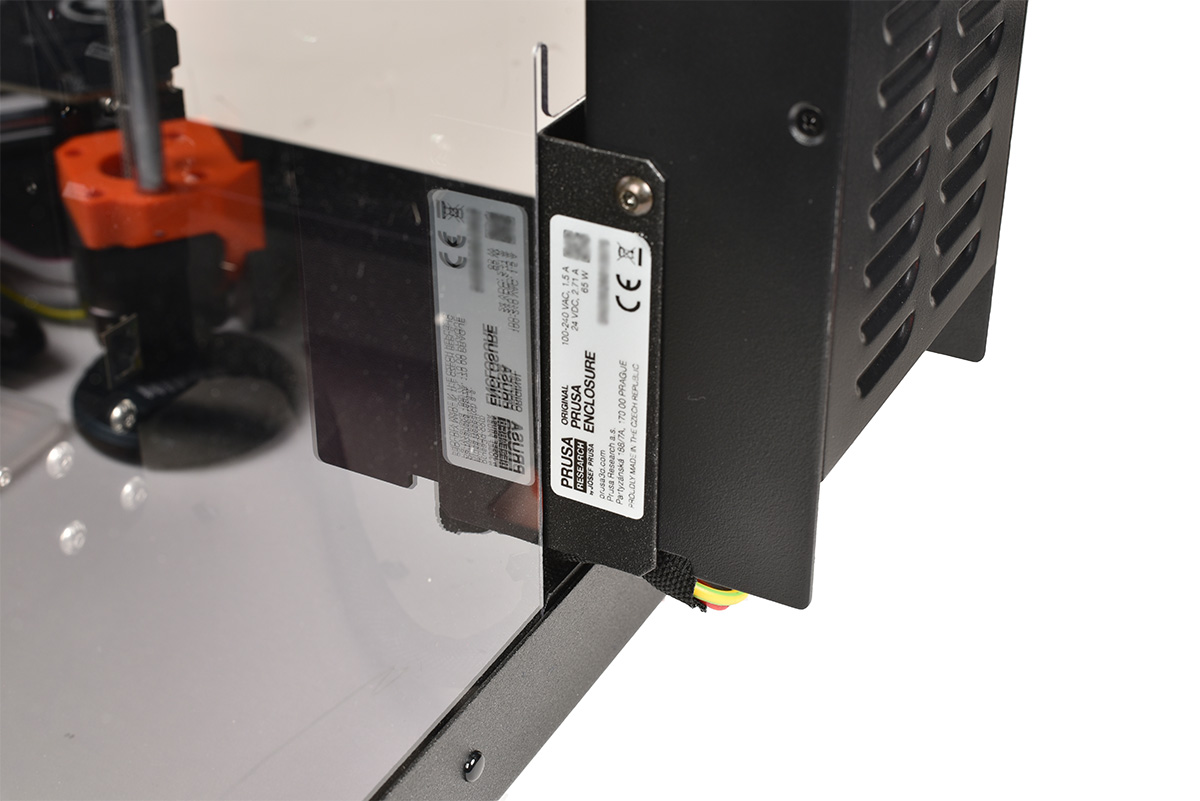
Original Prusa Enclosure
The label can be found on the side of the PSU holder.
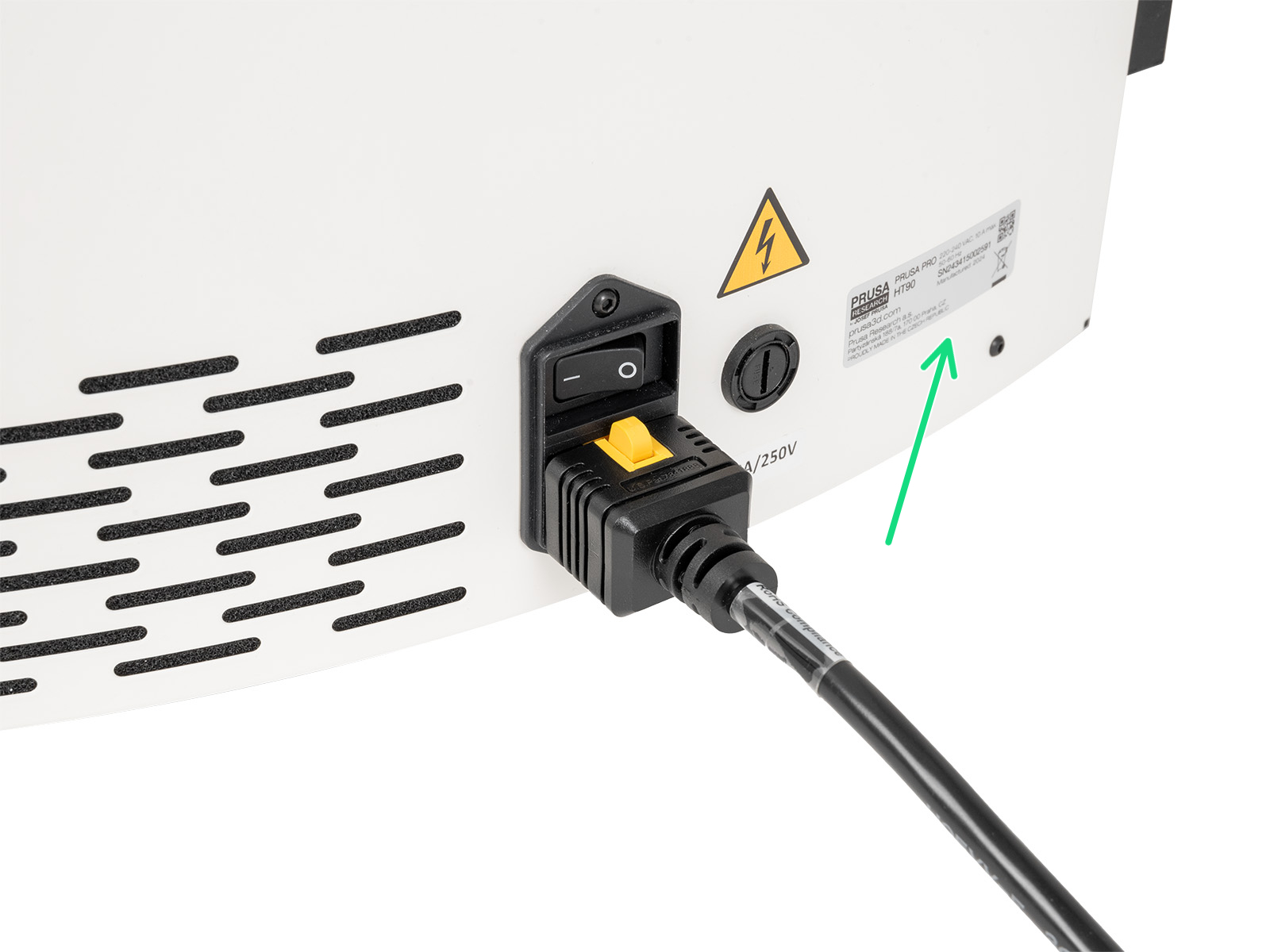
Prusa Pro HT90
A label is found on the rear of the printer, next to the power cord connector.
9 comments
Issue: when I go to connect a printer it doesn’t allow me to connect.
1. It asks for a 10 digit code. The SN number is 11 digits without the “SN” with the “SN” it’s 13.
2. when I enter in 0 or O - nothing gets entered.
3. Also when I go to connect on the app it redirects me to open in browser.
Sharing in hopes that this information helps fix some of these issues.
iPhone 14 Pro Max - prusa app - version 1.13.37 (5.13.2026)
My teacher brought the printer and needs to know what type of toolhead his printer uses
Here is the serial number
SN25027034295
Can you help me please
Thank you
[email protected]